> For the complete documentation index, see [llms.txt](https://docs.goassay.ai/llms.txt). Markdown versions of documentation pages are available by appending `.md` to page URLs; this page is available as [Markdown](https://docs.goassay.ai/use-tools/zh/ri-chang-shi-yong/statements-and-exports.md).
# 对账单与导出
查看月度对账单,并下载支出总额的 CSV 文件。
使用月度对账单留存记录。需要按工具、智能体或提供方分组的近期支出总额时,使用 Spend 导出。
## 操作步骤
{% tabs %}
{% tab title="月度对账单" %}
{% stepper %}
{% step %}
### 选择月份
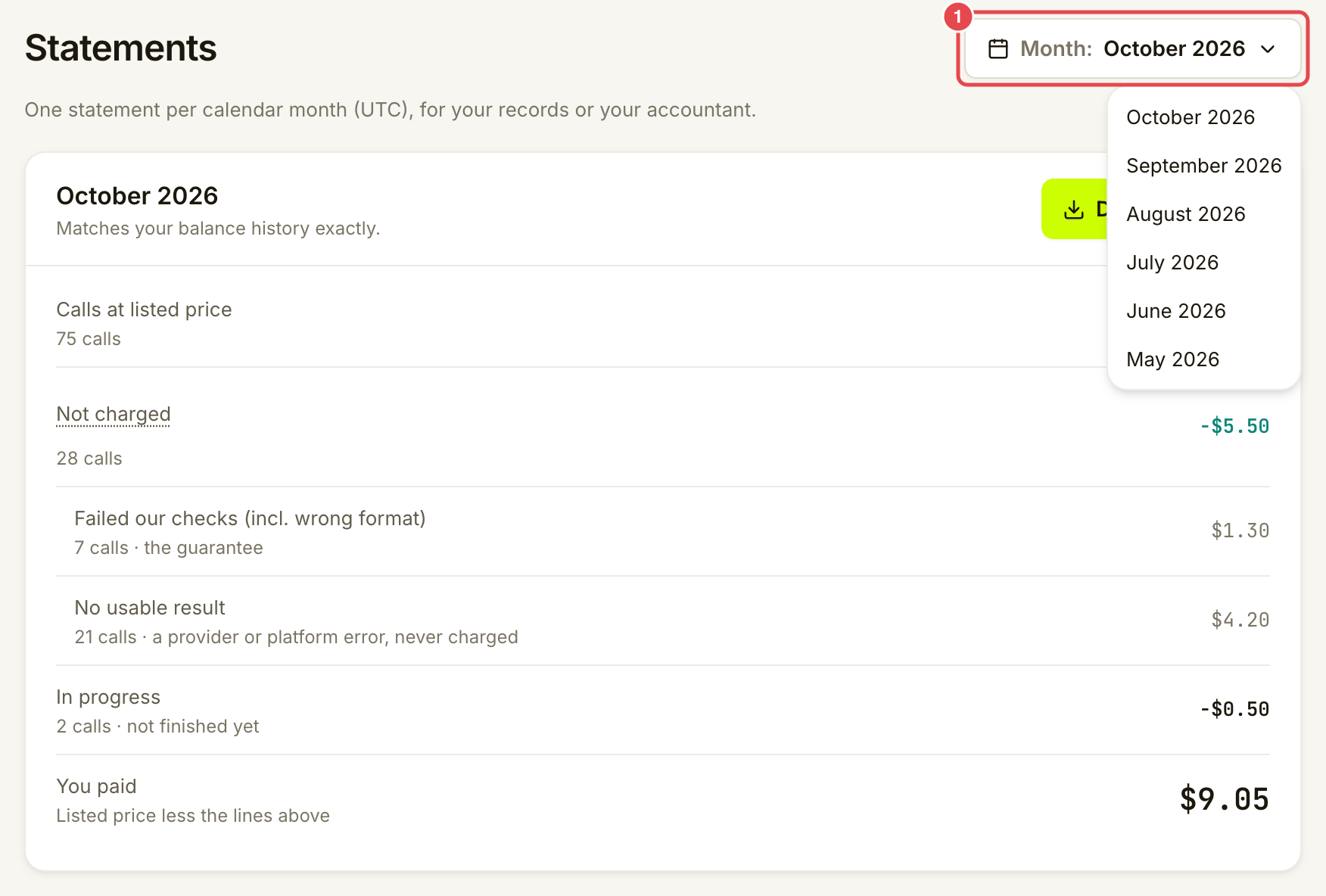
打开 **Money → Statements**。使用 **Month** 选择当月或前五个月之一。每份对账单按 UTC 自然月统计。
{% endstep %}
{% endstepper %}
{% endtab %}
{% endtabs %}
## 文件包含的内容
列:分组名称和 ID(例如 **Tool** 和 **Tool id**)、**Asset**、**Calls**、**Listed**、**Charged**、**Not charged**、**Not charged calls**、**Owed** 和 **Owed calls**。金额以对应资产的普通数字表示。
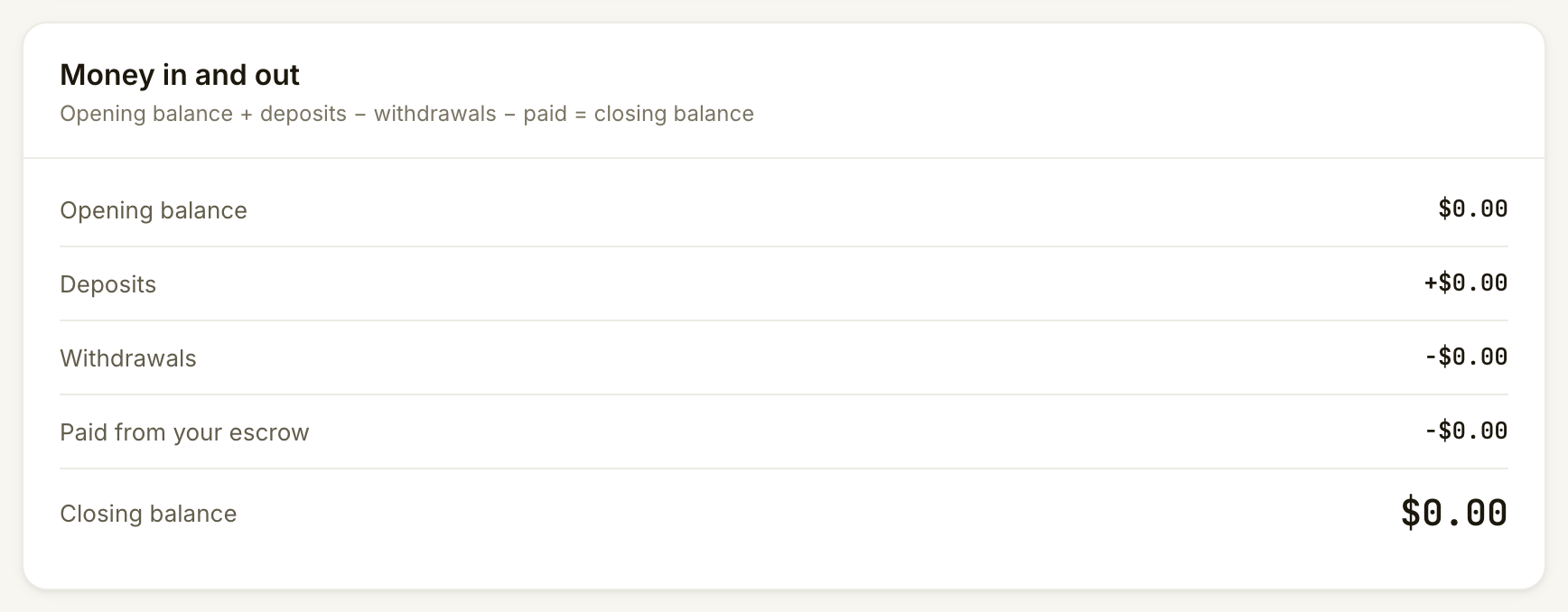
这些文件是支出汇总,并非每次调用一行。月度下载包含 **By tool** 各行和总计;不包含 **Money in and out**、单次收据、未收费原因明细或独立的处理中列。请在对账单或相关收据中阅读这些信息。
## 确认是否成功
浏览器已下载 CSV,其分组和时间范围与你的选择一致。对账单的 **You paid** 与已收费总额一致;欠款和未完成的调用不算已收取的付款。
## 遇到问题时
| 你看到的情况 | 处理方式 |
| ------------------------ | ---------------------------------------------- |
| **No paid calls** 且下载不可用 | 选择有付费调用的月份。仅有免费调用不会生成对账单行。 |
| **Export CSV** 不可用 | 等待 Spend 加载,或选择有数据行的时间范围。 |
| 无法加载期初和期末余额 | 稍后重新加载并查看 **Money in and out**;支出 CSV 不提供这些余额。 |
| 余额核对不一致 | 保留对账单信息并联系 Assay 支持。不要将缺失数据视为零。 |
## 下一步
* [管理提醒与查看账户记录](/use-tools/zh/ri-chang-shi-yong/alerts-and-account-history.md)
---
# Agent Instructions
This documentation is published with GitBook. GitBook is the documentation platform designed so that both humans and AI agents can read, navigate, and reason over technical content effectively. Learn more at gitbook.com.
## Querying This Documentation
If you need additional information that is not directly available in this page, you can query the documentation by asking a question.
Perform an HTTP GET request on the following URL with the `ask` and `goal` query parameters:
```
GET https://docs.goassay.ai/use-tools/zh/ri-chang-shi-yong/statements-and-exports.md?ask=&goal=
```
`ask` is the immediate question: it should be specific, self-contained, and written in natural language.
`goal` is what the user is ultimately trying to achieve, the reason they need the answer. Sharing it helps GitBook give you a better, more relevant answer. A goal is most helpful when it describes the outcome the user wants rather than restating the question. For example, with `ask=how do I create an API token`, a goal like `automate deployments from our CI pipeline` lets GitBook tailor the answer to that use case.
The response will contain a direct answer to the question and relevant excerpts and sources from the documentation.
Use this mechanism when the answer is not explicitly present in the current page, you need clarification or additional context, or you want to retrieve related documentation sections.