> For the complete documentation index, see [llms.txt](https://docs.goassay.ai/llms.txt). Markdown versions of documentation pages are available by appending `.md` to page URLs; this page is available as [Markdown](https://docs.goassay.ai/use-tools/when-something-goes-wrong/get-a-refund.md).
# Get a refund or report a bad result
Check an automatic refund or report a charged call that returned a bad result.
Failed calls and unusable results detected by Assay's checks are not charged or are refunded automatically. You do not need to file a report for a call already marked **Not charged**. If a charged result is wrong in a way the checks missed, report that call from its receipt.
A valid empty answer can still be charged: “no matches” is different from a broken result. Read the receipt before reporting it.
## Before you report
You normally have **7 days after the call finishes** to report it. That is longer than the refund window. The receipt shows the deadline for that call.
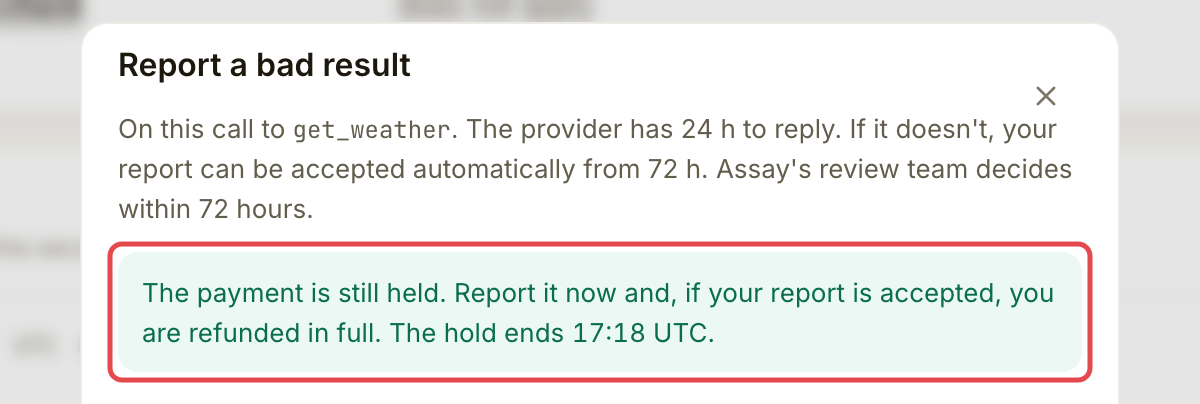
After a paid call finishes, the payment is held for **1 hour** before the provider receives it. While the receipt says it is refundable, a report filed in time gets a full refund **if accepted**. Before collection, the receipt can also offer this guarantee. Use **Still refundable** in **Activity → Calls** and the receipt's live **Refundable until** time; do not calculate the deadline from when you asked the AI to make the call.
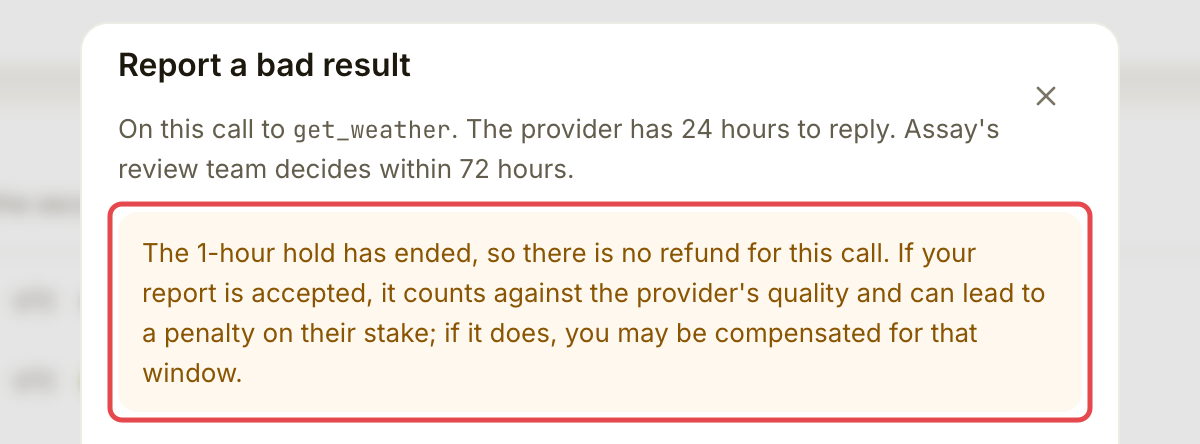
After that hold ends, reporting a bad result can count against the provider's quality and may lead to compensation if a penalty follows, but there is no refund for that call. If the receipt does not promise a full refund, do not assume one.
## Steps
{% stepper %}
{% step %}
### Open the call
Go to **Activity → Calls** and open the call you want to report. Read its receipt and **Where the money went**. See [Check your spending](/use-tools/everyday-use/check-your-spending.md) for help finding the call.
A failed check, provider error, rejected request, timeout or missing usable result can already explain an automatic **Not charged** outcome. Money released or refunded goes back to your Assay balance, not directly to your wallet. **Activity → Not charged** lists every call you were not charged for, with the reason.
Read the receipt first.
{% endstep %}
{% step %}
### Open Report a bad result
Choose **Report a bad result** on the receipt. Read the drawer's statement about whether the payment is still held and whether an accepted report gets a refund.
Open the report drawer.
Read whether a refund is still possible.
{% endstep %}
{% step %}
### Describe the problem
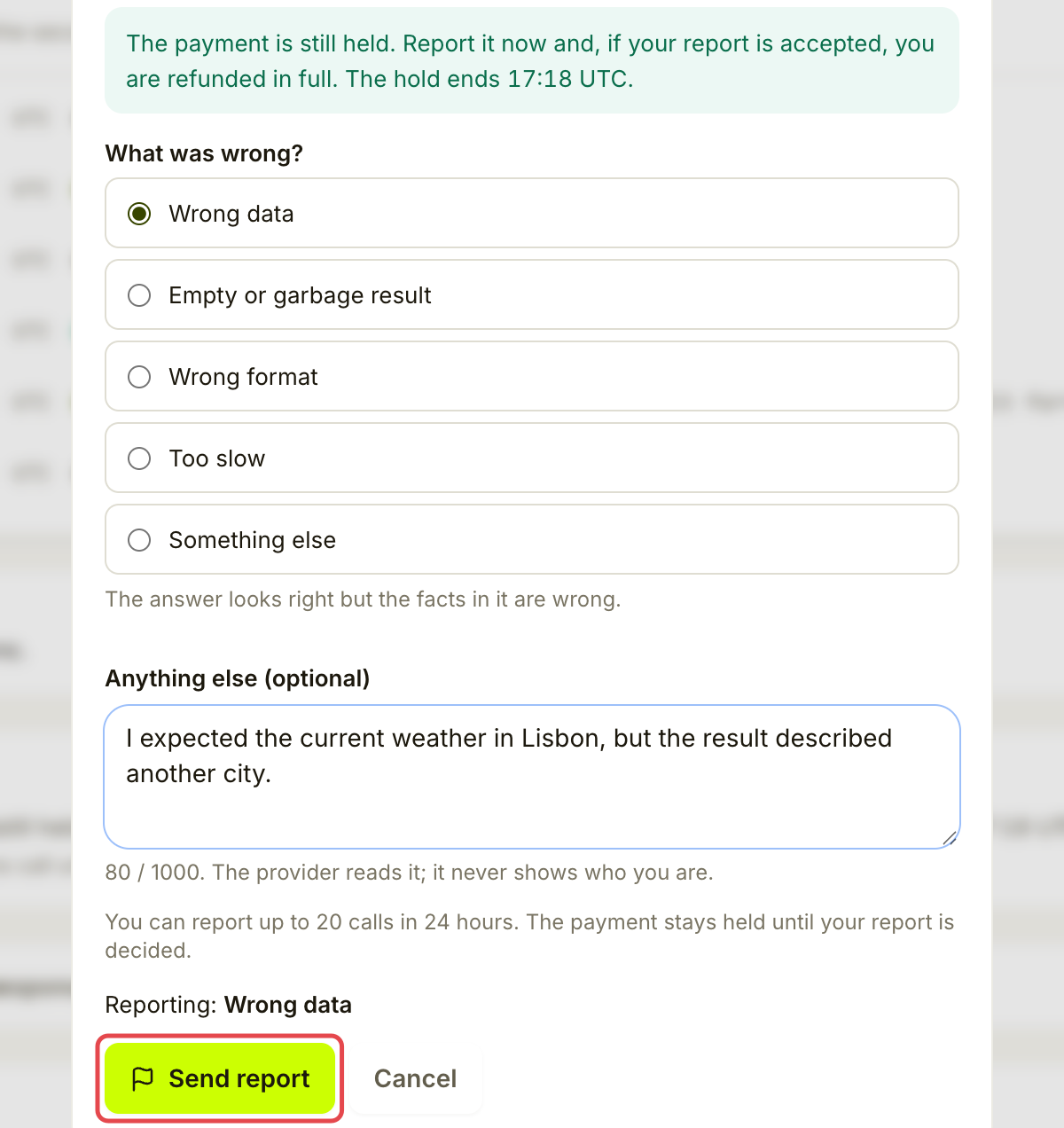
Choose **Wrong data**, **Empty or garbage result**, **Wrong format**, **Too slow** or **Something else**. Add what you expected and what came back. The note allows up to **1,000 characters** and is required for **Something else**.
The provider can read the note, but Assay does not show them who you are. Include the details needed to explain the bad result.
{% endstep %}
{% step %}
### Send the report
Choose **Send report**. Keep the report page open long enough to check that it was filed and read the deadlines shown there.
Review the report before sending.
{% endstep %}
{% step %}
### Follow the outcome
Return through **Activity → Reports**, or **See the report** on the receipt. The timeline shows the provider's reply, the decision and the refund status. The provider has **24 hours** to reply. Assay's review team aims to decide within **72 hours** of filing; the page shows the actual deadlines and any delay.
For a report covered by the refund guarantee, the payment stays held while the report is decided. If the provider stays silent, the report can be accepted automatically from 72 hours; this is not a promise of an immediate decision at that hour.
{% endstep %}
{% endstepper %}
## Possible outcomes
| Outcome | What happens to your money |
| -------------------------------------- | ------------------------------------------------------------------------------------------------------------------------- |
| **Accepted**, with a guaranteed refund | The full payment returns to your Assay balance. If it was an unpaid debt instead, that debt can be cancelled. |
| **Refund on its way** | The refund is being booked. Check again; the app says this usually takes minutes. |
| **Not accepted** | There is no refund through the report. A separate refund already made because a provider was blocked can remain in place. |
| Accepted after the hold ended | It counts against the provider's quality, but does not refund this call. |
| **Not charged** | There was no charge to refund. |
| Refunded before the decision | A blocked provider's held payment can return early. The report still goes on to a decision. |
The hold is not indefinite: if Assay never acts, the payment is released to the provider 7 days after the hold ends. Follow up on an overdue report.
## Check it worked
The receipt says **You reported this call**, and **See the report** opens its timeline. For a completed refund, look for **Refunded** and the restored amount. Filing alone does not mean the report was accepted.
## If something goes wrong
| You see | Do this |
| ------------------------------------------- | ------------------------------------------------------------------------------------------------------------------------------------------------------ |
| No **Report a bad result** button | Check whether the call is finished, paid and still within its reporting window. Free calls and calls already not charged do not need this refund flow. |
| **The time to report this call has passed** | The reporting window closed. Keep the receipt and contact Assay support if you still need help. |
| **You already reported this call** | Open **See the report** instead of filing again. |
| A report limit was reached | Wait and try later. There is a daily limit on reports, with a lower limit per provider. Repeated rejected reports can reduce your limit. |
| **The payment is moving right now** | Wait a minute and try again. Recheck the refund promise before sending. |
| A decision is overdue | Open the report to check its timeline and contact Assay support with its reference. |
If the hold has ended
After the hold, read the notice before deciding whether to report.
## Next
* [Troubleshooting](/use-tools/when-something-goes-wrong/troubleshooting.md)
---
# Agent Instructions
This documentation is published with GitBook. GitBook is the documentation platform designed so that both humans and AI agents can read, navigate, and reason over technical content effectively. Learn more at gitbook.com.
## Querying This Documentation
If you need additional information that is not directly available in this page, you can query the documentation by asking a question.
Perform an HTTP GET request on the following URL with the `ask` and `goal` query parameters:
```
GET https://docs.goassay.ai/use-tools/when-something-goes-wrong/get-a-refund.md?ask=&goal=
```
`ask` is the immediate question: it should be specific, self-contained, and written in natural language.
`goal` is what the user is ultimately trying to achieve, the reason they need the answer. Sharing it helps GitBook give you a better, more relevant answer. A goal is most helpful when it describes the outcome the user wants rather than restating the question. For example, with `ask=how do I create an API token`, a goal like `automate deployments from our CI pipeline` lets GitBook tailor the answer to that use case.
The response will contain a direct answer to the question and relevant excerpts and sources from the documentation.
Use this mechanism when the answer is not explicitly present in the current page, you need clarification or additional context, or you want to retrieve related documentation sections.