> For the complete documentation index, see [llms.txt](https://docs.goassay.ai/llms.txt). Markdown versions of documentation pages are available by appending `.md` to page URLs; this page is available as [Markdown](https://docs.goassay.ai/use-tools/everyday-use/statements-and-exports.md).
# Statements and exports
Review a monthly statement and download a CSV of spending totals.
Use a monthly statement for your records. Use the Spend export when you need totals for a recent period grouped by tool, agent or provider.
## Steps
{% tabs %}
{% tab title="Monthly statement" %}
{% stepper %}
{% step %}
### Choose the month
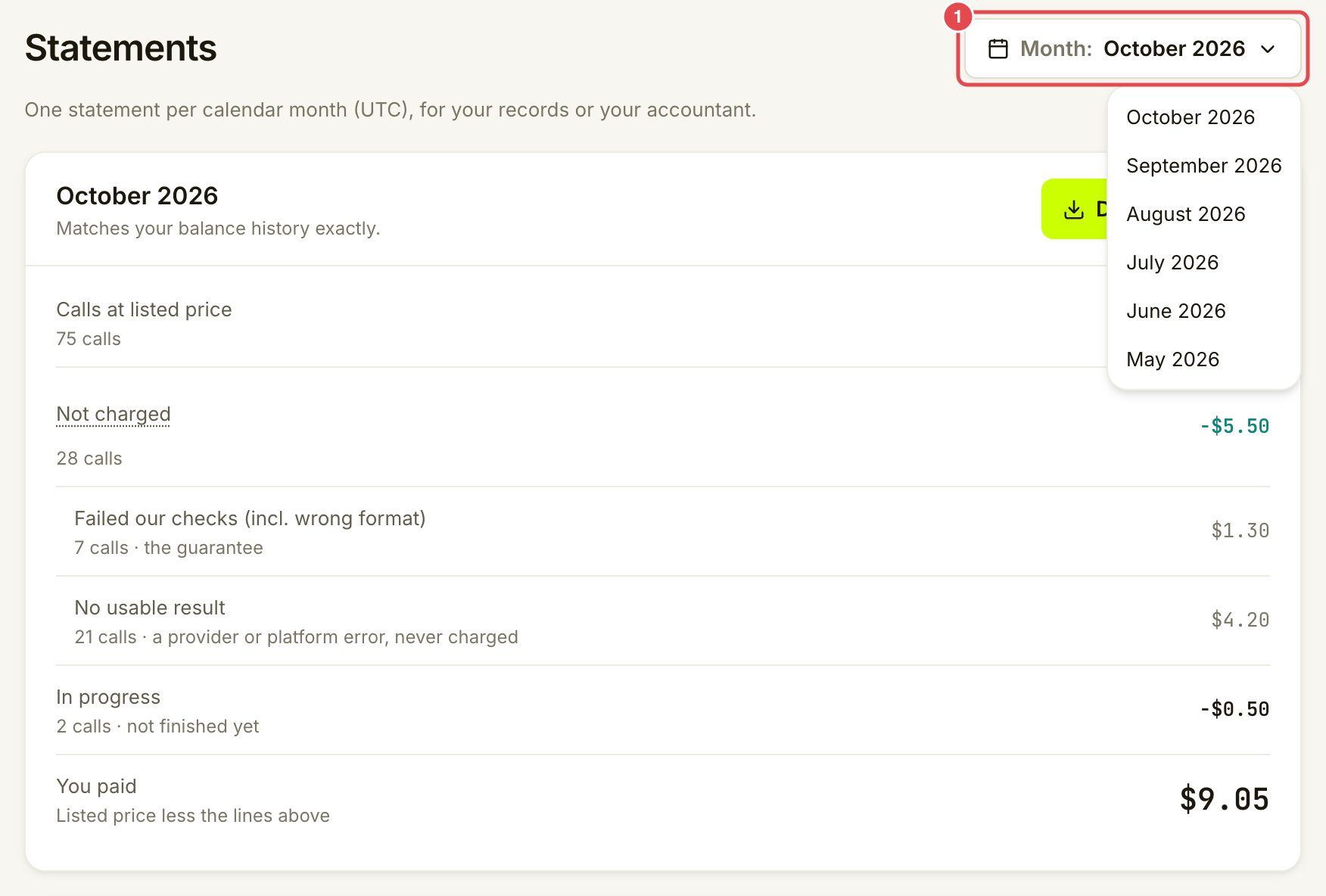
Open **Money → Statements**. Use **Month** to choose from the current month and the previous five months. Each statement uses a calendar month in UTC.
Choose a UTC month.
{% endstep %}
{% step %}
### Review the statement
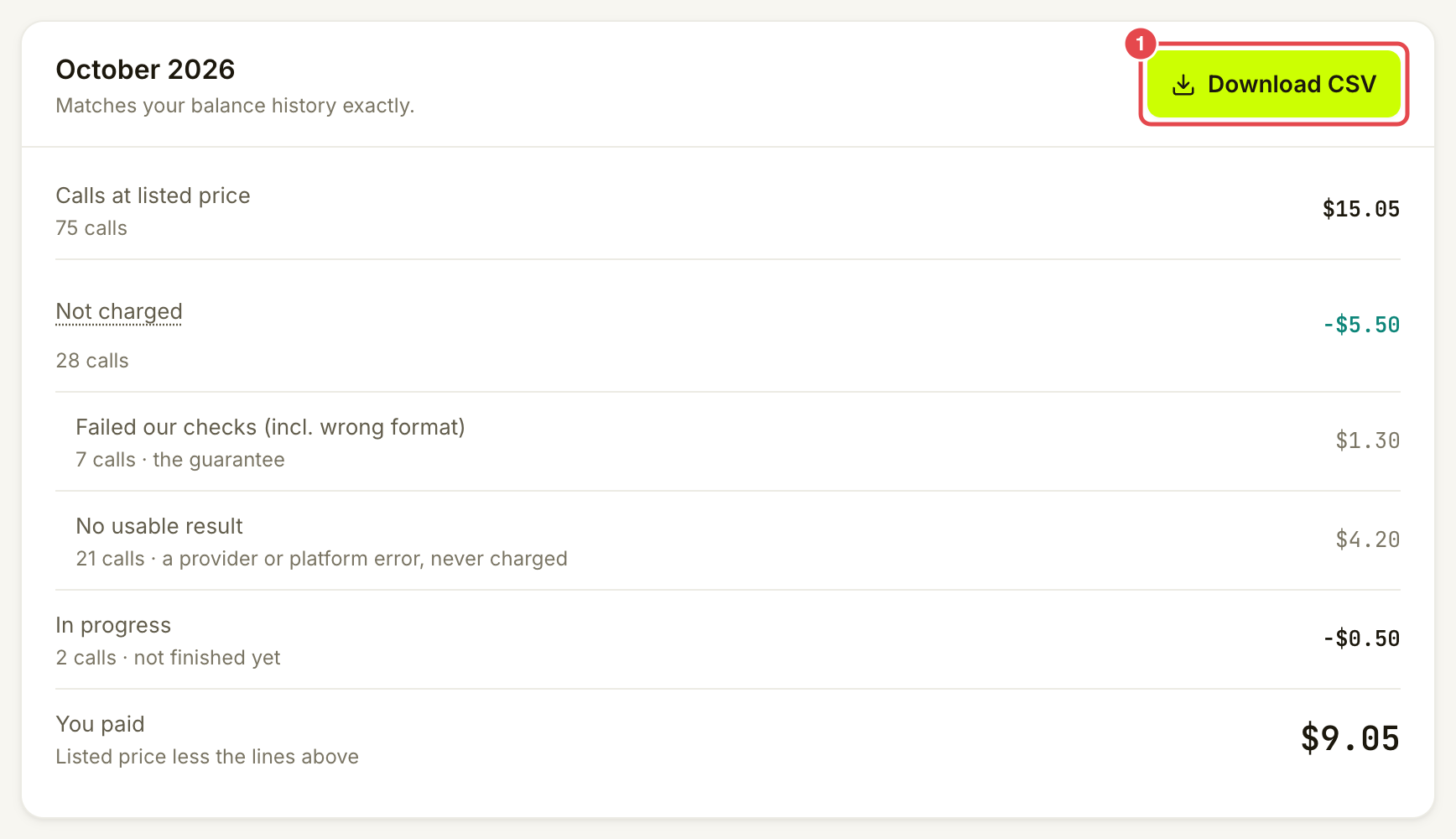
Read **Calls at listed price**, **Not charged**, any **Owed** and **In progress** lines, and **You paid**. Not charged amounts are broken down by reason. **By tool** gives the totals for each tool with paid calls.
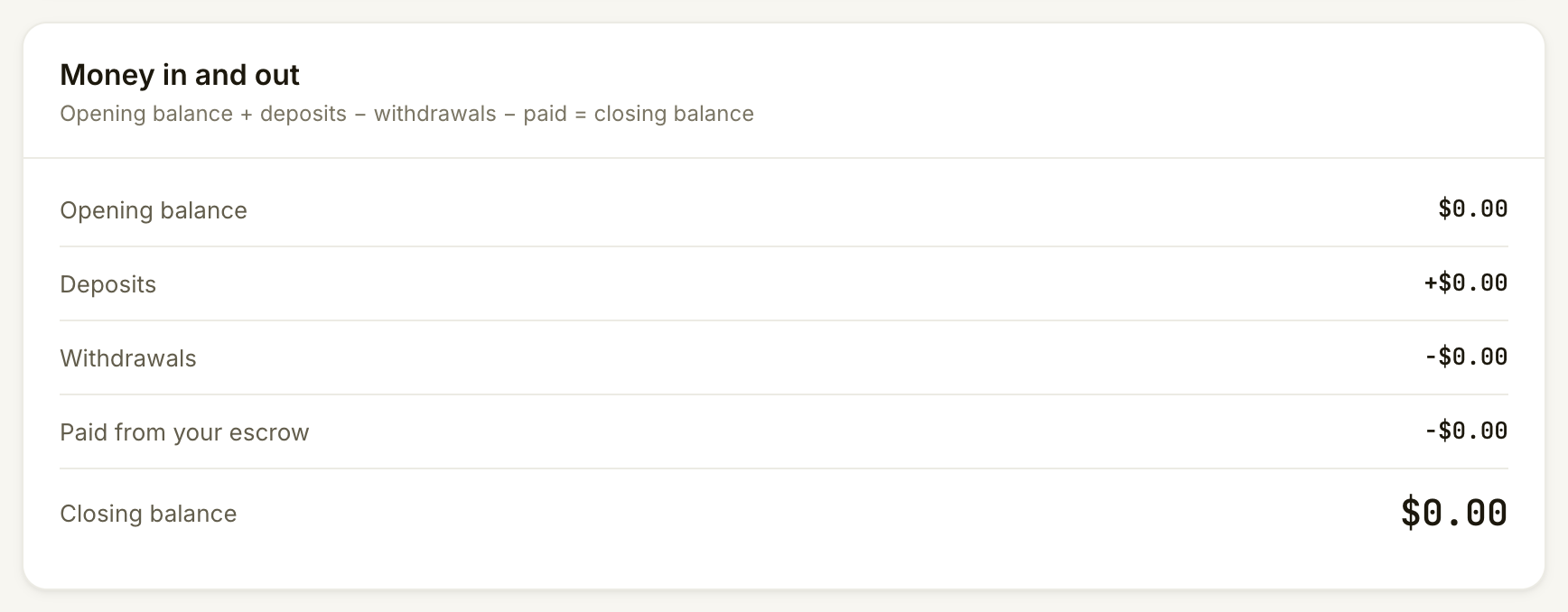
**Money in and out** shows the opening balance, deposits, withdrawals, paid calls and closing balance for your Assay balance. Its equation is opening balance + deposits − withdrawals − paid = closing balance. For the current month, the app also checks that balance against the chain when it can.
Review Money in and out. This completed month has no money movements.
{% endstep %}
{% step %}
### Download the CSV
Choose **Download CSV**. The file contains one row per tool with paid calls, followed by a **Total** row. Free-only tools are left out.
Download the monthly summary.
{% endstep %}
{% endstepper %}
{% endtab %}
{% tab title="Recent spending export" %}
{% stepper %}
{% step %}
### Choose the view
Open **Activity → Spend**. Select the period and **By tool**, **By agent** or **By provider**. See [Check your spending](/use-tools/everyday-use/check-your-spending.md) if you need to trace a total to a receipt.
{% endstep %}
{% step %}
### Export the view
Choose **Export CSV**. The file contains one row per group in the selected view and period. It does not add a Total row.
Export the selected view.
{% endstep %}
{% endstepper %}
{% endtab %}
{% endtabs %}
## What the files contain
Columns: the group's name and ID (for example **Tool** and **Tool id**), **Asset**, **Calls**, **Listed**, **Charged**, **Not charged**, **Not charged calls**, **Owed** and **Owed calls**. Amounts are plain numbers in the named asset.
These are spending summaries, not one row per call. The monthly download contains the **By tool** rows and totals; it does not include **Money in and out**, individual receipts, the detailed not-charged reasons or separate in-progress columns. Read those details on the statement or the relevant receipt.
## Check it worked
Your browser downloaded a CSV. Its grouping and period match the view you chose. The statement's **You paid** matches its charged total; owed and unfinished calls are not payments already collected.
## If something goes wrong
| You see | Do this |
| ------------------------------------------------ | --------------------------------------------------------------------------------------------- |
| **No paid calls** and a disabled download | Choose a month with paid calls. Free calls alone do not produce statement rows. |
| A disabled **Export CSV** | Wait for Spend to load, or choose a period with rows. |
| Opening and closing balances could not be loaded | Reload later to review **Money in and out**; the spending CSV does not supply those balances. |
| A balance check does not match | Keep the statement details and contact Assay support. Do not assume missing data means zero. |
## Next
* [Manage alerts and review account history](/use-tools/everyday-use/alerts-and-account-history.md)
---
# Agent Instructions
This documentation is published with GitBook. GitBook is the documentation platform designed so that both humans and AI agents can read, navigate, and reason over technical content effectively. Learn more at gitbook.com.
## Querying This Documentation
If you need additional information that is not directly available in this page, you can query the documentation by asking a question.
Perform an HTTP GET request on the following URL with the `ask` and `goal` query parameters:
```
GET https://docs.goassay.ai/use-tools/everyday-use/statements-and-exports.md?ask=&goal=
```
`ask` is the immediate question: it should be specific, self-contained, and written in natural language.
`goal` is what the user is ultimately trying to achieve, the reason they need the answer. Sharing it helps GitBook give you a better, more relevant answer. A goal is most helpful when it describes the outcome the user wants rather than restating the question. For example, with `ask=how do I create an API token`, a goal like `automate deployments from our CI pipeline` lets GitBook tailor the answer to that use case.
The response will contain a direct answer to the question and relevant excerpts and sources from the documentation.
Use this mechanism when the answer is not explicitly present in the current page, you need clarification or additional context, or you want to retrieve related documentation sections.