> For the complete documentation index, see [llms.txt](https://docs.goassay.ai/llms.txt). Markdown versions of documentation pages are available by appending `.md` to page URLs; this page is available as [Markdown](https://docs.goassay.ai/use-tools/everyday-use/alerts-and-account-history.md).
# Manage alerts and review account history
Review the alerts Assay sends and see who changed your account settings.
Use alerts to spot something that needs attention. Use account history to see who changed spending limits, keys or alert settings.
**Alerts reach you inside Assay:** the bell on every page and **Needs attention** on **Overview**. Assay does not send alerts by email, push, Slack or webhook. Do not rely on an email or phone notification to catch a payment problem.
## Steps
{% stepper %}
{% step %}
### Open Alert settings
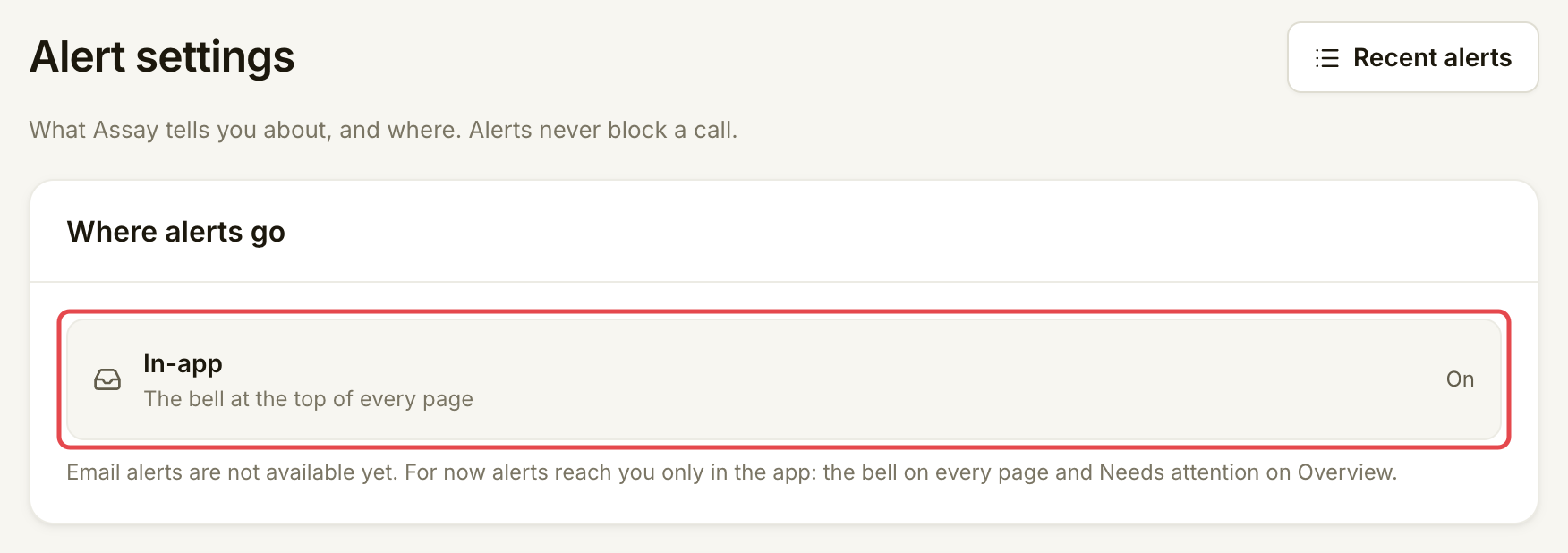
Open the account menu and choose **Alert settings**. You can also open the bell and choose **Alert settings** there.
**Where alerts go** shows **In-app** as **On**. There is no external destination to configure. In-app alerts stay on and cannot be switched off.
Alerts arrive inside Assay.
{% endstep %}
{% step %}
### Review what you are told about
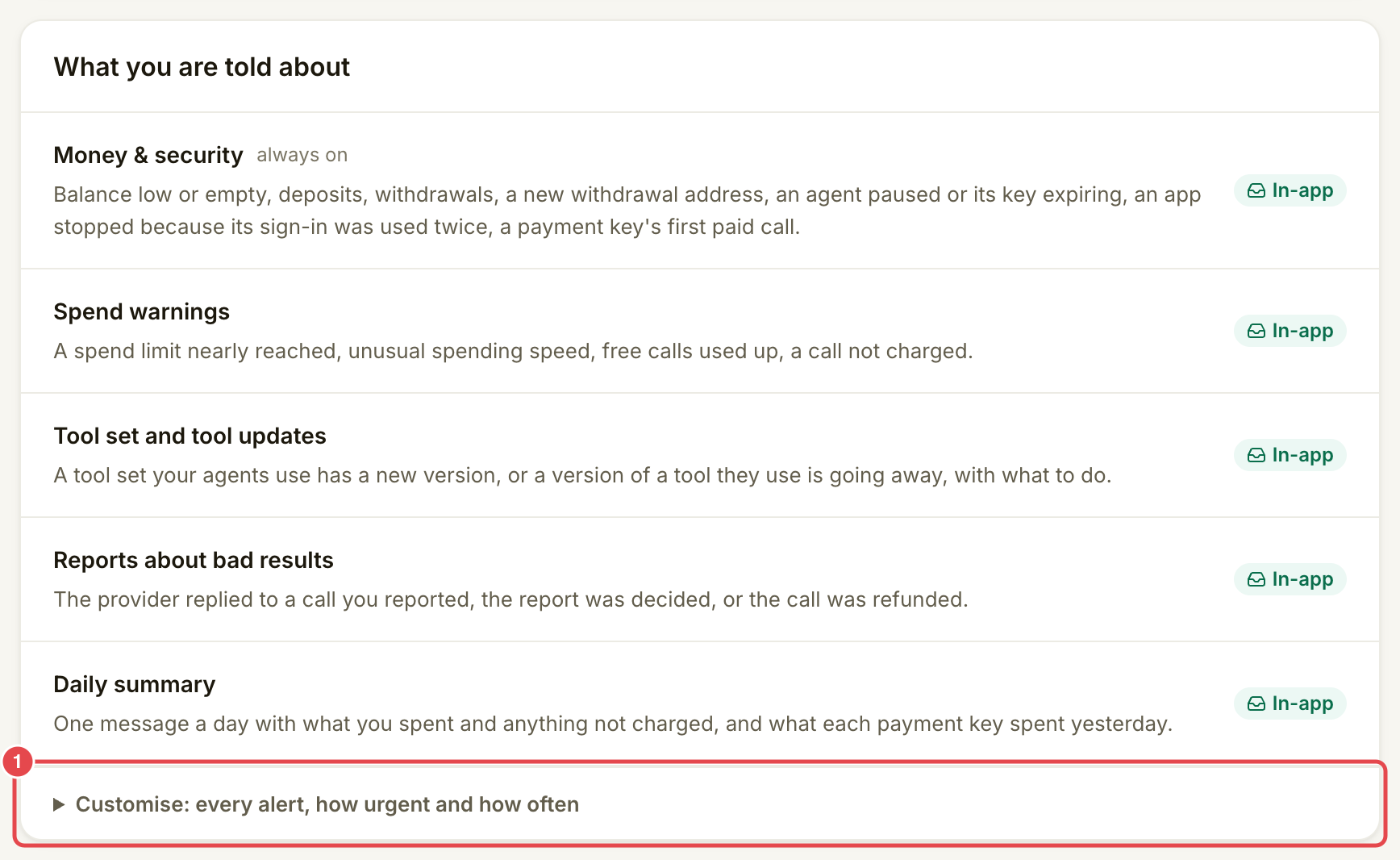
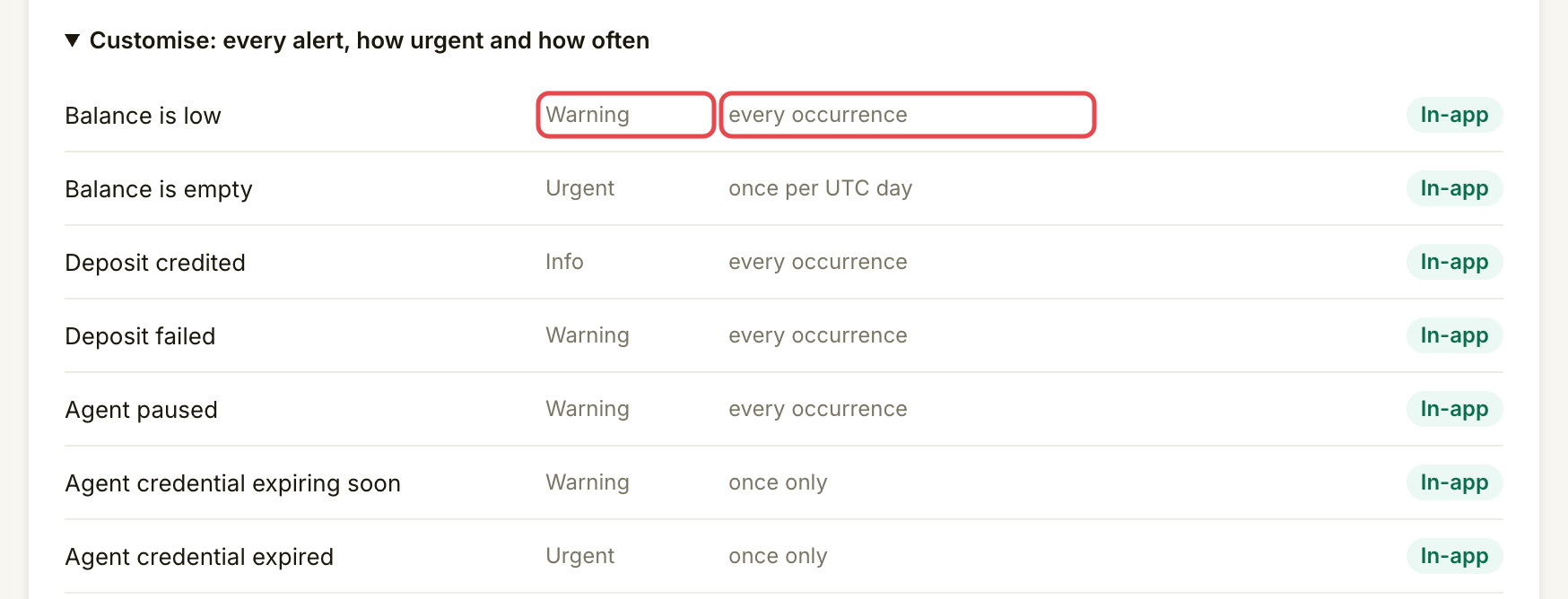
Read **What you are told about**. Expand **Customise: every alert, how urgent and how often** to see each supported alert's urgency and frequency.
| Group | Alerts you can receive |
| ----------------------------- | ---------------------------------------------------------------------------------------------------------------------------------------------------------------------------- |
| **Money & security** | Balance low or empty, deposit credited or failed, an agent paused, a key expiring or expired, an app stopped after sign-in reuse, and a payment key's first paid call. |
| **Spend warnings** | A daily or monthly limit at 50%, 80% or 100%, unusual spending speed, free calls used up, and a call not charged. Repeated refusals also have an alert in the detailed list. |
| **Tool set and tool updates** | A new version of a tool set you use, or a tool version being deprecated or retired. |
| **Reports about bad results** | The provider replied, Assay decided the report, or the call was refunded. |
| **Daily summary** | What each payment key spent yesterday, using a UTC day. |
Some group descriptions mention future alerts. Withdrawal-start, withdrawal-complete and new-withdrawal-address alerts, the general daily digest and compensation alerts are not sent. Check **Money → Funding** directly for a withdrawal's status.
Alerts inform you; they never refuse a call. The spending limits themselves enforce the stop.
Review the alert groups.
Check urgency and frequency.
{% endstep %}
{% step %}
### Review recent alerts
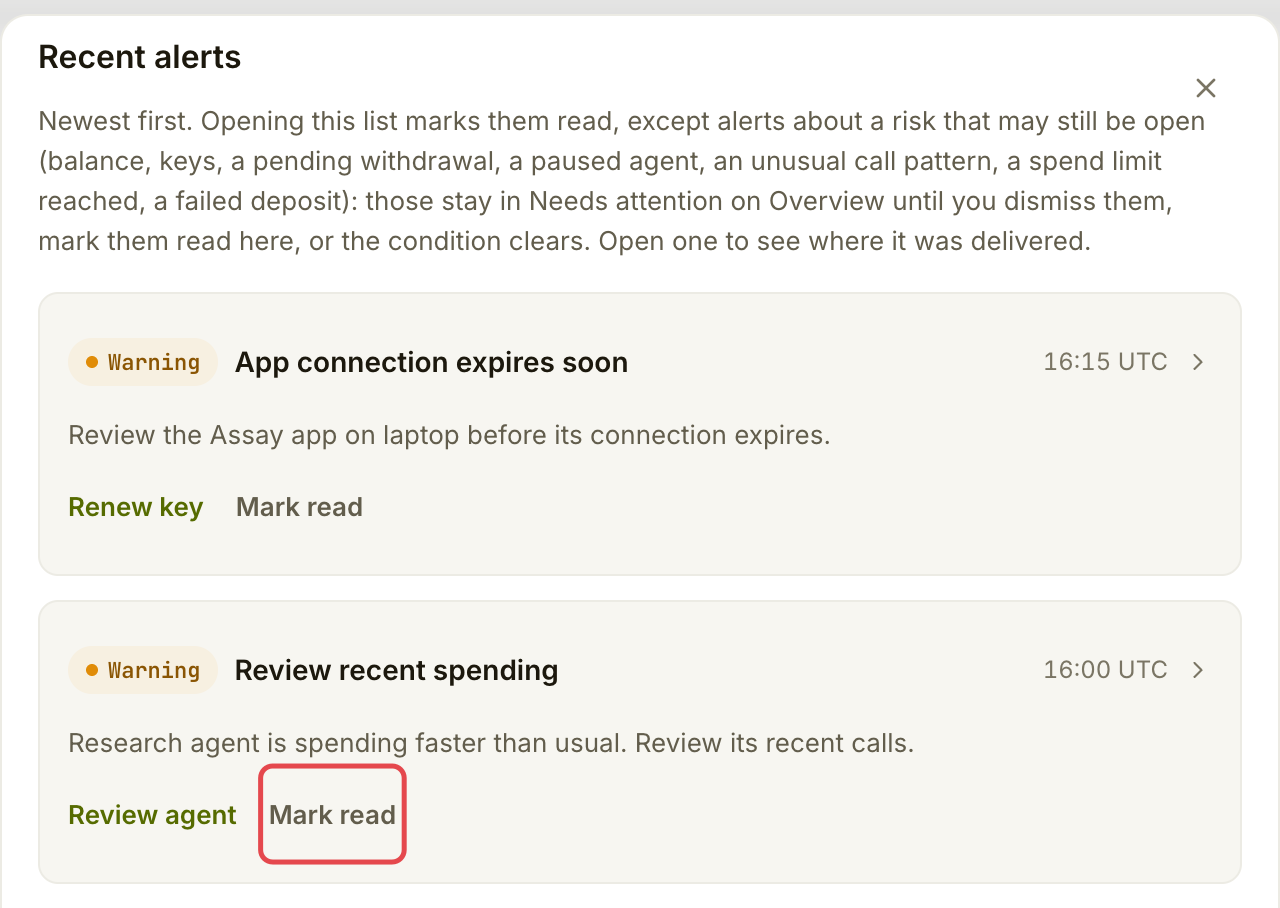
Choose **Recent alerts**, or open the bell and choose **See all alerts**. Open an alert's action to inspect the related call or setting. **Mark read** clears its unread state; it does not fix the underlying condition.
Opening the recent list marks ordinary notices read. Open risks can stay visible until resolved or marked read explicitly. For payment issues, follow [Fix a paused or refused payment](/use-tools/when-something-goes-wrong/fix-a-payment-problem.md).
Open Recent alerts.
{% endstep %}
{% step %}
### Open account history
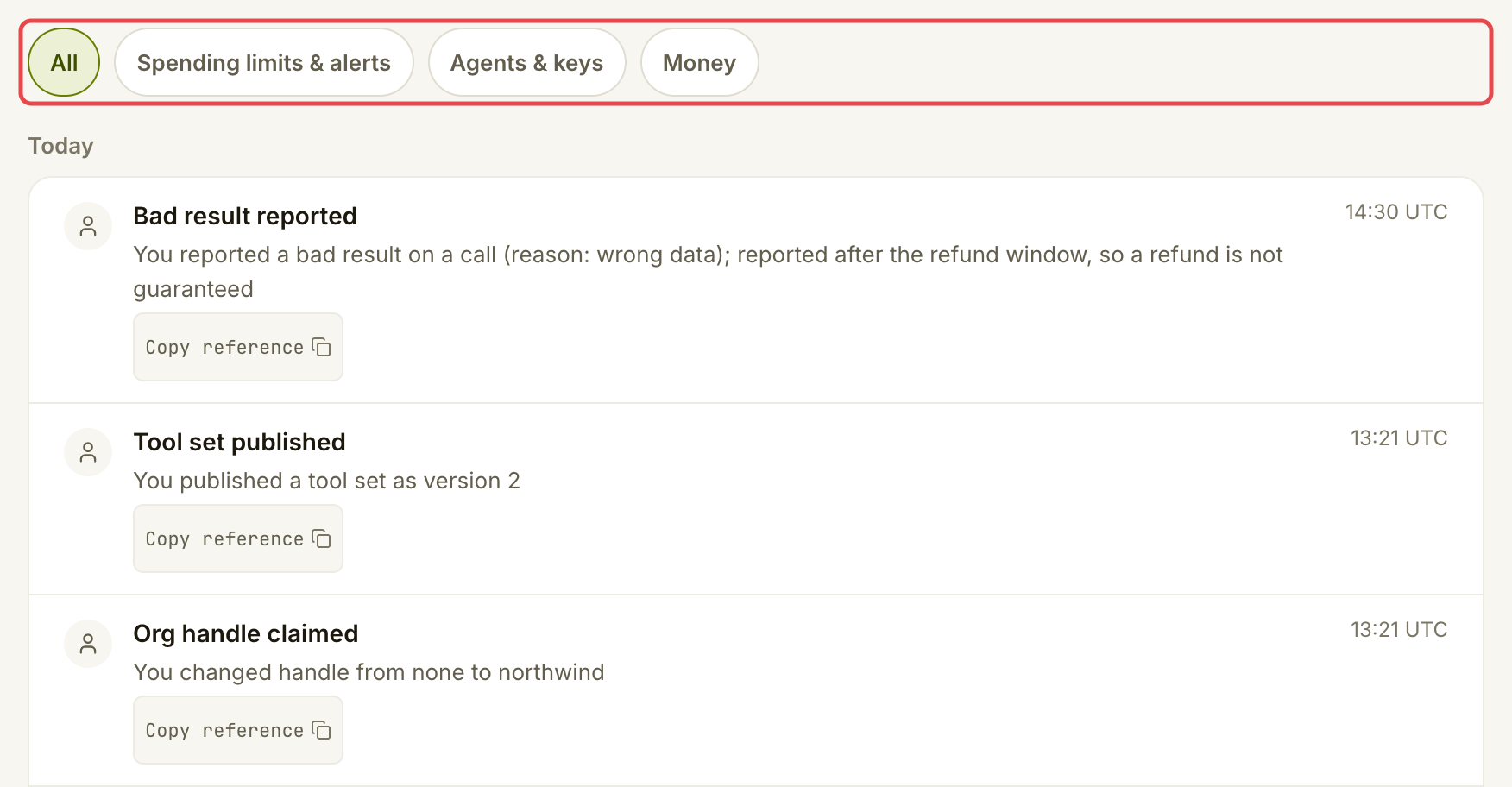
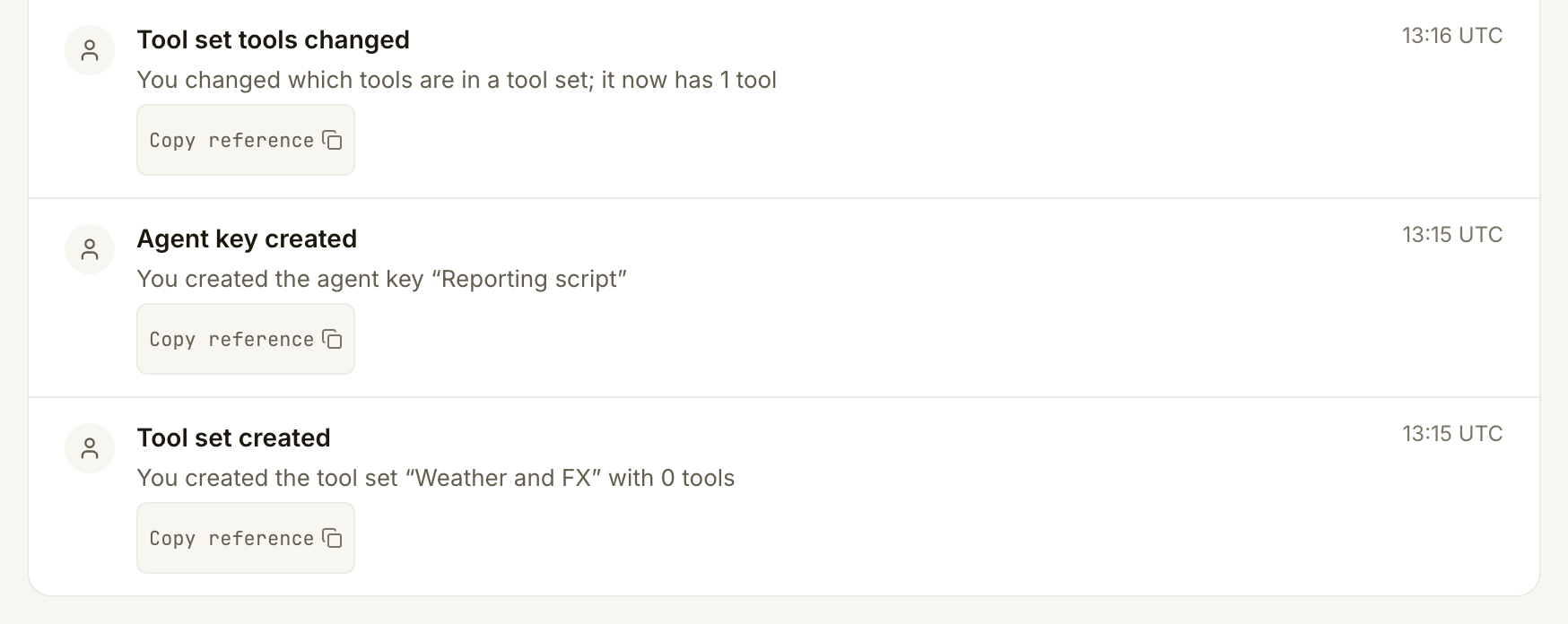
Open the account menu and choose **Account history**. Read the entries grouped by day, with the actor, change and UTC time. Filter with **All**, **Spending limits & alerts**, **Agents & keys** or **Money**. Use **Show older** to load earlier entries.
An entry's **Copy reference** gives you a reference to keep when asking support about a change. Individual tool calls belong in **Activity → Calls**; see [Check your spending](/use-tools/everyday-use/check-your-spending.md).
Review the latest account changes.
Review earlier changes and key creation.
{% endstep %}
{% endstepper %}
## Check it worked
You can find a recent alert and the related action, and use **Account history** to identify a settings change. Your alert channel is **In-app**; no external delivery setup is needed.
## If something goes wrong
| You see | Do this |
| ----------------------------------------------- | --------------------------------------------------------------------------------------- |
| No email, push or Slack message | Read the bell and **Needs attention** in Assay. Assay sends alerts only inside the app. |
| An alert is read but paid calls remain stopped | Resolve its cause. Marking read changes only the notice. |
| **Nothing of this kind yet** in account history | Choose **All**, or use **Show older** to load more entries before filtering. |
| **Your account history could not be loaded** | Retry. This is an error, not proof that nothing changed. |
| A change you do not recognise | Keep its reference and contact Assay support. |
## Next
* [Fix a paused or refused payment](/use-tools/when-something-goes-wrong/fix-a-payment-problem.md)
---
# Agent Instructions
This documentation is published with GitBook. GitBook is the documentation platform designed so that both humans and AI agents can read, navigate, and reason over technical content effectively. Learn more at gitbook.com.
## Querying This Documentation
If you need additional information that is not directly available in this page, you can query the documentation by asking a question.
Perform an HTTP GET request on the following URL with the `ask` and `goal` query parameters:
```
GET https://docs.goassay.ai/use-tools/everyday-use/alerts-and-account-history.md?ask=&goal=
```
`ask` is the immediate question: it should be specific, self-contained, and written in natural language.
`goal` is what the user is ultimately trying to achieve, the reason they need the answer. Sharing it helps GitBook give you a better, more relevant answer. A goal is most helpful when it describes the outcome the user wants rather than restating the question. For example, with `ask=how do I create an API token`, a goal like `automate deployments from our CI pipeline` lets GitBook tailor the answer to that use case.
The response will contain a direct answer to the question and relevant excerpts and sources from the documentation.
Use this mechanism when the answer is not explicitly present in the current page, you need clarification or additional context, or you want to retrieve related documentation sections.