> For the complete documentation index, see [llms.txt](https://docs.goassay.ai/llms.txt). Markdown versions of documentation pages are available by appending `.md` to page URLs; this page is available as [Markdown](https://docs.goassay.ai/list-your-api/zh/jin-jie/tool-versions.md).
# 工具版本与升级
修改自有工具的契约,跟进审核,并规划旧版本停用。
工具契约描述智能体发送什么、API 返回什么。约定改变时,请保存新版本。新契约版本与修改提供服务的上架项价格或端点是独立操作。
{% hint style="info" %}
\*\*开始前:\*\*按[或者:发布你自己的 API](/list-your-api/zh/ru-men/publish-your-own-api.md)创建了自有 API,且已有保存的版本。修改价格、端点或身份验证时,请使用[编辑、暂停或恢复上架](/list-your-api/zh/ri-chang-shi-yong/edit-pause-or-resume-a-listing.md)。
{% endhint %}
## 操作步骤
{% stepper %}
{% step %}
### 打开现有契约
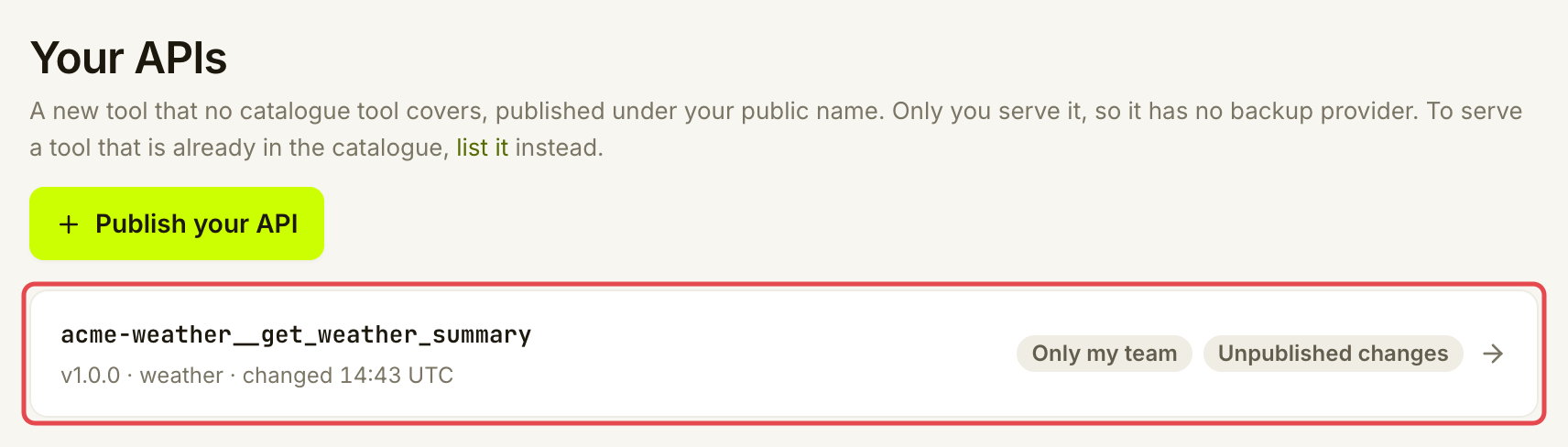
打开 **Listings → Your APIs**,选择工具并打开 **Inputs & outputs**。请在此工具上修改,不要再发布一个用途相同的工具。使用[发布你自己的 API](/list-your-api/zh/ru-men/publish-your-own-api.md#miao-shu-shu-ru-he-da-an)中介绍的字段控件,核对当前摘要、输入和答案。
保存草稿会保留进行中的工作,不会替换智能体当前获取的版本。
{% endstep %}
{% step %}
### 让目标使用者能使用版本
按工具当前使用范围选择对应操作:
{% tabs %}
{% tab title="Only my team" %}
草稿准备好后,选择 **Save as v… (only your team)**。新版本保持私有,不会向客户分享工具。
准备好后,将已核对的草稿提供给团队。
{% endtab %}
{% tab title="Anyone with the link" %}
选择 **Publish v…**。Assay 会重新运行发布检查。如果有要求未通过,使用 **Connect & check** 修复后重试。连接和分享流程见[发布你自己的 API](/list-your-api/zh/ru-men/publish-your-own-api.md)。
{% endtab %}
{% tab title="Listed in the catalogue" %}
选择 **Submit v… for review**。变更审核期间,已批准版本继续提供服务。提交的草稿会被冻结。按[查看收件箱](/list-your-api/zh/ri-chang-shi-yong/check-your-inbox.md)在 **Inbox** 阅读决定和修改要求。在同一工具上修复并重新提交被拒的变更。
{% endtab %}
{% endtabs %}
提供变更后的输入或答案前,请确保端点和上架项能处理客户可能仍在使用的版本。保存契约不会改写 API 实现,也不会替换上架项已发布的连接。
{% endstep %}
{% endstepper %}
## 确认是否成功
**Versions** 列出已保存契约,并用 **Agents get this one** 标记默认版本。对于已列入目录的工具,还需检查 **Reviewed** 状态。草稿或 **In review** 状态不算已批准的替代版本。
Agents get this one 标出可用版本;草稿不会取代它。
允许使用同一主版本的智能体会收到该主版本下最新的可用版本。主版本是第一个数字,即 `1.2.3` 中的 `1`。锁定旧主版本的客户,在该版本仍可用时可以继续使用。迁移期间,请保持端点与这些调用者兼容。
## 遇到问题时
| 你看到的情况 | 处理方式 |
| ------------------------------------------ | --------------------------------------------------- |
| **Change something first.** | 先实际修改契约,再尝试保存另一个版本。 |
| **The saved draft can't be published yet** | 修复检查结果指出的字段或示例,保存后再次检查。 |
| **A review is pending.** | 等待决定;如果需要修改提交内容,使用 **Withdraw the review to edit**。 |
| **Changes requested** | 阅读审核说明,更新草稿并重新提交。已批准版本继续提供服务。 |
| 缺少发布要求 | 打开 **Connect & check**,按前面的发布指南解决。 |
| **Fix first: …** 或 **Fix the JSON first.** | 更正指出的字段或 JSON,再重新保存。 |
| 没有 **Deprecate** | 当前主版本不能弃用。必须先发布更新的主版本。 |
可选:了解版本号
| 变更 | 对版本号的影响 |
| --------------------------------------- | -------------- |
| 摘要、描述、示例或声明的检查 | 小修正:最后一个数字递增。 |
| 添加可选字段 | 兼容性新增:中间数字递增。 |
| 移除或重命名字段、添加非可选字段、更改字段是否必填或是否为核心字段,或修改类型 | 不兼容变更:第一个数字递增。 |
请通过预览了解实际变更。版本号不是由你手动输入选择的。
可选:弃用旧主版本,并让其到期停用
弃用是宣布旧主版本将停止;停用则是它停止响应调用的时刻。先发布更新的主版本。在 **Versions** 中,选择旧主版本旁的 **Deprecate v…**。
在确认面板中检查 **Replacement** 和 **Stops on (UTC)**。日期必须让调用者至少提前 90 天获知。替代项默认是此工具的当前版本;也可选择符合条件、正在提供服务且覆盖至少相同使用范围的工具。迁移计划准备好后,才选择 **Deprecate v…**。
受影响的客户和提供方会收到通知。旧主版本在停止日期前继续可用,弃用后不能再添加新版本。停用时,限定使用它的调用会失败,并可能指出替代项。兼容的当前版本继续提供服务。请检查上架项接受的版本,确保能提供替代版本;新契约存在本身不会让旧上架项自动兼容。
可选:Assay 将工具纳入目录时
Assay 可以将你的工具采纳为标准目录工具,让其他提供方也能提供服务。采纳后,**Your APIs** 会显示一张卡片:“Assay made a standard tool from your …”。
1. 选择 **Start the listing**。新上架项会预填你的端点、映射和价格。如果使用 API 密钥请求头,请添加它们,然后按[上架目录中的工具](/list-your-api/zh/ru-men/list-a-catalogue-tool.md)测试并发布。
2. 开始提供该工具后,选择 **Switch agents to …**,将你工具的智能体迁移到标准工具。
**Not now** 会隐藏卡片。在你作出选择前,端点、价格和智能体都不会改变。
## 进一步了解
* [或者:发布你自己的 API](/list-your-api/zh/ru-men/publish-your-own-api.md):连接和使用范围检查。
## 下一步
* [你的公开标识](/list-your-api/zh/jin-jie/your-public-handle.md)
---
# Agent Instructions
This documentation is published with GitBook. GitBook is the documentation platform designed so that both humans and AI agents can read, navigate, and reason over technical content effectively. Learn more at gitbook.com.
## Querying This Documentation
If you need additional information that is not directly available in this page, you can query the documentation by asking a question.
Perform an HTTP GET request on the following URL with the `ask` and `goal` query parameters:
```
GET https://docs.goassay.ai/list-your-api/zh/jin-jie/tool-versions.md?ask=&goal=
```
`ask` is the immediate question: it should be specific, self-contained, and written in natural language.
`goal` is what the user is ultimately trying to achieve, the reason they need the answer. Sharing it helps GitBook give you a better, more relevant answer. A goal is most helpful when it describes the outcome the user wants rather than restating the question. For example, with `ask=how do I create an API token`, a goal like `automate deployments from our CI pipeline` lets GitBook tailor the answer to that use case.
The response will contain a direct answer to the question and relevant excerpts and sources from the documentation.
Use this mechanism when the answer is not explicitly present in the current page, you need clarification or additional context, or you want to retrieve related documentation sections.