> For the complete documentation index, see [llms.txt](https://docs.goassay.ai/llms.txt). Markdown versions of documentation pages are available by appending `.md` to page URLs; this page is available as [Markdown](https://docs.goassay.ai/list-your-api/zh/jin-jie/request-a-new-tool.md).
# 申请新工具
请 Assay 添加目录工具,并查看团队回复。
目录中没有描述 API 返回内容的工具时,可以请 Assay 添加。新增的目录工具也可以有其他提供方,为客户提供备用选择。要定义仅由你提供的工具,请使用[或者:发布你自己的 API](/list-your-api/zh/ru-men/publish-your-own-api.md)。
{% hint style="info" %}
\*\*开始前:\*\*按[上架目录中的工具](/list-your-api/zh/ru-men/list-a-catalogue-tool.md)检查目录,避免申请已有适用工具。
{% endhint %}
## 操作步骤
{% stepper %}
{% step %}
### 打开申请表单
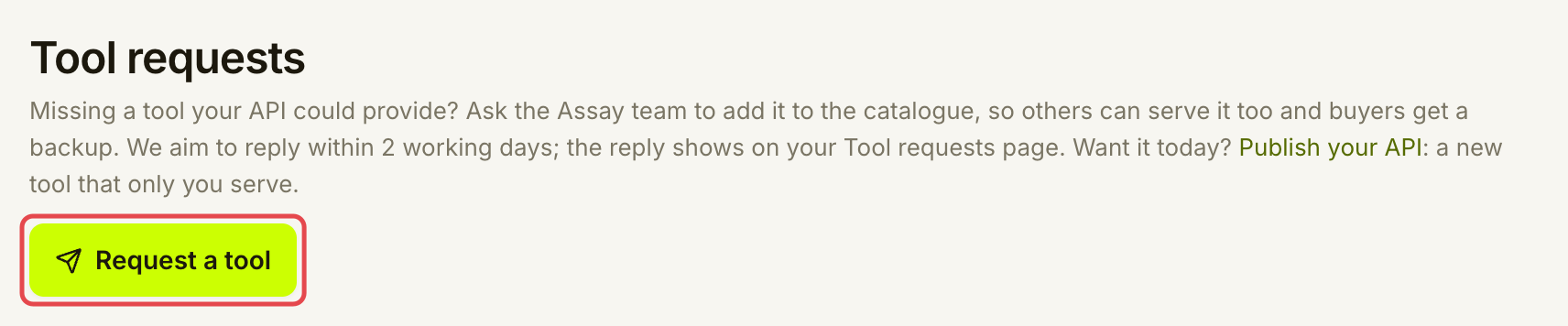
打开 **Listings → Tool requests**,选择 **Request a tool**。
## 遇到问题时
| 你看到的情况 | 处理方式 |
| ------------------------------------------------- | ----------------------------------------- |
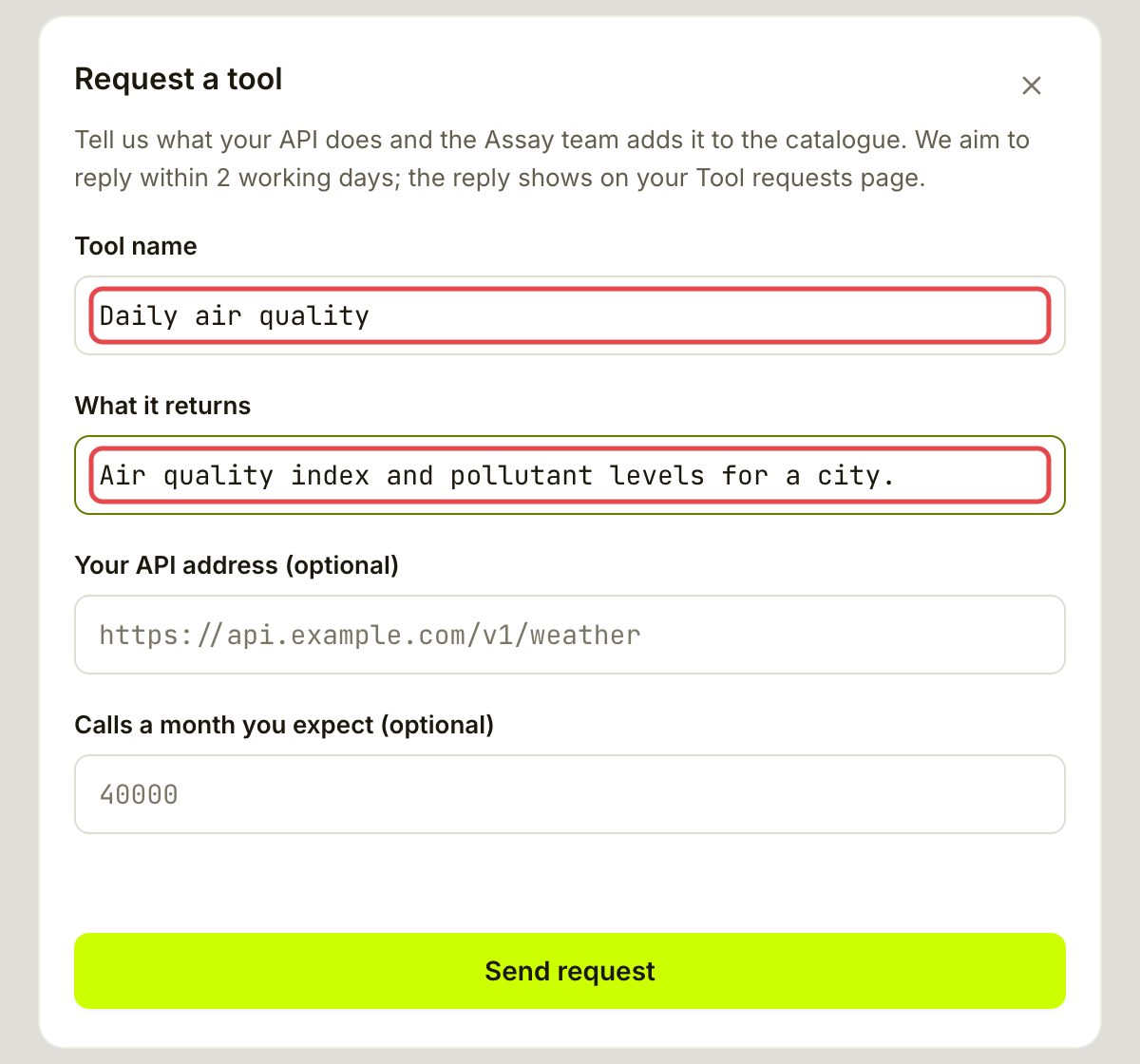
| **Give the tool a name and say what it returns.** | 同时填写 **Tool name** 和 **What it returns**。 |
| **The API address must start with https\://.** | 使用公开 HTTPS 地址,或将可选字段留空。 |
| **Calls a month must be a whole number.** | 只输入数字,或留空。 |
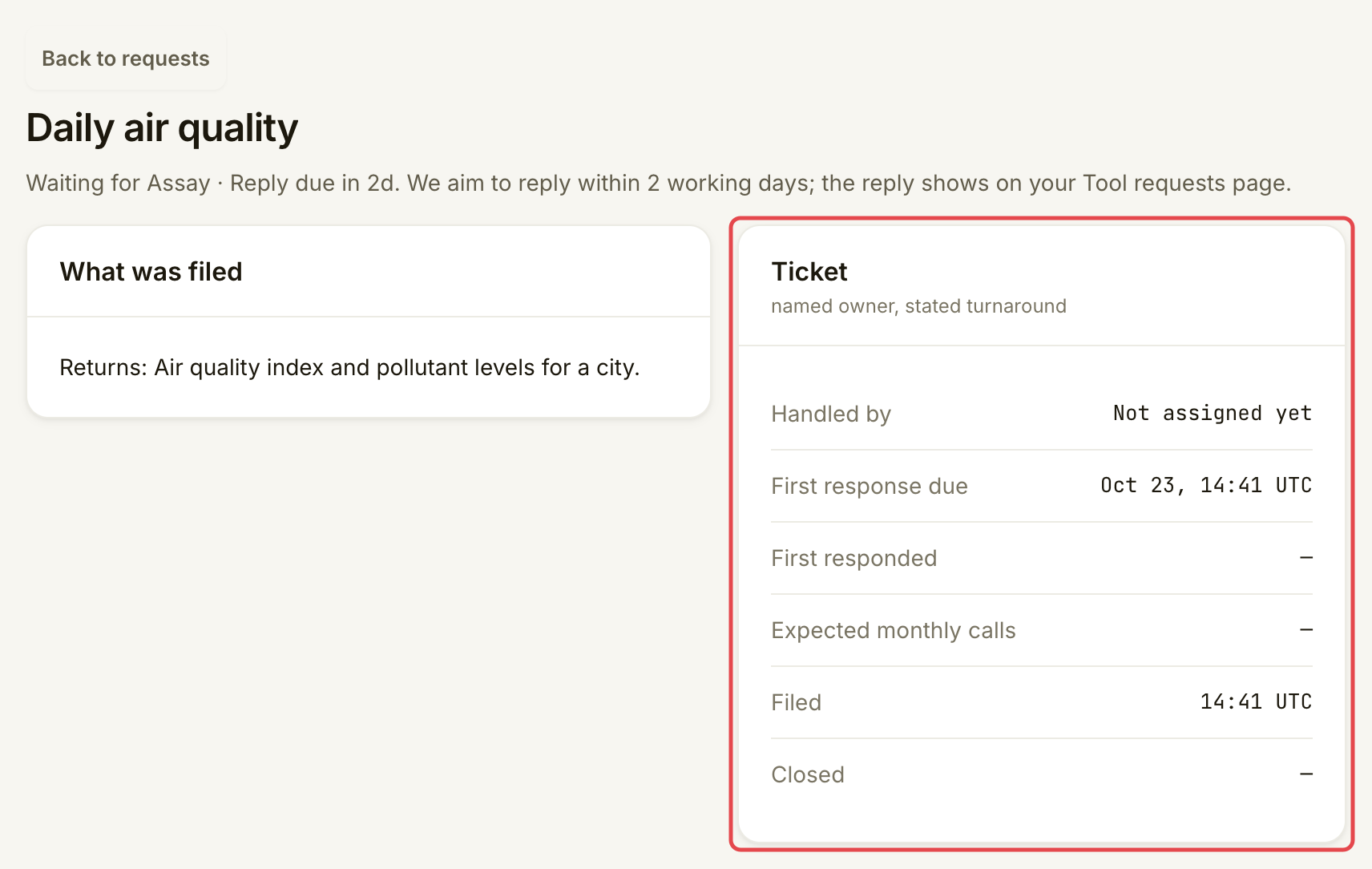
| **Overdue** | 打开现有申请检查回复。此徽标表示已超过首次回复目标时间,不表示申请被拒。 |
| **The request could not be sent. Try again.** | 重试,并在再次发送申请前检查列表。 |
可选:添加地址和预期流量
申请表单中的 **Your API address (optional)** 可帮助 Assay 了解服务。使用 HTTPS,不要包含凭据。**Calls a month you expect (optional)** 接受整数。提交申请不必填写这两个字段。
## 进一步了解
* [或者:发布你自己的 API](/list-your-api/zh/ru-men/publish-your-own-api.md):如果你想自己定义并提供该工具。
## 下一步
* [故障排除](/list-your-api/zh/bang-zhu/troubleshooting.md)
---
# Agent Instructions
This documentation is published with GitBook. GitBook is the documentation platform designed so that both humans and AI agents can read, navigate, and reason over technical content effectively. Learn more at gitbook.com.
## Querying This Documentation
If you need additional information that is not directly available in this page, you can query the documentation by asking a question.
Perform an HTTP GET request on the following URL with the `ask` and `goal` query parameters:
```
GET https://docs.goassay.ai/list-your-api/zh/jin-jie/request-a-new-tool.md?ask=&goal=
```
`ask` is the immediate question: it should be specific, self-contained, and written in natural language.
`goal` is what the user is ultimately trying to achieve, the reason they need the answer. Sharing it helps GitBook give you a better, more relevant answer. A goal is most helpful when it describes the outcome the user wants rather than restating the question. For example, with `ask=how do I create an API token`, a goal like `automate deployments from our CI pipeline` lets GitBook tailor the answer to that use case.
The response will contain a direct answer to the question and relevant excerpts and sources from the documentation.
Use this mechanism when the answer is not explicitly present in the current page, you need clarification or additional context, or you want to retrieve related documentation sections.