> For the complete documentation index, see [llms.txt](https://docs.goassay.ai/llms.txt). Markdown versions of documentation pages are available by appending `.md` to page URLs; this page is available as [Markdown](https://docs.goassay.ai/list-your-api/get-started/publish-your-own-api.md).

# Or: publish your own API

Define a new tool for your own API, connect it and choose who can use it.

Choose this alternative when no catalogue tool describes what your API does. You define a new tool's name, inputs and answer, and your endpoint is its only provider. If an existing tool already fits, use [List a catalogue tool](/list-your-api/get-started/list-a-catalogue-tool.md) instead. You do one path, not both.

{% hint style="info" %}
**Before you start:** [Set up your account and wallet](/list-your-api/get-started/set-up-your-account.md). Know what your API accepts and returns. To claim a public name, your organization must meet Assay's eligibility checks, such as having added funds once or being a verified provider. Claims are rate-limited per person. If the claim is refused, contact Assay support to verify you. Sharing also needs a working listing, payout wallet and the required stake.
{% endhint %}

## Steps

{% stepper %}
{% step %}

### Claim your public name

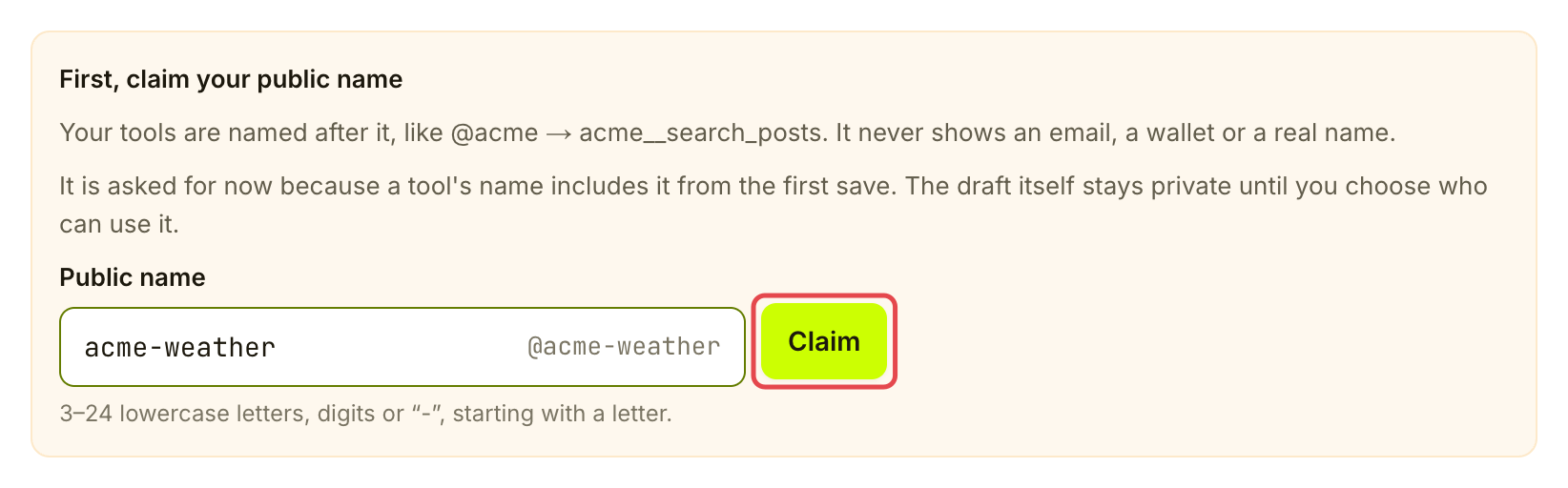
Open **Listings → Your APIs** and choose **Publish your API**. In **Name**, enter your business's **Public name** and choose **Claim** if you do not already have one. This name becomes the beginning of every tool you publish. Sharing a tool locks it; to change it after that, contact Assay support.

<figure><img src="https://1949348494-files.gitbook.io/~/files/v0/b/gitbook-x-prod.appspot.com/o/spaces%2FjpdpV7qPs81FjbSH4zm1%2Fuploads%2Fgit-blob-cd866f301c5a63b47cd3c4392d3087d6e7837172%2Fpublish-your-own-api-1.png?alt=media" alt="Public name claim form before submission, with the public name field and Claim marked"><figcaption><p>Choose the business name that will identify your tools.</p></figcaption></figure>
{% endstep %}

{% step %}

### Name the tool

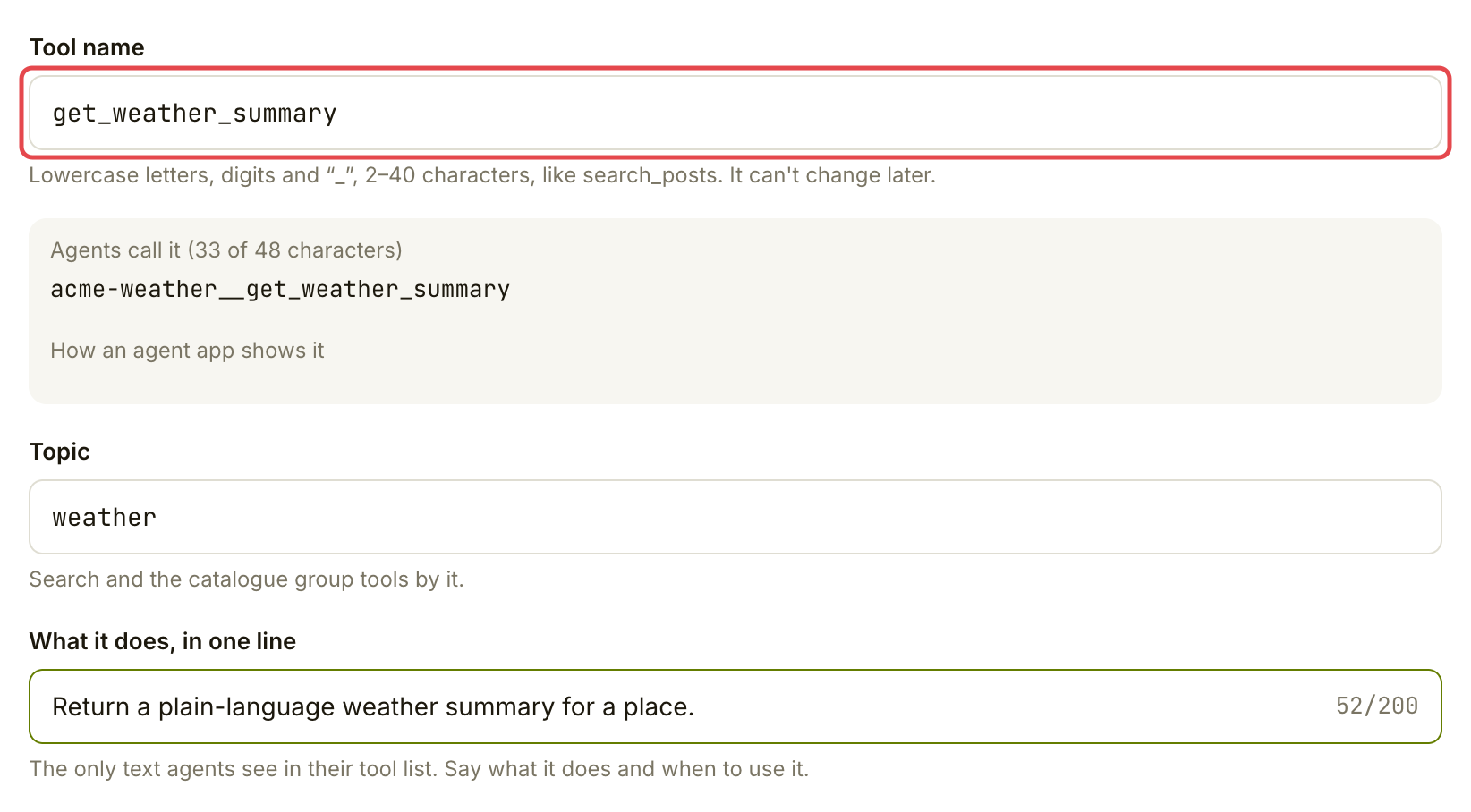
Fill in **Tool name**, **Topic** and **What it does, in one line**. For example, a weather summary service could use `get_weather_summary`. Choose a name carefully: it cannot change later. The preview shows the full name agents will call, including your public name. Choose **Save and continue** to create a private draft.

{% hint style="success" %}
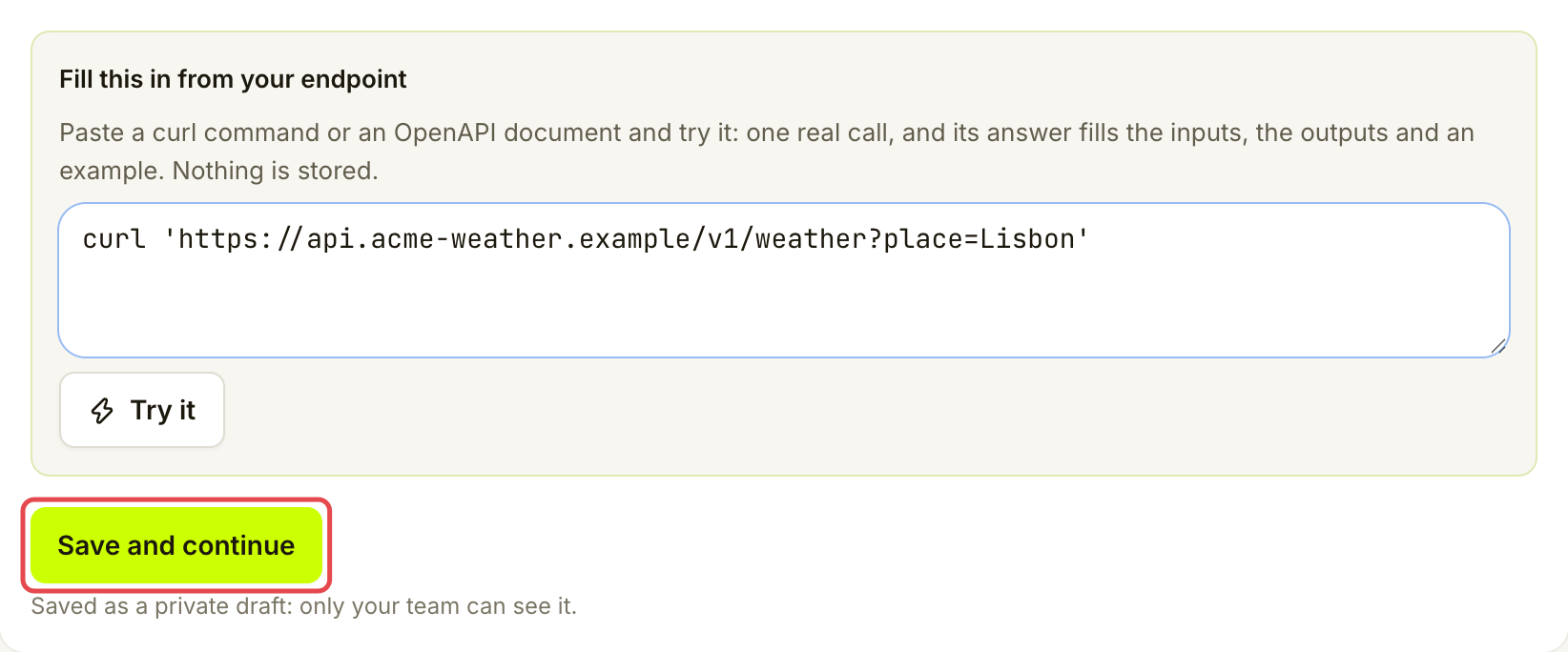
**Save time:** under **Fill this in from your endpoint**, paste a curl command or an OpenAPI document and choose **Try it**. Assay makes one real call and, from its answer, offers the inputs, outputs and an example. Choose **Use these inputs, outputs and example** to fill them in, then check them. Nothing is stored. The same panel is also in **Inputs & outputs**.
{% endhint %}

<figure><img src="https://1949348494-files.gitbook.io/~/files/v0/b/gitbook-x-prod.appspot.com/o/spaces%2FjpdpV7qPs81FjbSH4zm1%2Fuploads%2Fgit-blob-d1fbb7886b850e10bd300ed1d7f008eb5d5cd99b%2Fpublish-your-own-api-2.png?alt=media" alt="New API form showing a weather summary tool name, topic and one-line description"><figcaption><p>Say what your API does and when an agent should use it.</p></figcaption></figure>

<figure><img src="https://1949348494-files.gitbook.io/~/files/v0/b/gitbook-x-prod.appspot.com/o/spaces%2FjpdpV7qPs81FjbSH4zm1%2Fuploads%2Fgit-blob-d47e68f5177f67ea3962edae2bac1006ae6f9289%2Fpublish-your-own-api-3.png?alt=media" alt="Endpoint helper filled with an example curl command and Save and continue marked"><figcaption><p>Review the endpoint helper and save the private draft when ready.</p></figcaption></figure>
{% endstep %}

{% step %}

### Describe the inputs and answer

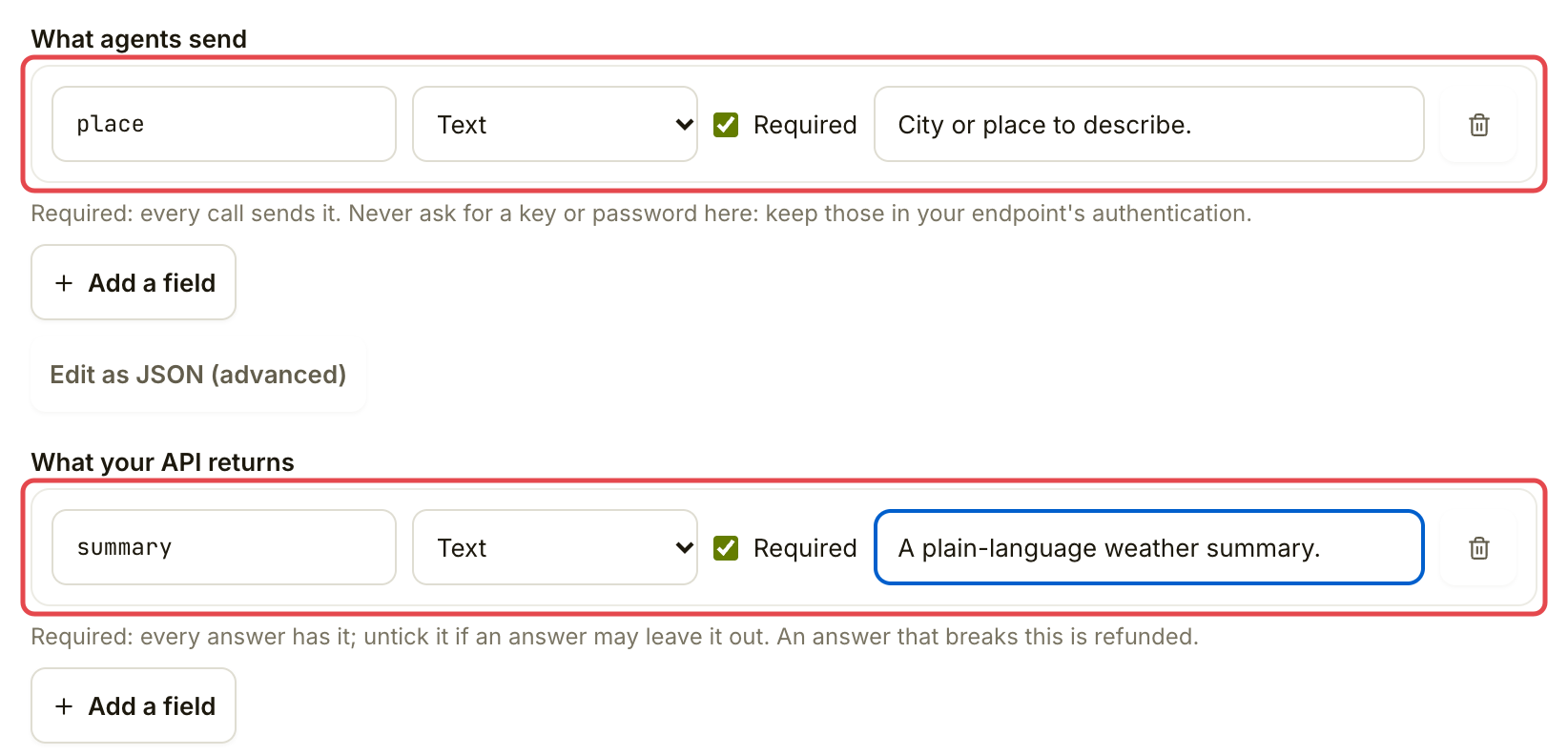
In **Inputs & outputs**, check **Summary** and **Description**. Use the field editors under **What agents send** and **What your API returns**. Give each field a name, type and description. Mark **Required** only when every valid request or answer must contain it.

Together, these fields form the tool's contract: the agreement about what an agent sends and what your API returns. Keep keys and passwords out of the input fields; they belong in the connection's authentication settings.

For a weather summary, you might describe a required text input called `place` and a required text answer called `summary`. Match your actual API. You can use **Add a starter example** to build an example from your fields, then check that it represents a valid answer.

<figure><img src="https://1949348494-files.gitbook.io/~/files/v0/b/gitbook-x-prod.appspot.com/o/spaces%2FjpdpV7qPs81FjbSH4zm1%2Fuploads%2Fgit-blob-2cafef4c6ee57b6dcde274f42132b5601db8f2be%2Fpublish-your-own-api-4.png?alt=media" alt="Inputs and outputs field editors with a required place input and summary answer"><figcaption><p>Describe the fields your API accepts and returns.</p></figcaption></figure>

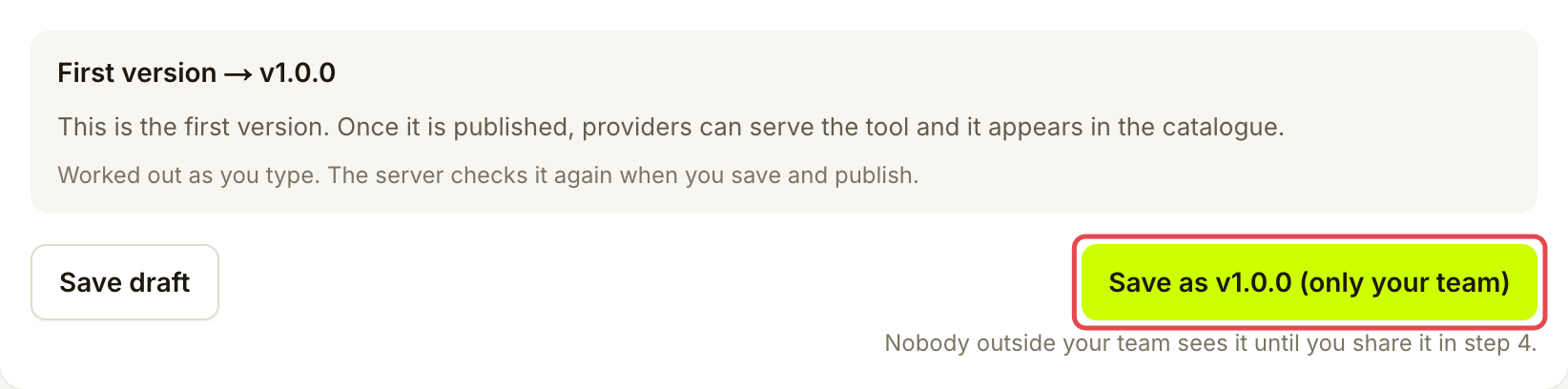
Review the preview and any findings. Choose **Save as v1.0.0 (only your team)** when the first version is ready. **Save draft** alone keeps work in progress; it does not make a version available for the next step.

<figure><img src="https://1949348494-files.gitbook.io/~/files/v0/b/gitbook-x-prod.appspot.com/o/spaces%2FjpdpV7qPs81FjbSH4zm1%2Fuploads%2Fgit-blob-271391b45b96ff7fa559a4a7826079713e1a6d7b%2Fpublish-your-own-api-5.png?alt=media" alt="First version controls with Save as v1.0.0 only your team marked"><figcaption><p>Save the first version for your team.</p></figcaption></figure>
{% endstep %}

{% step %}

### Connect and test the endpoint

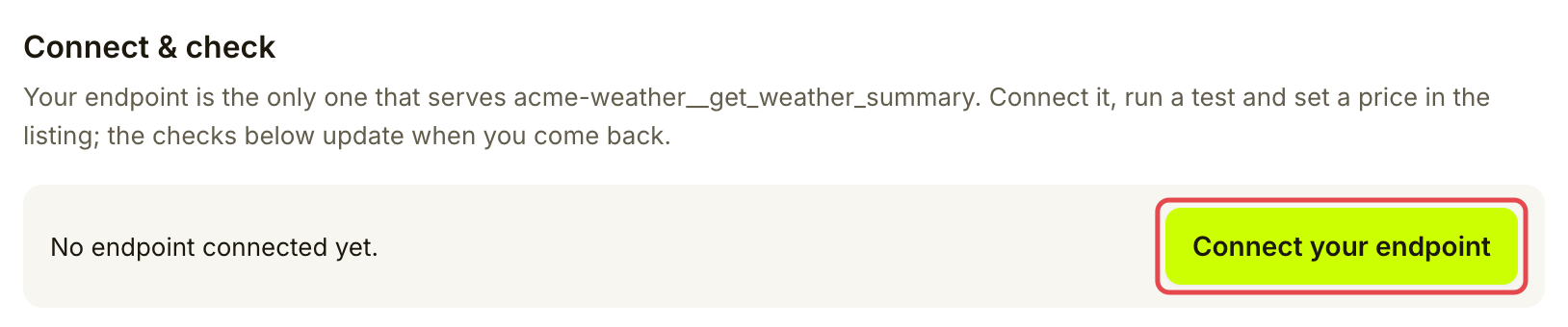
In **Connect & check**, choose **Connect your endpoint**. The listing wizard opens for your new tool.

<figure><img src="https://1949348494-files.gitbook.io/~/files/v0/b/gitbook-x-prod.appspot.com/o/spaces%2FjpdpV7qPs81FjbSH4zm1%2Fuploads%2Fgit-blob-37f6ab356083d19f26f4736320cb6dd08d2be439%2Fpublish-your-own-api-6.png?alt=media" alt="Connect and check entry with Connect your endpoint marked for the weather summary tool"><figcaption><p>Open the connection for your new tool.</p></figcaption></figure>

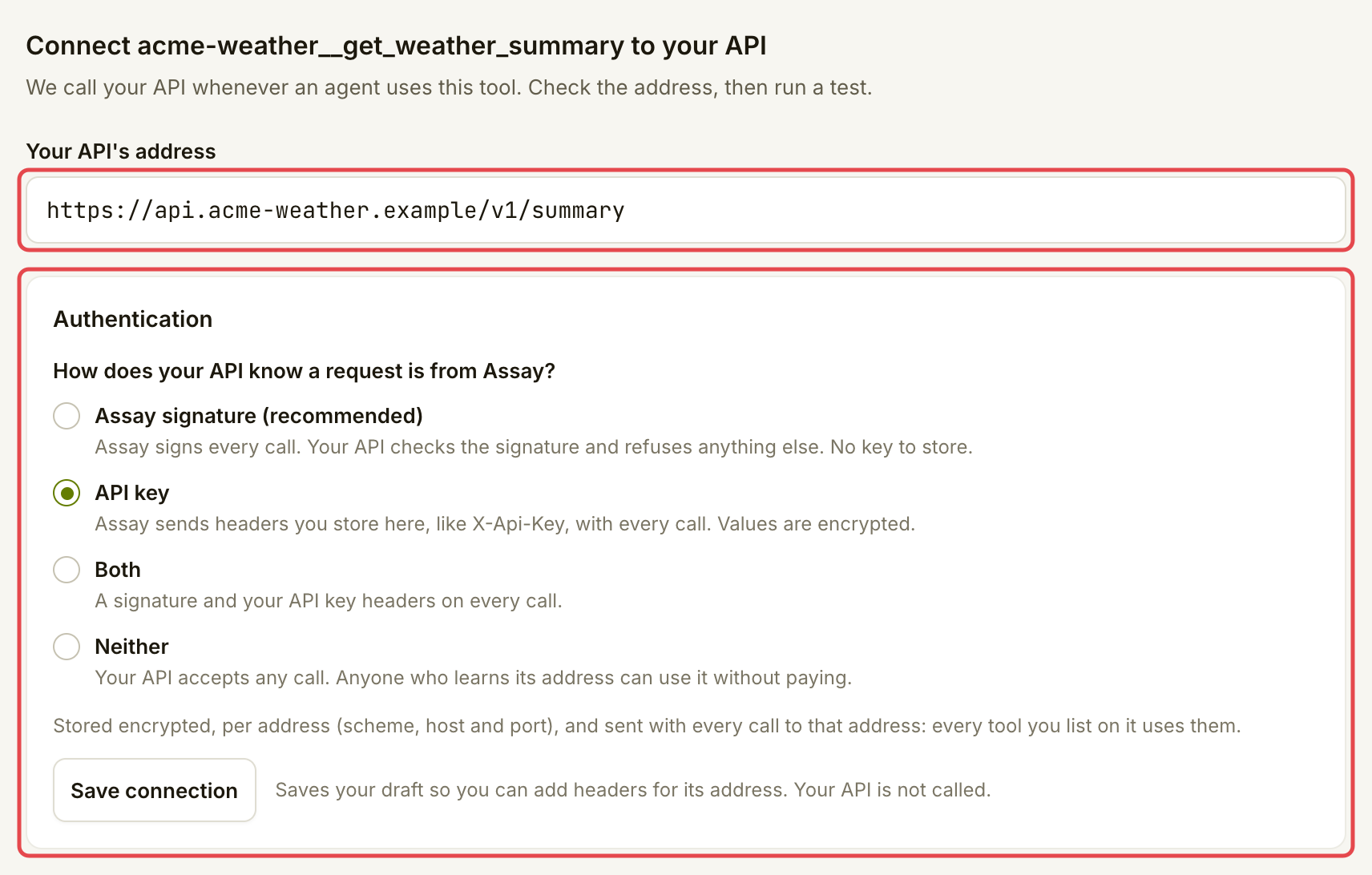
Enter **Your API's address**, then choose how Assay authenticates:

* **Assay signature (recommended):** set up the check first with the [no-code Cloudflare Worker](https://docs.goassay.ai/developers/list-your-api/cloudflare-worker) or [the verifier in your code](https://docs.goassay.ai/developers/list-your-api/verify-in-your-code), then choose it and **Save connection**. No key is stored.
* **API key:** choose it, then **Save connection**. Choose **Add headers**, enter your API's header names and values, and choose **Save headers**. Values are encrypted and never shown again.

[List a catalogue tool](/list-your-api/get-started/list-a-catalogue-tool.md#choose-how-assay-authenticates) explains each method.

<figure><img src="https://1949348494-files.gitbook.io/~/files/v0/b/gitbook-x-prod.appspot.com/o/spaces%2FjpdpV7qPs81FjbSH4zm1%2Fuploads%2Fgit-blob-3b73f01ca84e8e400dec03e8ba36b0b69c744e4d%2Fpublish-your-own-api-7.png?alt=media" alt="Weather summary connection form with an API address entered and API key selected, before saving or testing"><figcaption><p>Enter your address and choose how Assay authenticates.</p></figcaption></figure>

Keep the suggested connection settings if they match your API. Under **Test it**, fill in a useful input and choose **Save and run test**. Check **Request built**, **Your API answered**, **Output mapped** and **Checks**. Nobody is charged for this test. Fix any failed step and run it again before continuing.
{% endstep %}

{% step %}

### Publish the serving listing

Choose **Continue to Go live**. Set **How agents pay** and **Price per call**. **Free + paid** gives each agent a daily free allowance before charging; its default allowance is 100 calls. Keep the default failure promise of 2% and leave **Advanced** closed.

Read the price, your share and stake required in **Summary**. Choose **Publish** when the requirements are met. If the button asks you to add stake, connect and prove the stake wallet when asked, then approve the USDG and stake transactions after checking the amount. You need USDG and ETH for network fees. This flow publishes after the stake is confirmed. Free listings need no stake.

You return to **Connect & check**. Check the requirements again before sharing. A live serving listing and a shared tool are separate parts of this flow: finish both for outside customers to use it.
{% endstep %}

{% step %}

### Choose who can use the tool

Open **Who can use it**. Choose the audience that fits your launch:

{% tabs %}
{% tab title="Only my team" %}
Keep **Only my team** while preparing the tool. People outside your organization cannot use it.

<figure><img src="https://1949348494-files.gitbook.io/~/files/v0/b/gitbook-x-prod.appspot.com/o/spaces%2FjpdpV7qPs81FjbSH4zm1%2Fuploads%2Fgit-blob-e642ca03bed0c03bb854246fbda3e94c8d6df370%2Fpublish-your-own-api-8.png?alt=media" alt="Who can use it card with Only my team selected"><figcaption><p>Keep the tool private while preparing your launch.</p></figcaption></figure>
{% endtab %}

{% tab title="Anyone with the link" %}
Choose **Anyone with the link**, then **Share with anyone with the link** once all checks pass. The tool is available through its link and is marked as not reviewed.
{% endtab %}

{% tab title="Listed in the catalogue" %}
Choose **Listed in the catalogue** and read **What the reviewer checks**. Choose **Submit for review** once the checks pass. Submission starts a review; it does not immediately list the tool. Read the decision in **Inbox**. If changes are requested, fix the version and resubmit.
{% endtab %}
{% endtabs %}
{% endstep %}
{% endstepper %}

## Check it worked

In **Your APIs**, the status matches your chosen audience: **Only my team**, **Anyone with the link**, **In review** or **Listed**. For an outside launch, confirm the serving listing is also **Live** and that the checks in **Connect & check** pass.

The **Versions** section records the contracts you have published. When you change a listed tool, the new version goes through review while the approved version keeps serving. Treat a changed input or answer as a contract change, and test the endpoint against the version you intend to serve.

<figure><img src="https://1949348494-files.gitbook.io/~/files/v0/b/gitbook-x-prod.appspot.com/o/spaces%2FjpdpV7qPs81FjbSH4zm1%2Fuploads%2Fgit-blob-27833c2660ae6ffea99d68c007a5b0bf4ce68f9e%2Fpublish-your-own-api-9.png?alt=media" alt="Versions section recording the first weather summary contract as v1.0.0"><figcaption><p>Versions records v1.0.0, the version agents get.</p></figcaption></figure>

## If something goes wrong

| You see                              | Do this                                                                                                       |
| ------------------------------------ | ------------------------------------------------------------------------------------------------------------- |
| A public name cannot be claimed      | Check the suggested names. If the account is not eligible yet, resolve provider verification before retrying. |
| **Save and continue** is unavailable | Claim the public name and complete the tool name, topic and summary.                                          |
| Steps 3 and 4 are locked             | Save the first usable version in **Inputs & outputs**, using **Save as v1.0.0 (only your team)**.             |
| The saved draft has findings         | Fix the fields or examples named by the screen, save and review again.                                        |
| Sharing is blocked                   | Use **Connect & check** to resolve the missing test, live listing, payout wallet or stake.                    |
| **Changes requested**                | Read the review note, update the contract and resubmit.                                                       |

## Go further

* Developers (optional): [API key or signature](https://docs.goassay.ai/developers/list-your-api/api-key-or-signature).
* Developers (optional): [Verify with a Cloudflare Worker](https://docs.goassay.ai/developers/list-your-api/cloudflare-worker).
* Developers (optional): [Verify in your code](https://docs.goassay.ai/developers/list-your-api/verify-in-your-code).

## Next

* [Get paid](/list-your-api/get-started/get-paid.md)


---

# Agent Instructions
This documentation is published with GitBook. GitBook is the documentation platform designed so that both humans and AI agents can read, navigate, and reason over technical content effectively. Learn more at gitbook.com.

## Querying This Documentation
If you need additional information that is not directly available in this page, you can query the documentation by asking a question.

Perform an HTTP GET request on the following URL with the `ask` and `goal` query parameters:

```
GET https://docs.goassay.ai/list-your-api/get-started/publish-your-own-api.md?ask=<question>&goal=<user_goal>
```

`ask` is the immediate question: it should be specific, self-contained, and written in natural language.
`goal` is what the user is ultimately trying to achieve, the reason they need the answer. Sharing it helps GitBook give you a better, more relevant answer. A goal is most helpful when it describes the outcome the user wants rather than restating the question. For example, with `ask=how do I create an API token`, a goal like `automate deployments from our CI pipeline` lets GitBook tailor the answer to that use case.

The response will contain a direct answer to the question and relevant excerpts and sources from the documentation.

Use this mechanism when the answer is not explicitly present in the current page, you need clarification or additional context, or you want to retrieve related documentation sections.