> For the complete documentation index, see [llms.txt](https://docs.goassay.ai/llms.txt). Markdown versions of documentation pages are available by appending `.md` to page URLs; this page is available as [Markdown](https://docs.goassay.ai/list-your-api/get-started/list-a-catalogue-tool.md).

# List a catalogue tool

Connect your endpoint to a tool already in the catalogue, test it and set its price.

Use this path when your API already provides a catalogue tool's answer, such as **get\_weather**. You offer your endpoint for that existing tool; you do not need to invent a new tool or write its contract.

{% hint style="info" %}
**Before you start:** [Set up your account and wallet](/list-your-api/get-started/set-up-your-account.md). Have your API address and its authentication details ready. The simplest path uses the tool's suggested connection settings and a compatible response.
{% endhint %}

## Steps

{% stepper %}
{% step %}

### Choose the tool

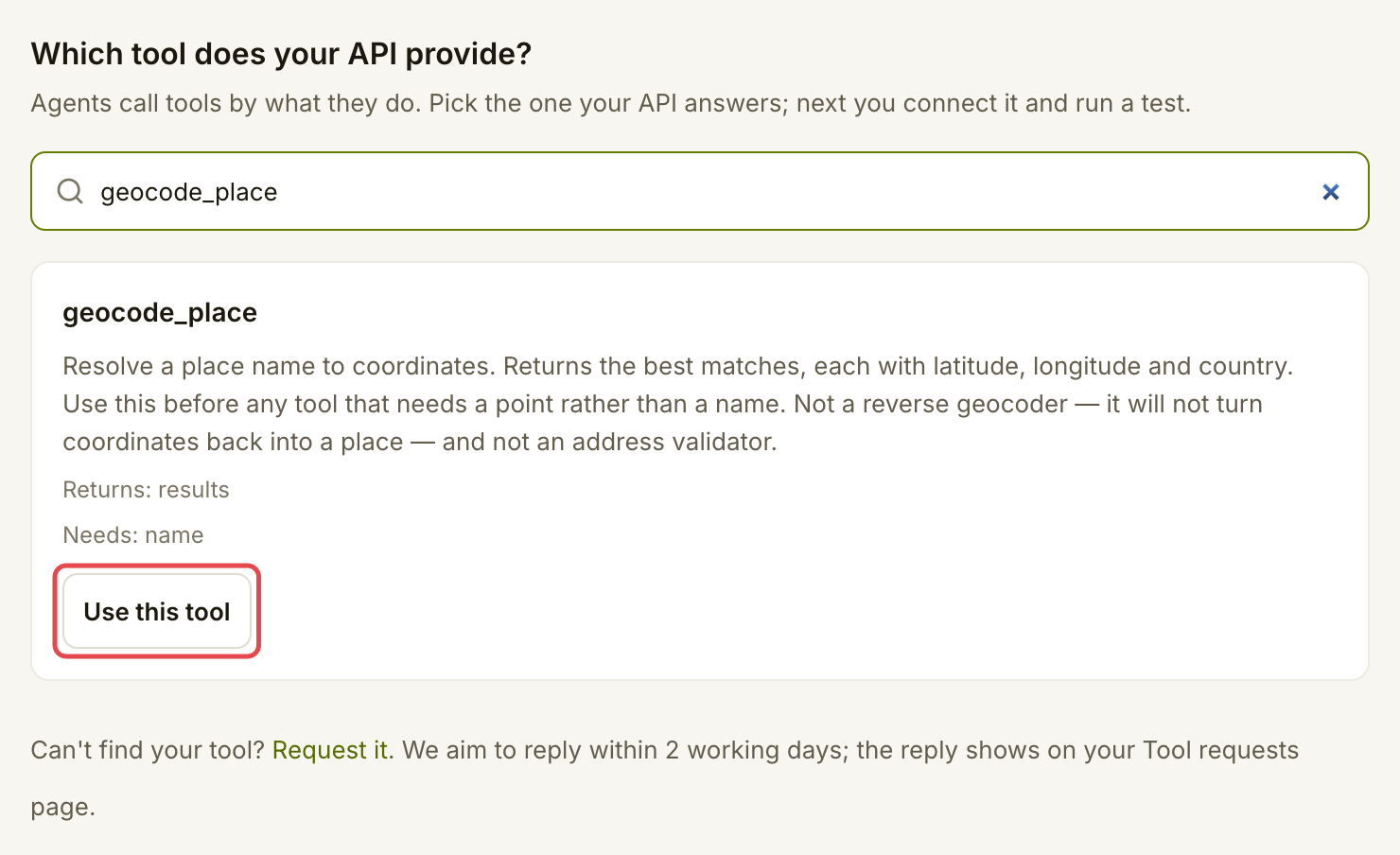
Open **Listings → List a tool**. Search for the tool your API answers. Read what it returns and what input it needs, then choose **Use this tool**. If you already offer it, choose **Open your listing**; if you started one, choose **Continue this draft**.

<figure><img src="https://1949348494-files.gitbook.io/~/files/v0/b/gitbook-x-prod.appspot.com/o/spaces%2FjpdpV7qPs81FjbSH4zm1%2Fuploads%2Fgit-blob-800f014e6bb473484ed588dce039a73479e156dd%2Flist-a-catalogue-tool-1.png?alt=media" alt="Unlisted geocode_place catalogue tool with Use this tool marked"><figcaption><p>Choose Use this tool for a tool you do not yet offer.</p></figcaption></figure>
{% endstep %}

{% step %}

### Enter your endpoint

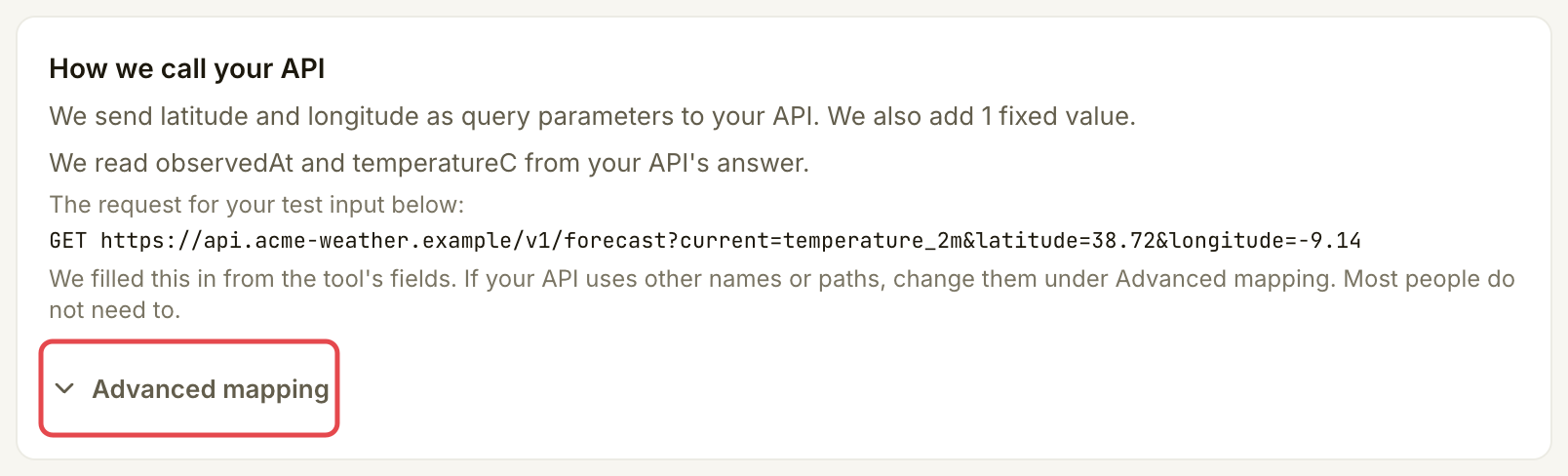
In **Connect & test**, check **Your API's address**. Use the endpoint for this tool. Keep passwords and API keys out of the address. Leave the suggested settings under **How we call your API** unchanged when your endpoint matches them.

<figure><img src="https://1949348494-files.gitbook.io/~/files/v0/b/gitbook-x-prod.appspot.com/o/spaces%2FjpdpV7qPs81FjbSH4zm1%2Fuploads%2Fgit-blob-93d38d822e0b76909f5ba47c0d48425e61e15551%2Flist-a-catalogue-tool-2.png?alt=media" alt="API address field filled with the example API base address"><figcaption><p>Use the API base address with the suggested request path.</p></figcaption></figure>

<figure><img src="https://1949348494-files.gitbook.io/~/files/v0/b/gitbook-x-prod.appspot.com/o/spaces%2FjpdpV7qPs81FjbSH4zm1%2Fuploads%2Fgit-blob-4b2d872e20a63ad7b35c3c498fe1458530c586b7%2Flist-a-catalogue-tool-3.png?alt=media" alt="How we call your API card with sample coordinates and Advanced mapping marked"><figcaption><p>Check how the sample input becomes an API request.</p></figcaption></figure>
{% endstep %}

{% step %}

### Choose how Assay authenticates

Under **Authentication**, choose the method your API checks. Assay recommends a signature: no key is stored, and your API refuses any call Assay did not sign.

{% tabs %}
{% tab title="API key" %}
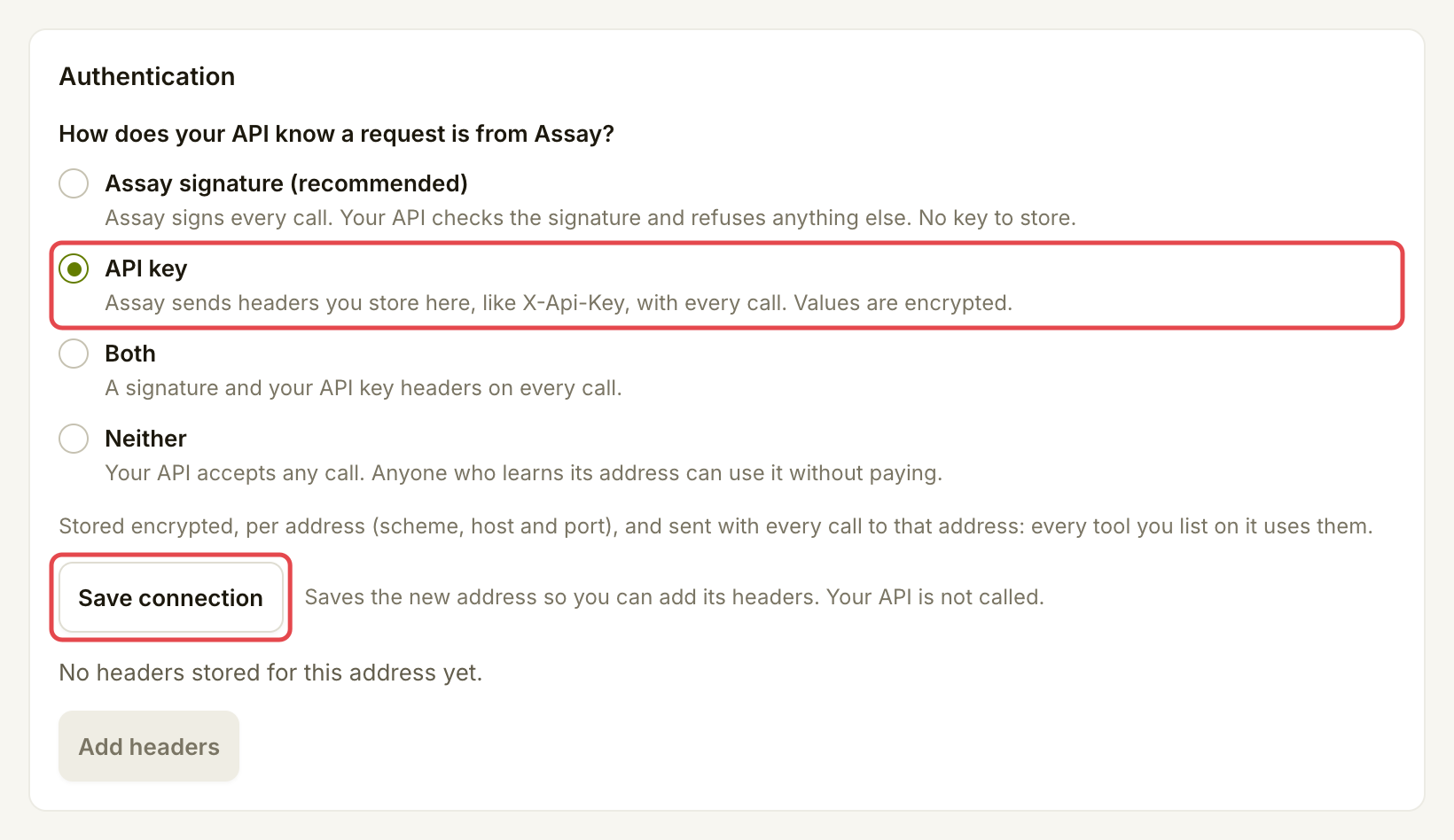
Choose **API key** if your API already accepts a key in request headers. Choose **Save connection** to save the draft before adding its headers. This does not call your API.

<figure><img src="https://1949348494-files.gitbook.io/~/files/v0/b/gitbook-x-prod.appspot.com/o/spaces%2FjpdpV7qPs81FjbSH4zm1%2Fuploads%2Fgit-blob-b0087b12ce3d79c774710dec19a2acc55929bcc2%2Flist-a-catalogue-tool-4.png?alt=media" alt="Authentication card with API key selected and Save connection marked"><figcaption><p>Save the connection before adding key headers.</p></figcaption></figure>

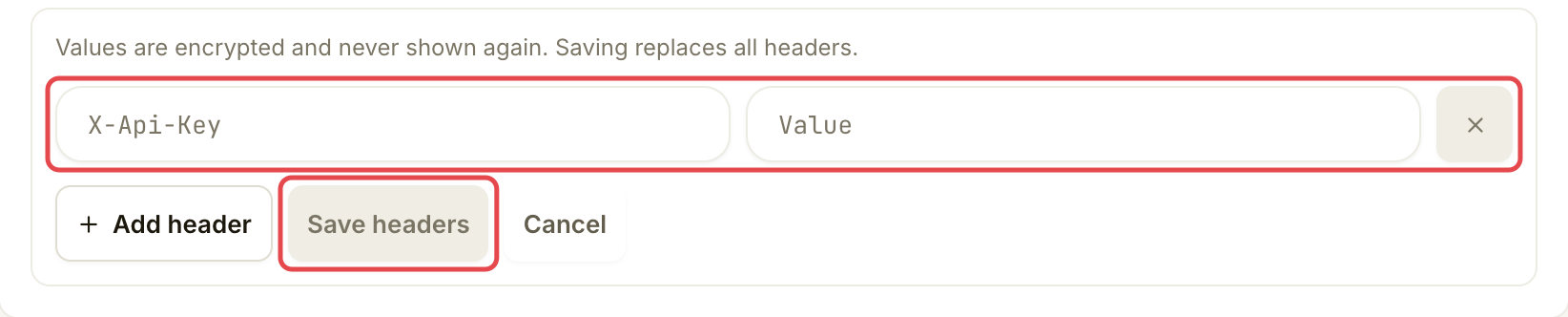
Choose **Add headers**. Enter the header name your API expects and its value, then choose **Save headers**. For example, your service may expect a header named `X-Api-Key`, or `Authorization` with a value beginning `Bearer` followed by your key.

Values are encrypted and never shown again. They belong to this listing and its address (scheme, host and port); another listing at the same address needs its own headers. Saving replaces the whole set, so include every header your API needs.

<figure><img src="https://1949348494-files.gitbook.io/~/files/v0/b/gitbook-x-prod.appspot.com/o/spaces%2FjpdpV7qPs81FjbSH4zm1%2Fuploads%2Fgit-blob-dfd09838487720e7b95bc52de1289574289db32d%2Flist-a-catalogue-tool-5.png?alt=media" alt="API key header form with the header fields and Save headers marked"><figcaption><p>Save the headers Assay must send to your API.</p></figcaption></figure>
{% endtab %}

{% tab title="Assay signature" %}
Assay signs every call. Your API checks the signature against Assay's public keys and refuses any call without a valid one.

1. Set up the check: deploy the [no-code Cloudflare Worker](https://docs.goassay.ai/developers/list-your-api/cloudflare-worker) in front of your API, or [add the verifier to your code](https://docs.goassay.ai/developers/list-your-api/verify-in-your-code).
2. Choose **Assay signature (recommended)**. **How to check the signature** shows the headers Assay sends and a Node example.
3. Choose **Save connection**.

<figure><img src="https://1949348494-files.gitbook.io/~/files/v0/b/gitbook-x-prod.appspot.com/o/spaces%2FjpdpV7qPs81FjbSH4zm1%2Fuploads%2Fgit-blob-056d82b1812d872b629c19c33600862ac94b7eca%2Flist-a-catalogue-tool-6.png?alt=media" alt="Authentication choices with Assay signature recommended selected"><figcaption><p>Choose a signature when your endpoint verifies Assay’s calls.</p></figcaption></figure>
{% endtab %}
{% endtabs %}

**Both** sends a signature and your saved key headers. **Neither** lets anyone who learns your endpoint's address call it without paying; choose it only for an intentionally public API.
{% endstep %}

{% step %}

### Run a test call

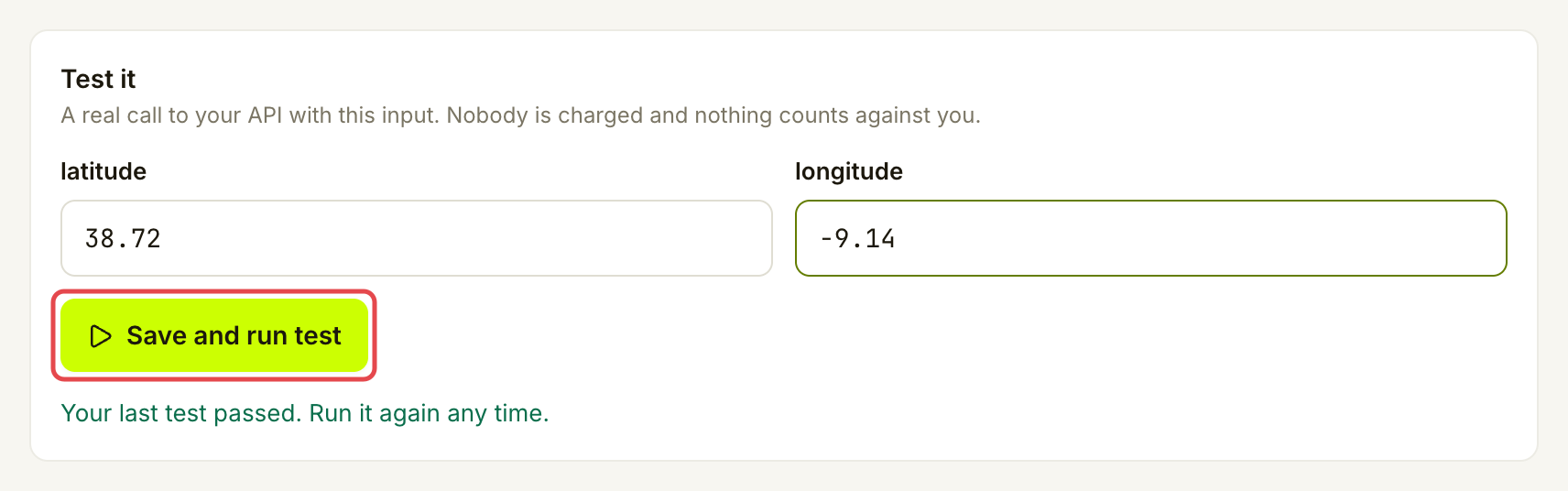
Under **Test it**, enter a useful sample input. For **get\_weather**, use latitude `38.72` and longitude `-9.14`. Choose **Save and run test**. The test makes a real request to your API; nobody is charged and it does not count against your promise.

<figure><img src="https://1949348494-files.gitbook.io/~/files/v0/b/gitbook-x-prod.appspot.com/o/spaces%2FjpdpV7qPs81FjbSH4zm1%2Fuploads%2Fgit-blob-93881e6cbc112279490d1d9d3950c65b87b73740%2Flist-a-catalogue-tool-7.png?alt=media" alt="Weather test form with sample coordinates and Save and run test marked"><figcaption><p>Use input that should return a useful answer.</p></figcaption></figure>
{% endstep %}

{% step %}

### Review the test

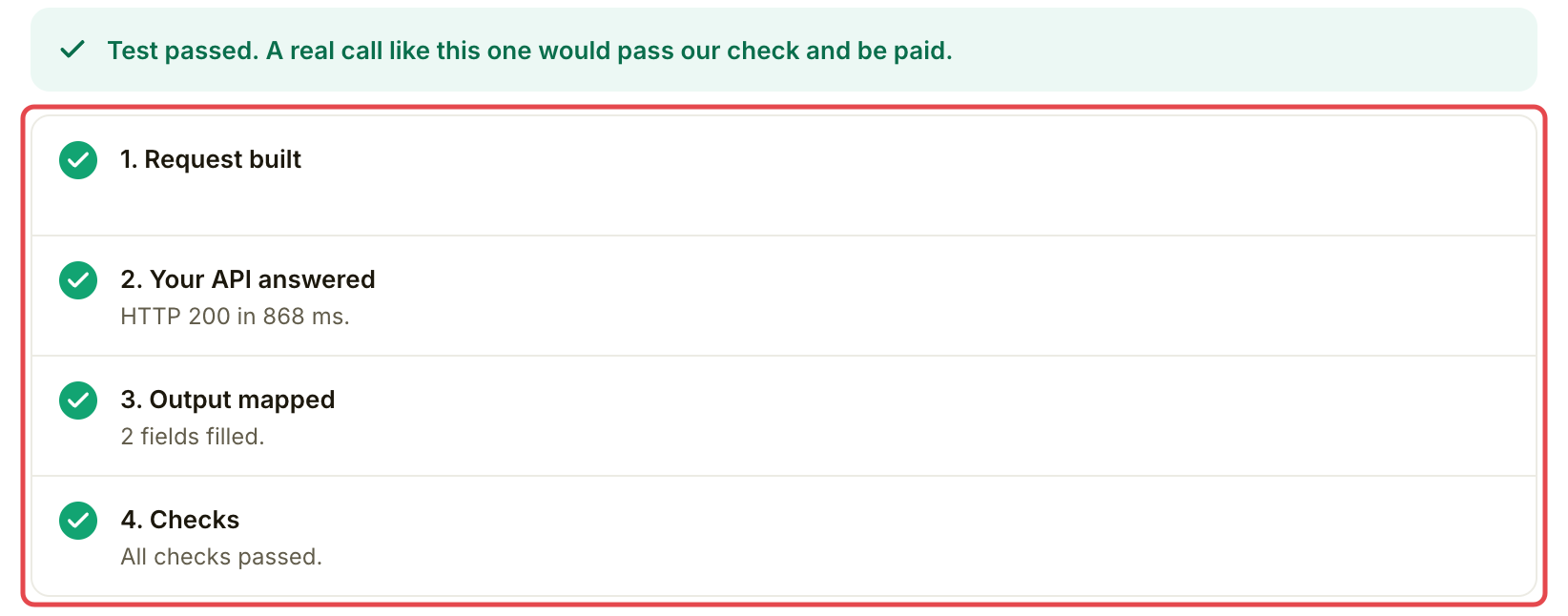
Read **Request built**, **Your API answered**, **Output mapped** and **Checks**. Continue with **Continue to Go live** when the test passes. If you change the connection afterwards, run the test again.

<figure><img src="https://1949348494-files.gitbook.io/~/files/v0/b/gitbook-x-prod.appspot.com/o/spaces%2FjpdpV7qPs81FjbSH4zm1%2Fuploads%2Fgit-blob-7827dbcf1eafa87037124bccf9f984fb274f3f9d%2Flist-a-catalogue-tool-8.png?alt=media" alt="Weather test result showing the request, API answer, mapped output and checks"><figcaption><p>Check the result before moving on.</p></figcaption></figure>
{% endstep %}

{% step %}

### Set the price and free allowance

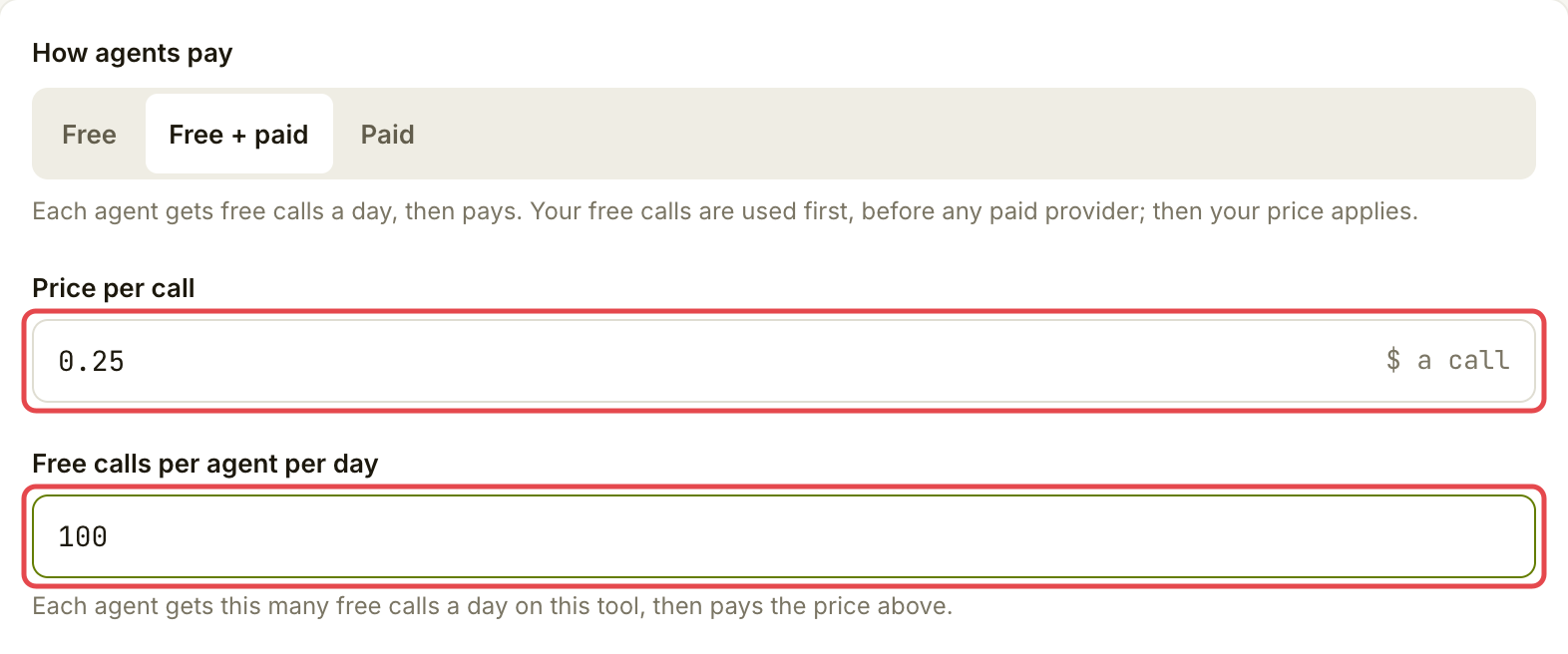
In **Go live**, choose how agents pay. For a free allowance followed by paid calls, choose **Free + paid**, enter **Price per call**, and keep the default **Free calls per agent per day** of 100. Each agent uses that allowance before paying your price. **Paid** charges for every call; **Free** earns nothing and needs no stake.

Keep the default **Failures you promise to stay under** of 2% and leave **Advanced** (**Time we wait for your API**) closed unless your API needs longer. Read **Summary** for the customer's price, your share after Assay's fee and the stake required. Stake backs your failure promise; it is separate from your earnings.

<figure><img src="https://1949348494-files.gitbook.io/~/files/v0/b/gitbook-x-prod.appspot.com/o/spaces%2FjpdpV7qPs81FjbSH4zm1%2Fuploads%2Fgit-blob-ef98aafcce68c0f1dd147683f3558ccdbf449b89%2Flist-a-catalogue-tool-9.png?alt=media" alt="Go live pricing with Free + paid selected, a 100-call daily allowance and Price per call marked"><figcaption><p>Set the price and each agent’s daily free allowance.</p></figcaption></figure>
{% endstep %}

{% step %}

### Publish the listing

Check the publishing requirements. If the button asks you to add stake, open it, connect and prove the business's stake wallet when asked, then follow the USDG approval and stake transaction prompts. You need USDG and ETH for network fees. Check the amount before approving; after the stake is confirmed, this flow publishes the listing.

If you already meet the requirements, choose **Publish**. Customers can call the listing once it is live. Free listings can publish without stake. This final step needs your wallet when stake is required.
{% endstep %}
{% endstepper %}

## Check it worked

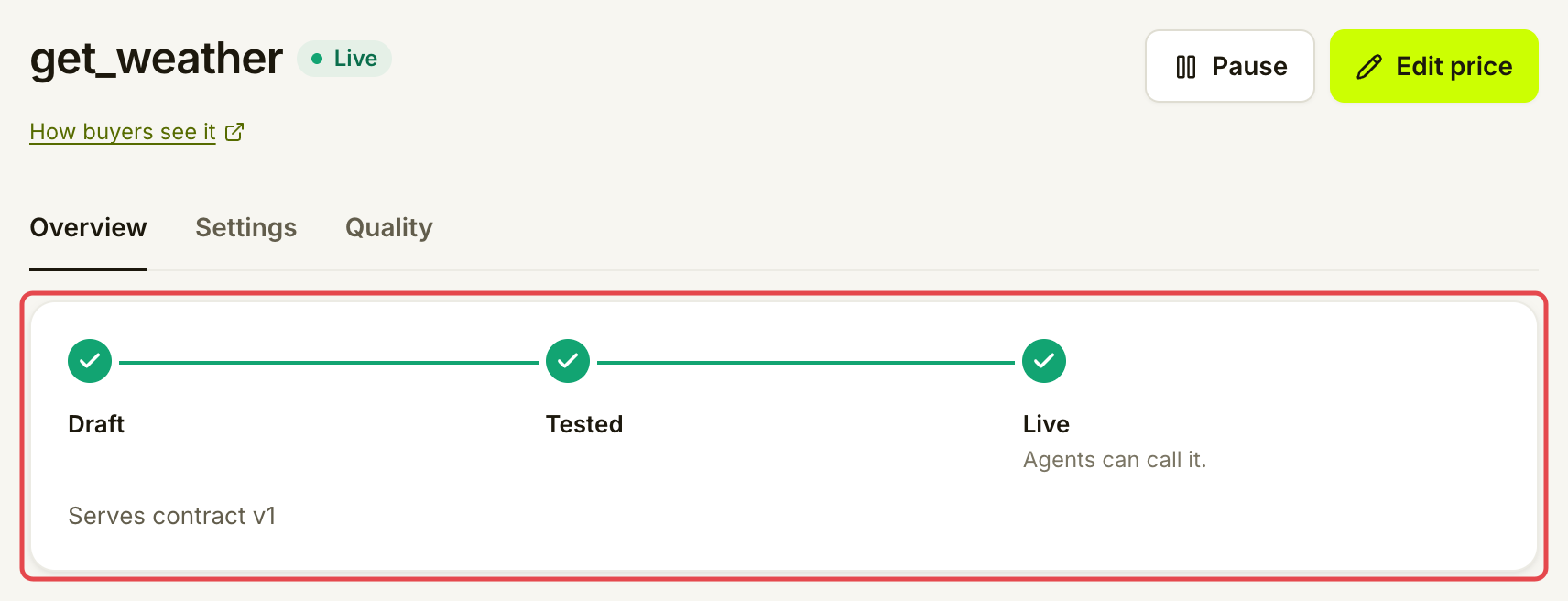
The listing's **Overview** shows **Live**. Check its tool name and price. You can return from **Listings** to see its settings, quality and calls.

<figure><img src="https://1949348494-files.gitbook.io/~/files/v0/b/gitbook-x-prod.appspot.com/o/spaces%2FjpdpV7qPs81FjbSH4zm1%2Fuploads%2Fgit-blob-92ef303b3511c222acba5362e28b29824e541984%2Flist-a-catalogue-tool-10.png?alt=media" alt="Weather listing Overview showing its Live state and listing timeline"><figcaption><p>A live listing is ready for agents to call.</p></figcaption></figure>

## If something goes wrong

| You see                                            | Do this                                                                                                 |
| -------------------------------------------------- | ------------------------------------------------------------------------------------------------------- |
| **Open your listing** instead of **Use this tool** | You already offer this tool. Continue with that listing.                                                |
| The test stops at **Your API answered**            | Check the address, availability and authentication: the saved headers, or your signature check.         |
| The test stops at **Output mapped** or **Checks**  | Compare your response with the tool's required answer. Fix the API or its connection before publishing. |
| The test is out of date                            | Run it again after saving your connection changes.                                                      |
| Publishing asks for a payout wallet or stake       | Finish the wallet steps and meet the amount shown before publishing.                                    |

## Go further

* Developers (optional): [API key or signature](https://docs.goassay.ai/developers/list-your-api/api-key-or-signature).
* Developers (optional): [Verify with a Cloudflare Worker](https://docs.goassay.ai/developers/list-your-api/cloudflare-worker).
* Developers (optional): [Verify in your code](https://docs.goassay.ai/developers/list-your-api/verify-in-your-code).

## Next

* [Get paid](/list-your-api/get-started/get-paid.md)


---

# Agent Instructions
This documentation is published with GitBook. GitBook is the documentation platform designed so that both humans and AI agents can read, navigate, and reason over technical content effectively. Learn more at gitbook.com.

## Querying This Documentation
If you need additional information that is not directly available in this page, you can query the documentation by asking a question.

Perform an HTTP GET request on the following URL with the `ask` and `goal` query parameters:

```
GET https://docs.goassay.ai/list-your-api/get-started/list-a-catalogue-tool.md?ask=<question>&goal=<user_goal>
```

`ask` is the immediate question: it should be specific, self-contained, and written in natural language.
`goal` is what the user is ultimately trying to achieve, the reason they need the answer. Sharing it helps GitBook give you a better, more relevant answer. A goal is most helpful when it describes the outcome the user wants rather than restating the question. For example, with `ask=how do I create an API token`, a goal like `automate deployments from our CI pipeline` lets GitBook tailor the answer to that use case.

The response will contain a direct answer to the question and relevant excerpts and sources from the documentation.

Use this mechanism when the answer is not explicitly present in the current page, you need clarification or additional context, or you want to retrieve related documentation sections.