> For the complete documentation index, see [llms.txt](https://docs.goassay.ai/llms.txt). Markdown versions of documentation pages are available by appending `.md` to page URLs; this page is available as [Markdown](https://docs.goassay.ai/list-your-api/get-started/get-paid.md).

# Get paid

Understand when a call becomes earnings and check the payments sent to your wallet.

Assay pays your business in USDG on Robinhood Chain, to the payout wallet you proved during setup. There is no earnings balance to withdraw in the provider console: payments arrive on chain as calls settle.

{% hint style="info" %}
**Before you start:** finish [account and wallet setup](/list-your-api/get-started/set-up-your-account.md) and put your chosen listing live. Free calls and listing tests earn nothing.
{% endhint %}

## When a call becomes earnings

A call first reserves the customer's money while its result is checked. That reservation is not earnings. A result that fails the checks is not charged to the customer and earns nothing for you.

A successful paid call is held for the customer's bad-result report window before it can reach your wallet. The current terms describe a one-hour hold. The exact collection time follows the payment's settlement on chain, so do not expect a transfer exactly one hour after the request reached your API.

If a customer reports a bad result while the payment is still held, collection can pause while the report is decided. An upheld report refunds the held payment to the customer; a rejected report lets collection continue. Reply by the deadline shown on the report. A held payment is never kept indefinitely; the contract releases it after a fixed backstop.

Customers can report a call for up to 7 days after it. A report filed after the 1-hour hold cannot reclaim your payment: it does not pull a completed payout back from your wallet.

Assay sends payments automatically as calls settle. You do not request a payout, there is no minimum, one payment can cover several calls, and you pay no network fee to receive it.

Once paid to your wallet, a payout is never clawed back. Your stake remains separate and can still be at risk if you breach your failure promise. A call that passed but whose payment could not be collected is also separate from paid earnings; Assay does not advance that money to you.

## Steps

{% stepper %}
{% step %}

### Read this month's earnings

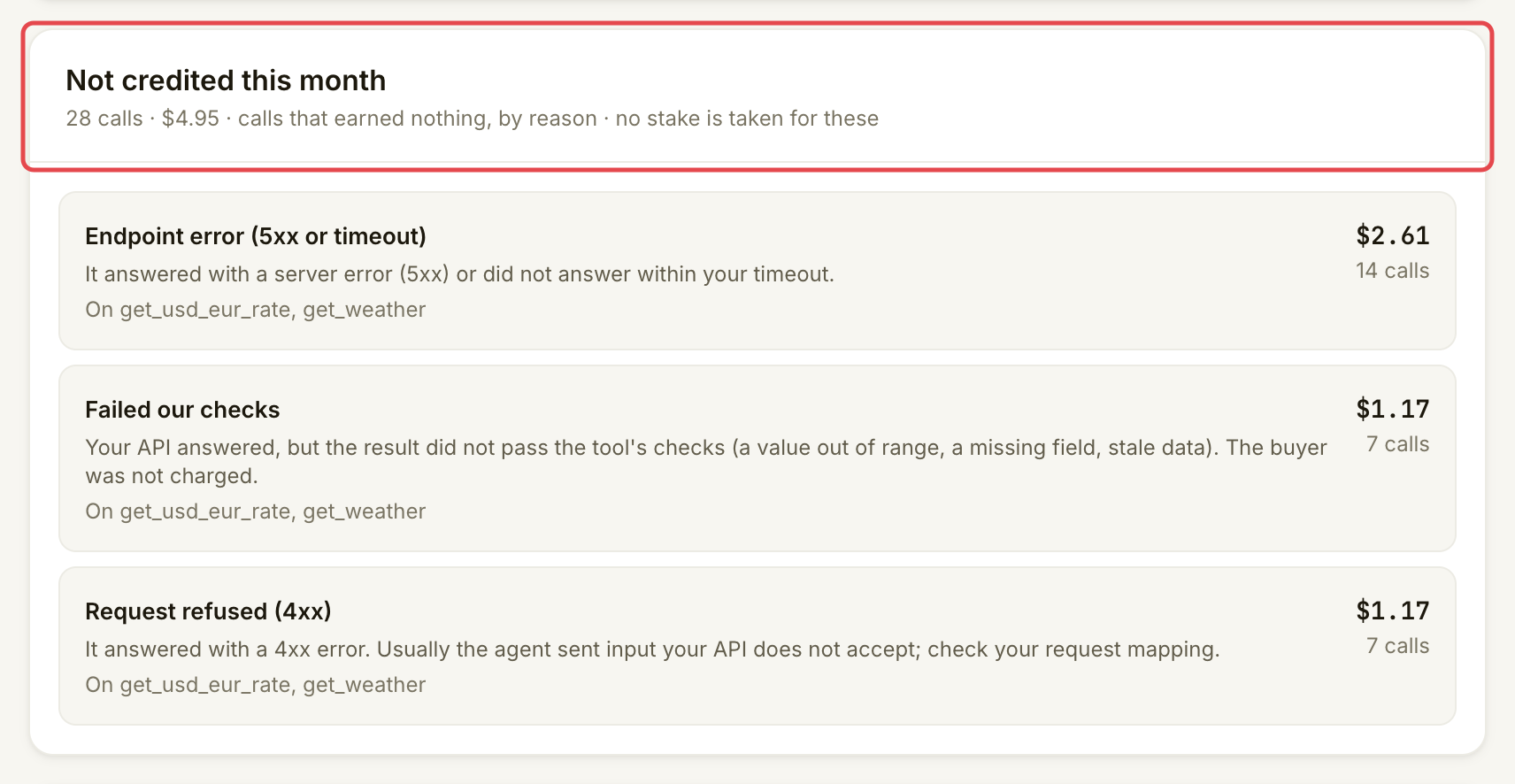
Open **Money**. **In your wallet this month** shows what reached your wallet. Compare it with **Assay fee** and **Not credited**. The current fee is 10% of paid calls; the share labels in the chart describe the displayed total, not the fee rate.

**Locked as stake** is still your money, separate from earnings. **Taken by penalties, so far** (all time) comes from stake, not from a completed payout.

<figure><img src="https://1949348494-files.gitbook.io/~/files/v0/b/gitbook-x-prod.appspot.com/o/spaces%2FjpdpV7qPs81FjbSH4zm1%2Fuploads%2Fgit-blob-f0efcdc5116731e2d0fb8a7fa9cdd30c97b750c1%2Fget-paid-1.png?alt=media" alt="Monthly earnings card including the Locked as stake amount"><figcaption><p>Read wallet earnings and the amount locked as stake separately.</p></figcaption></figure>
{% endstep %}

{% step %}

### Check a payment

Find **Recent payments**. Each row shows the amount sent, its time in UTC and how many calls it covers. When a transaction link is available, choose **View transaction** to inspect that payment on the network's explorer. The list records transfers already sent to your payout wallet.
{% endstep %}

{% step %}

### Read why calls earned nothing

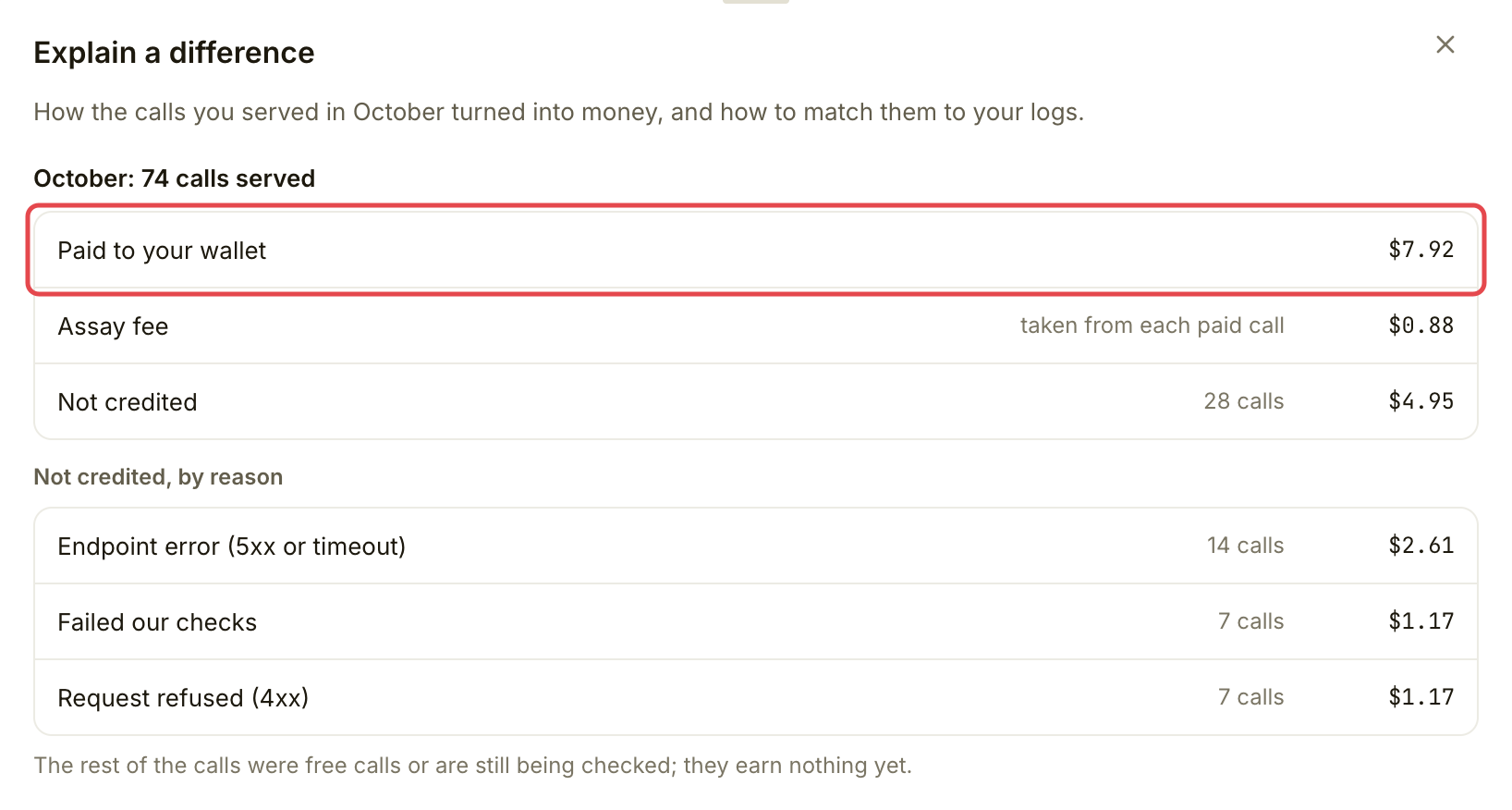
Under **Not credited this month**, read the reasons and amounts. A failed check, an endpoint error or a timeout can leave a request in your API's logs without earnings. A call still being checked has no final earnings yet. The reason list itself does not mean stake has been taken.

If **Passed, but not paid** appears, read it separately: the result passed, but payment is still uncollected, written off or forfeited. Those amounts are not in your wallet total. No fee has been taken on uncollected amounts.

<figure><img src="https://1949348494-files.gitbook.io/~/files/v0/b/gitbook-x-prod.appspot.com/o/spaces%2FjpdpV7qPs81FjbSH4zm1%2Fuploads%2Fgit-blob-d8eab2f8b588b14283bc8e5f3123478513985b22%2Fget-paid-2.png?alt=media" alt="Not credited this month card grouping calls by reason"><figcaption><p>Separate calls that earned nothing from completed payments.</p></figcaption></figure>
{% endstep %}

{% step %}

### Explain a difference

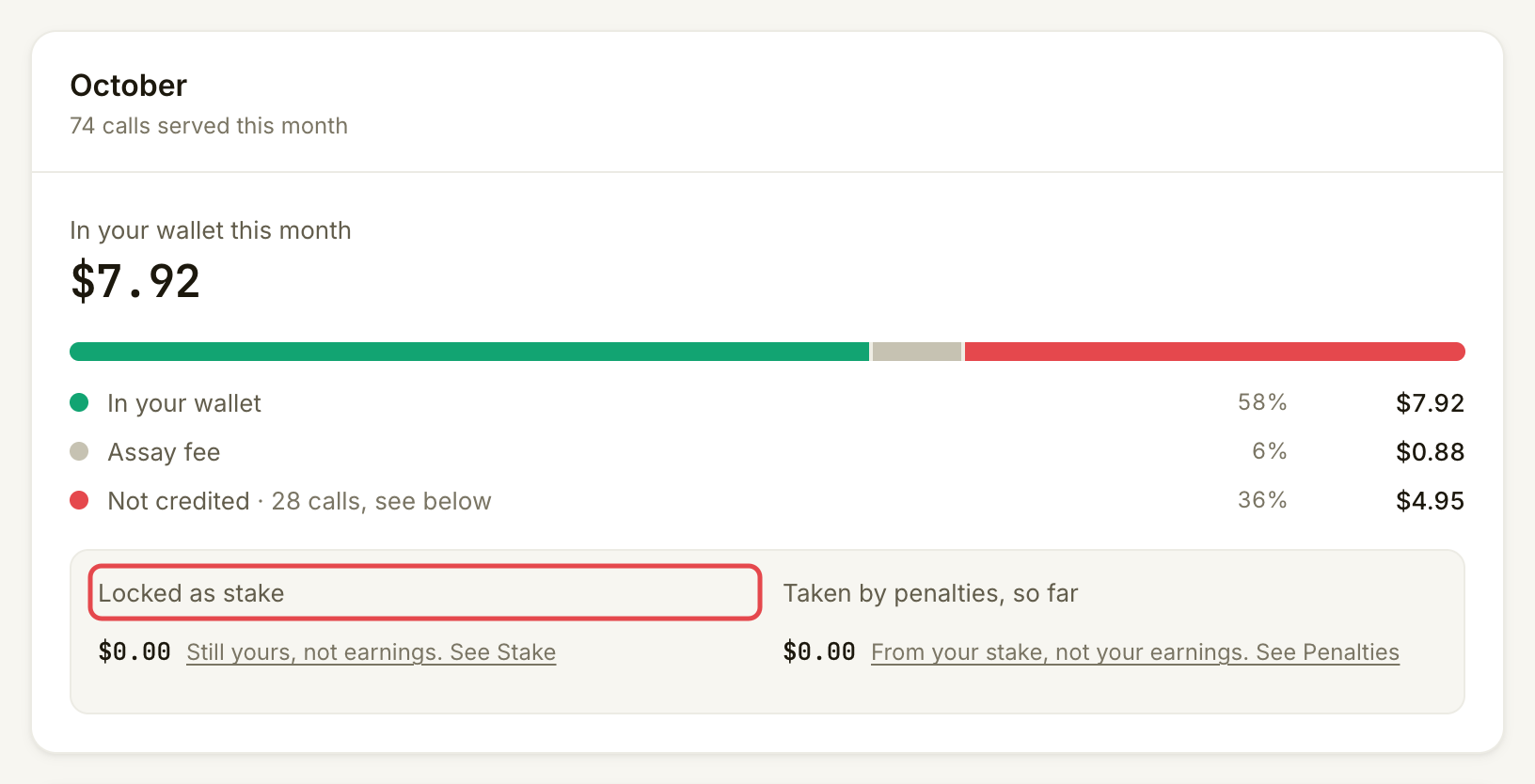
Choose **Explain a difference**. Compare **Gross**, **Assay fee** and **Net**. Gross is the price of paid calls before the fee; net is what reached your wallet after the fee.

<figure><img src="https://1949348494-files.gitbook.io/~/files/v0/b/gitbook-x-prod.appspot.com/o/spaces%2FjpdpV7qPs81FjbSH4zm1%2Fuploads%2Fgit-blob-d7311cd9b61506733c7daf8aca8526a230a41409%2Fget-paid-3.png?alt=media" alt="Explain a difference drawer title and summary of paid, fee and not-credited amounts"><figcaption><p>Start with the summary when reconciling the month’s payments.</p></figcaption></figure>
{% endstep %}

{% step %}

### Download your records

For your records, use **Download October CSV** on **Money**; the month in the button changes with the current month. The file contains per-call records for that month. Your API team can match a call in the file with the same reference in your service's access log.

<figure><img src="https://1949348494-files.gitbook.io/~/files/v0/b/gitbook-x-prod.appspot.com/o/spaces%2FjpdpV7qPs81FjbSH4zm1%2Fuploads%2Fgit-blob-282590ae431fae80eab46844012f1723a348946f%2Fget-paid-4.png?alt=media" alt="Money page header with the monthly CSV download marked"><figcaption><p>Download the month's per-call records.</p></figcaption></figure>
{% endstep %}
{% endstepper %}

## Check it worked

You can trace a sent payment from **Recent payments** to its transaction and receiving wallet. The month's wallet total is separate from free calls, failed calls, held payments, unpaid calls and stake.

To check or change where future earnings arrive, open **Account → Public name and payout wallet**. Choose **Change it (sign a message, free)**, connect the intended wallet and sign the ownership message in setup. Check that the payout account is active on Robinhood Chain. The message moves no money. Check the updated address afterwards. Completed payments stay in the wallet that received them, and payments already held for earlier calls still go to the previous wallet.

## If something goes wrong

| You see                                | Do this                                                                                                                           |
| -------------------------------------- | --------------------------------------------------------------------------------------------------------------------------------- |
| **No payments yet**                    | Check whether calls were free, still checking, still held or not credited. A successful test does not earn a payment.             |
| **Passed, but not paid**               | Read the stated payment status. Do not count it as money received.                                                                |
| An open bad-result report              | Read it in **Penalties → Bad-result reports** and reply before its displayed deadline. Collection may be held until the decision. |
| A payout wallet is stopped             | Check its status in **Account** and resolve it before expecting future paid traffic.                                              |
| **Your payments could not be loaded.** | Retry. A loading error does not mean no payment was sent.                                                                         |

## Next

* [Check your inbox](/list-your-api/everyday-use/check-your-inbox.md)


---

# Agent Instructions
This documentation is published with GitBook. GitBook is the documentation platform designed so that both humans and AI agents can read, navigate, and reason over technical content effectively. Learn more at gitbook.com.

## Querying This Documentation
If you need additional information that is not directly available in this page, you can query the documentation by asking a question.

Perform an HTTP GET request on the following URL with the `ask` and `goal` query parameters:

```
GET https://docs.goassay.ai/list-your-api/get-started/get-paid.md?ask=<question>&goal=<user_goal>
```

`ask` is the immediate question: it should be specific, self-contained, and written in natural language.
`goal` is what the user is ultimately trying to achieve, the reason they need the answer. Sharing it helps GitBook give you a better, more relevant answer. A goal is most helpful when it describes the outcome the user wants rather than restating the question. For example, with `ask=how do I create an API token`, a goal like `automate deployments from our CI pipeline` lets GitBook tailor the answer to that use case.

The response will contain a direct answer to the question and relevant excerpts and sources from the documentation.

Use this mechanism when the answer is not explicitly present in the current page, you need clarification or additional context, or you want to retrieve related documentation sections.