> For the complete documentation index, see [llms.txt](https://docs.goassay.ai/llms.txt). Markdown versions of documentation pages are available by appending `.md` to page URLs; this page is available as [Markdown](https://docs.goassay.ai/list-your-api/everyday-use/see-your-stats.md).

# See your stats

Read your calls, earnings and quality by tool and understand the period each figure covers.

Check how much traffic each tool serves, what it earns and whether its answers keep your promise. Read the period beside each figure before comparing numbers.

{% hint style="info" %}
**Before you start:** have a listing with calls. [Get paid](/list-your-api/get-started/get-paid.md) explains when a successful call becomes money in your wallet.
{% endhint %}

## Steps

{% stepper %}
{% step %}

### Compare your tools this month

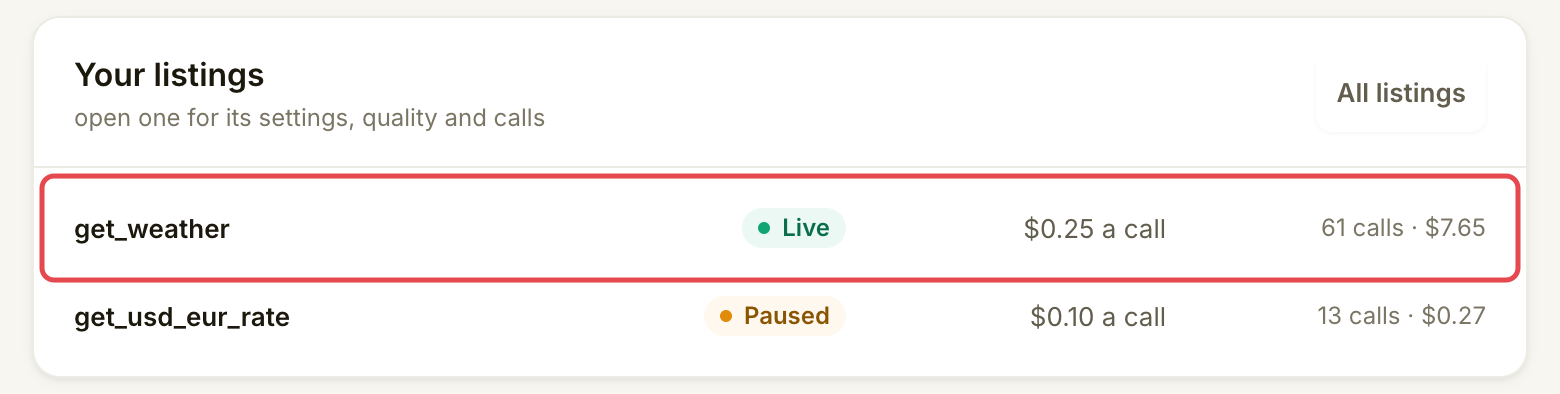
Open **Home** and find **Your listings**. Each row shows calls and earnings for one tool, across all your listings of it, in the current UTC month. Use this to see which tools account for your activity, then select the tool you want to inspect.

<figure><img src="https://1949348494-files.gitbook.io/~/files/v0/b/gitbook-x-prod.appspot.com/o/spaces%2FjpdpV7qPs81FjbSH4zm1%2Fuploads%2Fgit-blob-5577ba8969e3b02e75e5a89220746fcc261023b5%2Fsee-your-stats-1.png?alt=media" alt="Home&#x27;s Your listings card showing calls and earnings beside each tool"><figcaption><p>Compare tools over the same month.</p></figcaption></figure>
{% endstep %}

{% step %}

### Read the last day's activity

On the listing's **Overview**, compare **Calls, last 24 hours** with **Earned, last 24 hours**. Calls count activity attributed to your tool, including calls that earned nothing. Earned is your credited share after Assay's fee. It excludes free calls, failed calls and money still held or uncollected.

<figure><img src="https://1949348494-files.gitbook.io/~/files/v0/b/gitbook-x-prod.appspot.com/o/spaces%2FjpdpV7qPs81FjbSH4zm1%2Fuploads%2Fgit-blob-9ac9e6bd74a6bbcc60c069df566a11f67bb0ccfe%2Fsee-your-stats-2.png?alt=media" alt="Listing Overview showing separate call and earnings figures for the last 24 hours"><figcaption><p>Traffic and credited earnings answer different questions.</p></figcaption></figure>
{% endstep %}

{% step %}

### Read quality over its own window

Open **Quality**. Compare the failure rate with your promised maximum and read how many calls have been checked. A check window is the group of calls used to judge that promise; it has its own start and end, separate from the earnings period.

Under **Recent windows**, read the dates and outcomes. Green kept the promise, grey had too few calls to judge and red went over. **Who calls this tool** groups the current window's checked calls by agent; **What failed** explains failures in that evidence.

<figure><img src="https://1949348494-files.gitbook.io/~/files/v0/b/gitbook-x-prod.appspot.com/o/spaces%2FjpdpV7qPs81FjbSH4zm1%2Fuploads%2Fgit-blob-40c0f23a8a5b014d2611f6ac7b6bcd86c733ec5e%2Fsee-your-stats-3.png?alt=media" alt="Recent windows row with the current window start, status and checked-call count marked"><figcaption><p>Read each window’s dates and outcome together.</p></figcaption></figure>
{% endstep %}

{% step %}

### Open a checked call

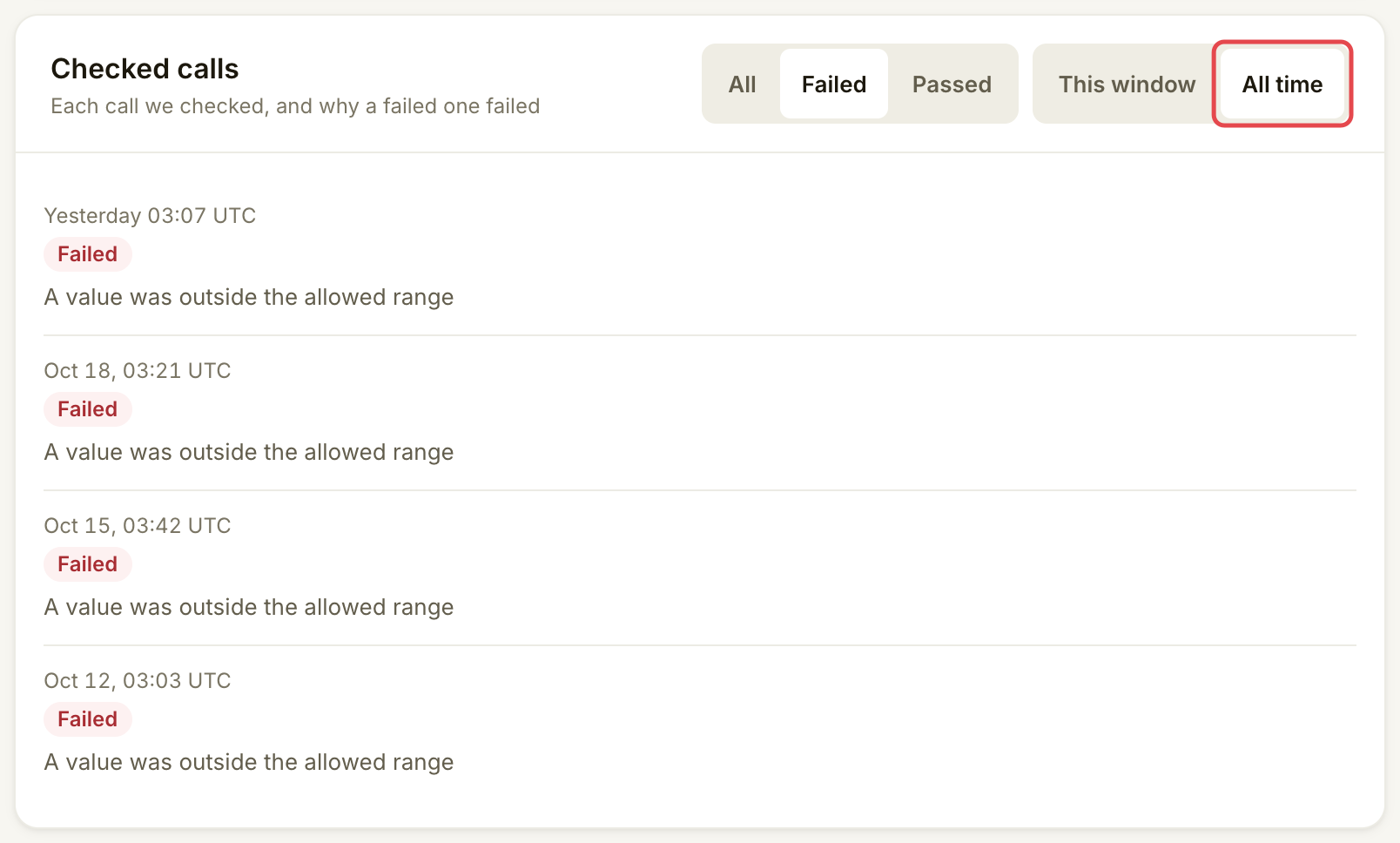
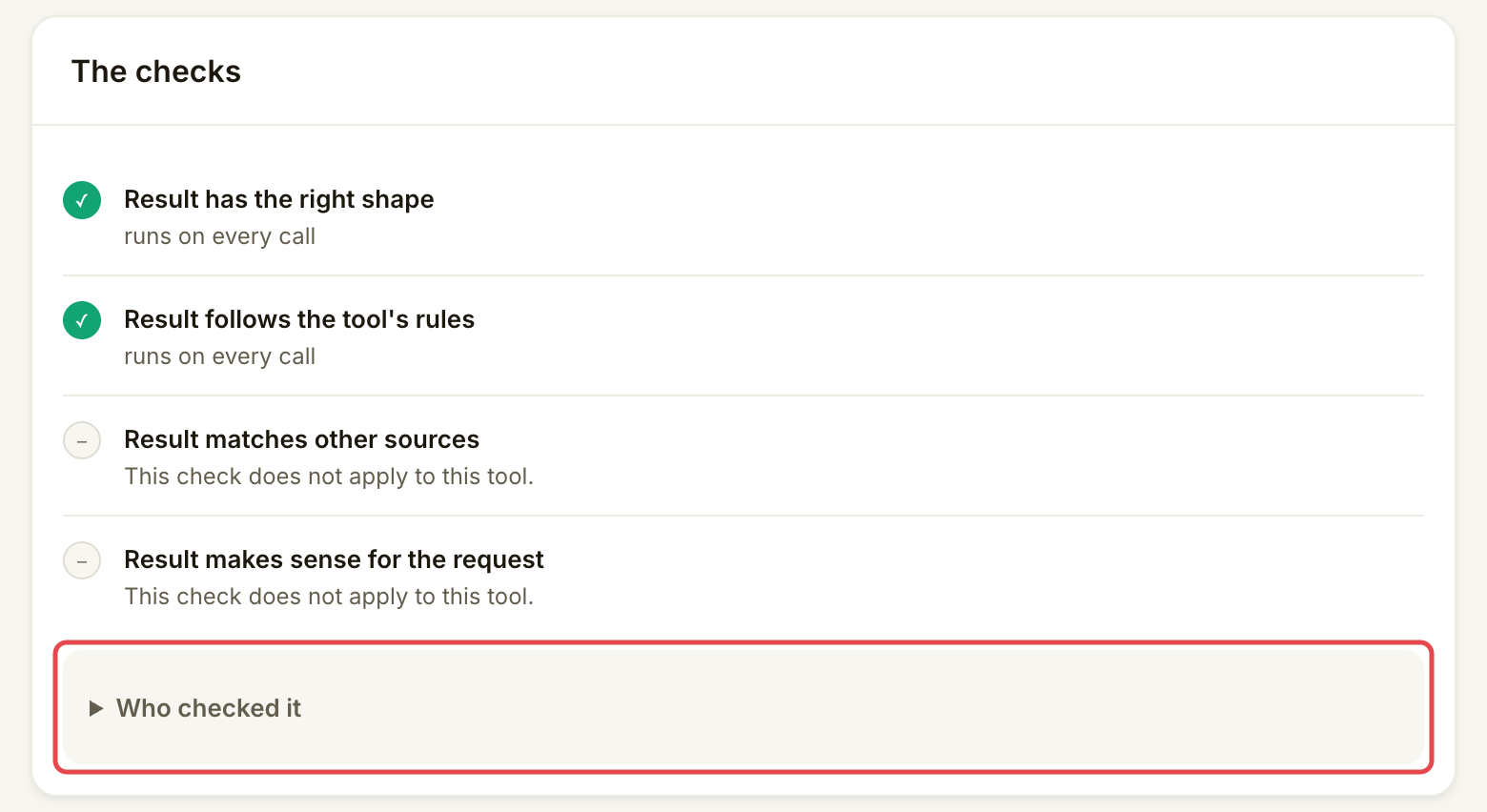
Under **Checked calls**, choose **All**, **Failed** or **Passed**. Use **This window** for the window above, or **All time** for the tool's wider history. Open a row and read **The checks**. A passed call passed the checks that ran; some checks may not apply to that tool. Open **Who checked it** if you need the checker details.

<figure><img src="https://1949348494-files.gitbook.io/~/files/v0/b/gitbook-x-prod.appspot.com/o/spaces%2FjpdpV7qPs81FjbSH4zm1%2Fuploads%2Fgit-blob-782f57a6283983fc4fc84a5f443a9eea2abbbd48%2Fsee-your-stats-4.png?alt=media" alt="Checked calls filtered to Failed with All time selected"><figcaption><p>Use All time when investigating failures across the tool’s history.</p></figcaption></figure>

<figure><img src="https://1949348494-files.gitbook.io/~/files/v0/b/gitbook-x-prod.appspot.com/o/spaces%2FjpdpV7qPs81FjbSH4zm1%2Fuploads%2Fgit-blob-38f6a9321cdaca724a2bc7d75bc46d07963a5642%2Fsee-your-stats-5.png?alt=media" alt="A passed call&#x27;s complete The checks card showing checks that passed and checks that do not apply"><figcaption><p>Read what was checked before drawing a conclusion about success.</p></figcaption></figure>
{% endstep %}
{% endstepper %}

## What each figure means

| Figure                        | What it tells you                                                                                                                                                                                                                       |
| ----------------------------- | --------------------------------------------------------------------------------------------------------------------------------------------------------------------------------------------------------------------------------------- |
| Calls                         | Traffic attributed to your tool. It is not a count of paid successes.                                                                                                                                                                   |
| Earned                        | Your credited earnings after the fee. Read [Get paid](/list-your-api/get-started/get-paid.md) to reconcile money that is held, unpaid or not credited.                                                                                  |
| Failure rate                  | The share of checked calls counted as failures in the stated window. Compare it with the promise and sample size shown.                                                                                                                 |
| Passed / Failed               | The recorded result of a call's checks. Open the call for the reason; this is separate from whether its payment reached your wallet.                                                                                                    |
| **Time we wait for your API** | Your configured response deadline, shown under **Your terms** on **Overview**. It is not measured average latency. A slower answer earns nothing; [Quality and SLA](/list-your-api/advanced/quality-and-sla.md) explains how it counts. |

The console does not show a provider-wide success percentage or an average or percentile latency chart. Use your API's monitoring for response-time trends. The connection test shows how long that single test request took; it does not measure your live traffic's average.

## Check it worked

You can name the tool and period behind each number and explain a checked call's outcome. The console uses fixed periods: the current UTC month on **Home** and **Money**, the last 24 hours on a listing's **Overview**, and check windows or **All time** in **Quality**. There is no shared date picker across these screens.

For payment records and the month's export, follow [Get paid](/list-your-api/get-started/get-paid.md).

## If something goes wrong

| You see                                | Do this                                                                                                                     |
| -------------------------------------- | --------------------------------------------------------------------------------------------------------------------------- |
| **Not enough calls yet**               | Read the failure rate, but wait for the displayed minimum sample before treating the window as a judgement of your promise. |
| A failed call                          | Select **Failed** under **Checked calls** and open its row to find the failed check.                                        |
| Calls increased but earnings did not   | Compare free calls, failed calls, held payments and uncollected payments using **Money**.                                   |
| Different totals on two pages          | Match the tool, period and whether the figure counts all activity, checked calls or credited money.                         |
| **Checked calls could not be loaded.** | Retry. Missing data is not a zero failure rate.                                                                             |

## Next

* [Edit, pause or resume a listing](/list-your-api/everyday-use/edit-pause-or-resume-a-listing.md)


---

# Agent Instructions
This documentation is published with GitBook. GitBook is the documentation platform designed so that both humans and AI agents can read, navigate, and reason over technical content effectively. Learn more at gitbook.com.

## Querying This Documentation
If you need additional information that is not directly available in this page, you can query the documentation by asking a question.

Perform an HTTP GET request on the following URL with the `ask` and `goal` query parameters:

```
GET https://docs.goassay.ai/list-your-api/everyday-use/see-your-stats.md?ask=<question>&goal=<user_goal>
```

`ask` is the immediate question: it should be specific, self-contained, and written in natural language.
`goal` is what the user is ultimately trying to achieve, the reason they need the answer. Sharing it helps GitBook give you a better, more relevant answer. A goal is most helpful when it describes the outcome the user wants rather than restating the question. For example, with `ask=how do I create an API token`, a goal like `automate deployments from our CI pipeline` lets GitBook tailor the answer to that use case.

The response will contain a direct answer to the question and relevant excerpts and sources from the documentation.

Use this mechanism when the answer is not explicitly present in the current page, you need clarification or additional context, or you want to retrieve related documentation sections.