> For the complete documentation index, see [llms.txt](https://docs.goassay.ai/llms.txt). Markdown versions of documentation pages are available by appending `.md` to page URLs; this page is available as [Markdown](https://docs.goassay.ai/list-your-api/everyday-use/edit-pause-or-resume-a-listing.md).

# Edit, pause or resume a listing

Update an existing listing's terms or connection, and stop or restart its traffic.

Use the existing listing when you change what customers pay or how Assay reaches your API. Pause it when you need to stop new traffic, then resume when the endpoint is ready.

{% hint style="info" %}
**Before you start:** have a published listing. The connection, authentication and testing walkthrough is in [List a catalogue tool](/list-your-api/get-started/list-a-catalogue-tool.md); use those same controls when updating an existing connection.
{% endhint %}

## Steps

Choose the change you need. These are separate tasks on the same listing; you do not need to edit a listing before pausing it.

{% tabs %}
{% tab title="Price, promise or limits" %}
{% stepper %}
{% step %}

### Open Price in Settings

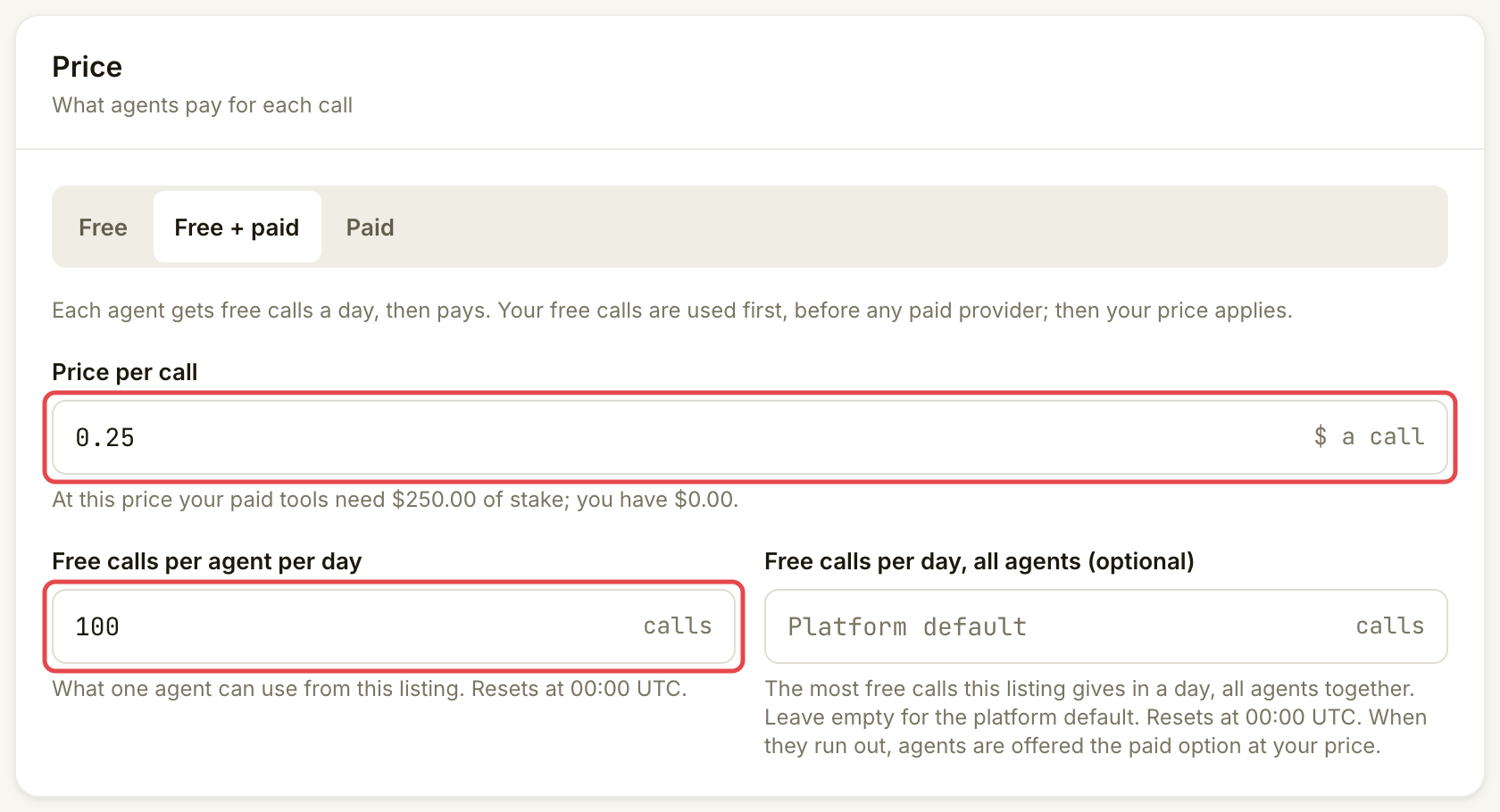
Open **Listings**, select the tool and open **Settings**. Under **Price**, choose **Free**, **Free + paid** or **Paid**. For a paid choice, change **Price per call**. For **Free + paid**, set **Free calls per agent per day**.

**Free calls per day, all agents (optional)** caps the listing's total free calls across agents. It is a call count. Leave it empty for the platform default. Both daily allowances reset at 00:00 UTC.

<figure><img src="https://1949348494-files.gitbook.io/~/files/v0/b/gitbook-x-prod.appspot.com/o/spaces%2FjpdpV7qPs81FjbSH4zm1%2Fuploads%2Fgit-blob-fad0488677fcbc5f21e3287b1cf12d9ac47867b2%2Fedit-pause-or-resume-a-listing-1.png?alt=media" alt="Settings Price card with Free + paid selected and daily allowance controls"><figcaption><p>Set the price and free-call allowances for the existing listing.</p></figcaption></figure>
{% endstep %}

{% step %}

### Save and review the change

Choose **Save**. If a confirmation opens, read its price, free-call and stake changes before saving. A higher paid price can require more stake. Adding stake requires your wallet; check the amount before approving it.

<figure><img src="https://1949348494-files.gitbook.io/~/files/v0/b/gitbook-x-prod.appspot.com/o/spaces%2FjpdpV7qPs81FjbSH4zm1%2Fuploads%2Fgit-blob-d1b78f4399527b374cc83789ff10c74142e7bdc4%2Fedit-pause-or-resume-a-listing-2.png?alt=media" alt="Settings footer with Save marked"><figcaption><p>Save the settings you have reviewed.</p></figcaption></figure>

A changed price or payment mode needs publication. When **You have saved changes that are not live yet.** appears, choose **Review and publish** and complete the existing listing's **Go live** checks. A new price or payment mode also needs a new passing test; if **Go live** asks for one, run the test again. The publishing requirements are covered in [List a catalogue tool](/list-your-api/get-started/list-a-catalogue-tool.md).

An allowance-only change takes effect when saved; it does not need publication. Calls already made keep their original price.

The same **Settings** page also has:

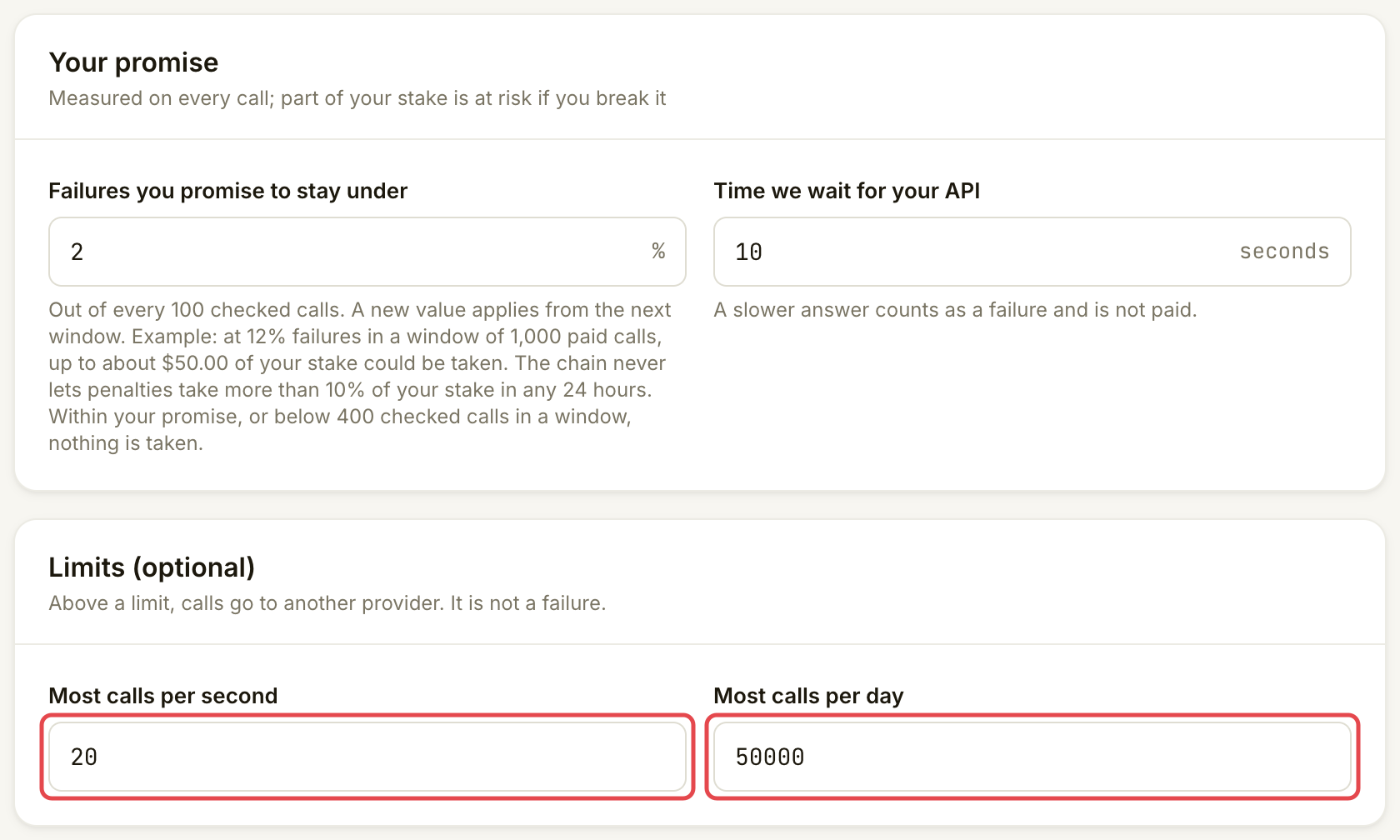
* **Your promise**: **Failures you promise to stay under** and **Time we wait for your API**. [Quality and SLA](/list-your-api/advanced/quality-and-sla.md) explains both.
* **Limits (optional)**: **Most calls per second** and **Most calls per day** this listing accepts.

<figure><img src="https://1949348494-files.gitbook.io/~/files/v0/b/gitbook-x-prod.appspot.com/o/spaces%2FjpdpV7qPs81FjbSH4zm1%2Fuploads%2Fgit-blob-6ac0b838533c8eb6ce8b61f79bff3bf020b0c4c2%2Fedit-pause-or-resume-a-listing-3.png?alt=media" alt="Your promise and Limits cards with calls per second and calls per day marked"><figcaption><p>Review the promise and optional traffic limits before saving.</p></figcaption></figure>

Promise and limit changes apply when saved. A new **Time we wait for your API** needs a new passing test and publishing, like a price change.
{% endstep %}
{% endstepper %}
{% endtab %}

{% tab title="Endpoint or authentication" %}
{% stepper %}
{% step %}

### Change the connection

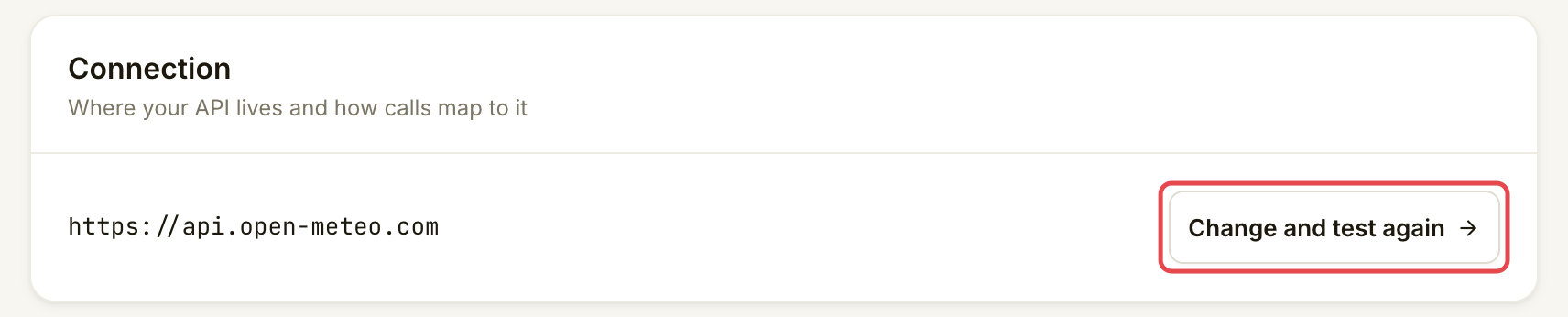
In the listing's **Settings**, find **Connection** and choose **Change and test again**. Update the existing connection using the endpoint and test steps in [List a catalogue tool](/list-your-api/get-started/list-a-catalogue-tool.md). Save the new address and run a passing test, then review and publish the change.

Live calls keep using the published endpoint until you publish the replacement. Keep the old endpoint working while calls already sent to it finish.

<figure><img src="https://1949348494-files.gitbook.io/~/files/v0/b/gitbook-x-prod.appspot.com/o/spaces%2FjpdpV7qPs81FjbSH4zm1%2Fuploads%2Fgit-blob-a78eac8a41a21f47b1099be27329c287a7b69718%2Fedit-pause-or-resume-a-listing-4.png?alt=media" alt="Connection card showing the saved address and Change and test again marked"><figcaption><p>Test the replacement before publishing it.</p></figcaption></figure>
{% endstep %}

{% step %}

### Match the authentication your API accepts

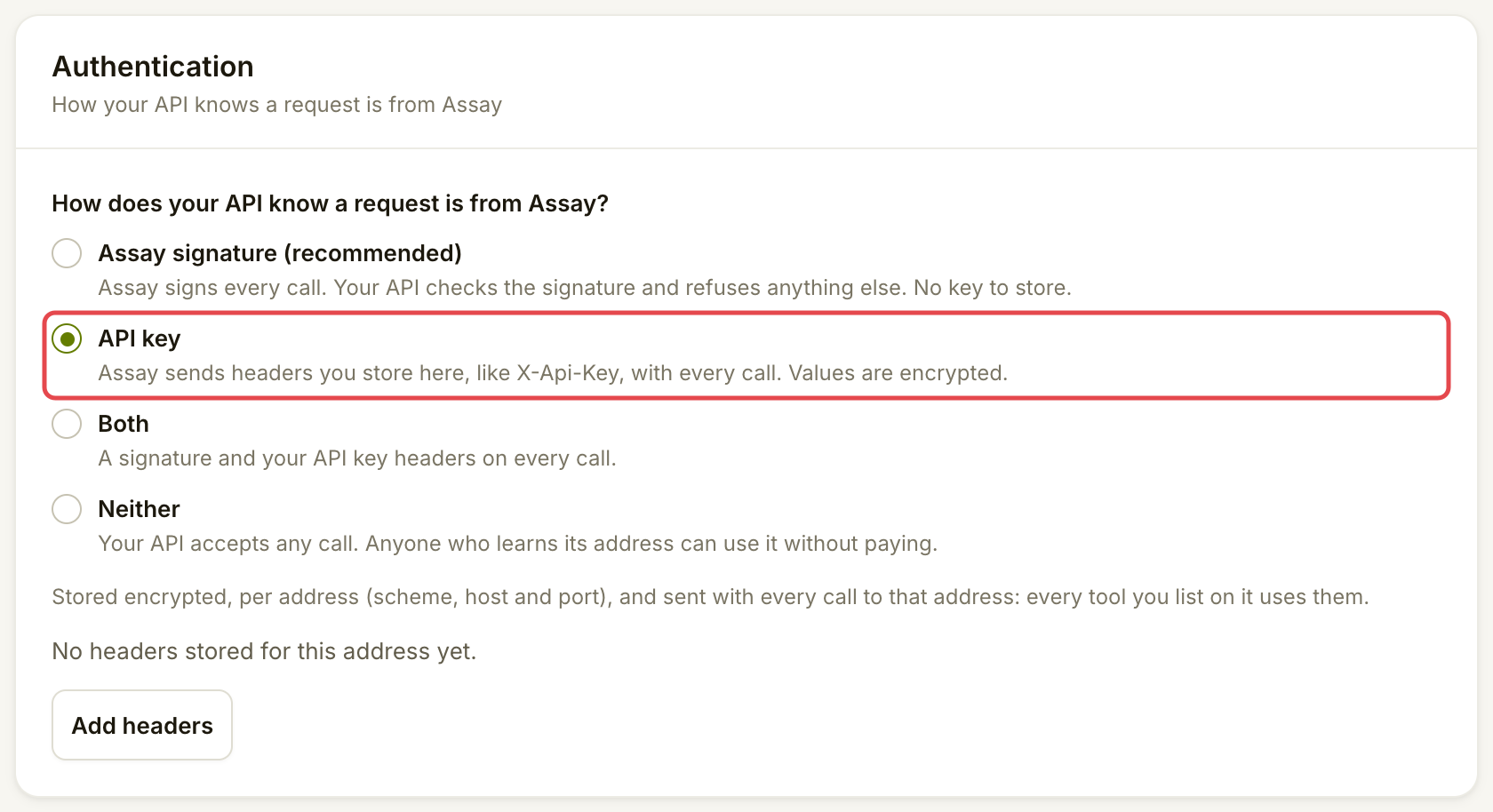
Under **Authentication**, choose the method your endpoint checks. Use the authentication steps in [List a catalogue tool](/list-your-api/get-started/list-a-catalogue-tool.md) for keys or signatures, then choose **Save** for a changed method.

Authentication changes take effect when saved. Stored key headers have their own **Save headers** action. They belong to this listing and its address (scheme, host and port); another listing at the same address needs its own headers. Replacing headers replaces the whole set. Coordinate the change with your API so current calls remain accepted.

When moving to another address, save headers for the new address before testing it. Keep the live address's headers available until the replacement is published. A new address alone does not move its credentials.

<figure><img src="https://1949348494-files.gitbook.io/~/files/v0/b/gitbook-x-prod.appspot.com/o/spaces%2FjpdpV7qPs81FjbSH4zm1%2Fuploads%2Fgit-blob-4934c874b143da309b9686646d963febae49a6d9%2Fedit-pause-or-resume-a-listing-5.png?alt=media" alt="Authentication choices with API key selected"><figcaption><p>Choose the method your endpoint already verifies.</p></figcaption></figure>
{% endstep %}
{% endstepper %}
{% endtab %}

{% tab title="Pause or resume" %}
{% stepper %}
{% step %}

### Pause new traffic

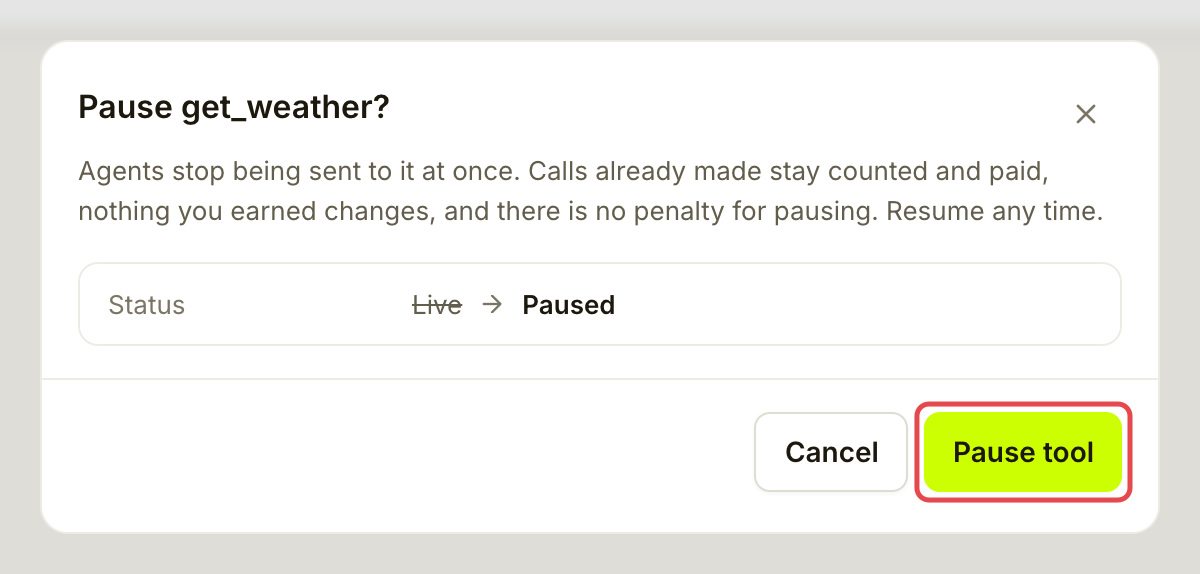
On the listing's **Overview**, choose **Pause**. Read the confirmation, then choose **Pause tool**.

Assay stops sending new calls to this listing immediately. Other eligible providers can serve customers using the same catalogue tool; if none is available, the tool may be unavailable. Calls already sent continue through their normal checks and payment outcome. Pausing leaves earlier calls and earnings intact and adds no penalty or quality mark by itself.

<figure><img src="https://1949348494-files.gitbook.io/~/files/v0/b/gitbook-x-prod.appspot.com/o/spaces%2FjpdpV7qPs81FjbSH4zm1%2Fuploads%2Fgit-blob-10c8401264402e4f1c57ecd62740c2e772c0355f%2Fedit-pause-or-resume-a-listing-6.png?alt=media" alt="Pause weather tool confirmation explaining the effect on new calls and existing earnings"><figcaption><p>Pause stops new traffic to this listing.</p></figcaption></figure>
{% endstep %}

{% step %}

### Resume when the endpoint is ready

On the paused listing's **Overview**, choose **Resume**.

<figure><img src="https://1949348494-files.gitbook.io/~/files/v0/b/gitbook-x-prod.appspot.com/o/spaces%2FjpdpV7qPs81FjbSH4zm1%2Fuploads%2Fgit-blob-295aacdea6e64e535dc2e7dff6794356a6d71c0b%2Fedit-pause-or-resume-a-listing-7.png?alt=media" alt="Paused get_weather listing header with the Resume button marked"><figcaption><p>A paused listing shows Paused and offers Resume.</p></figcaption></figure>

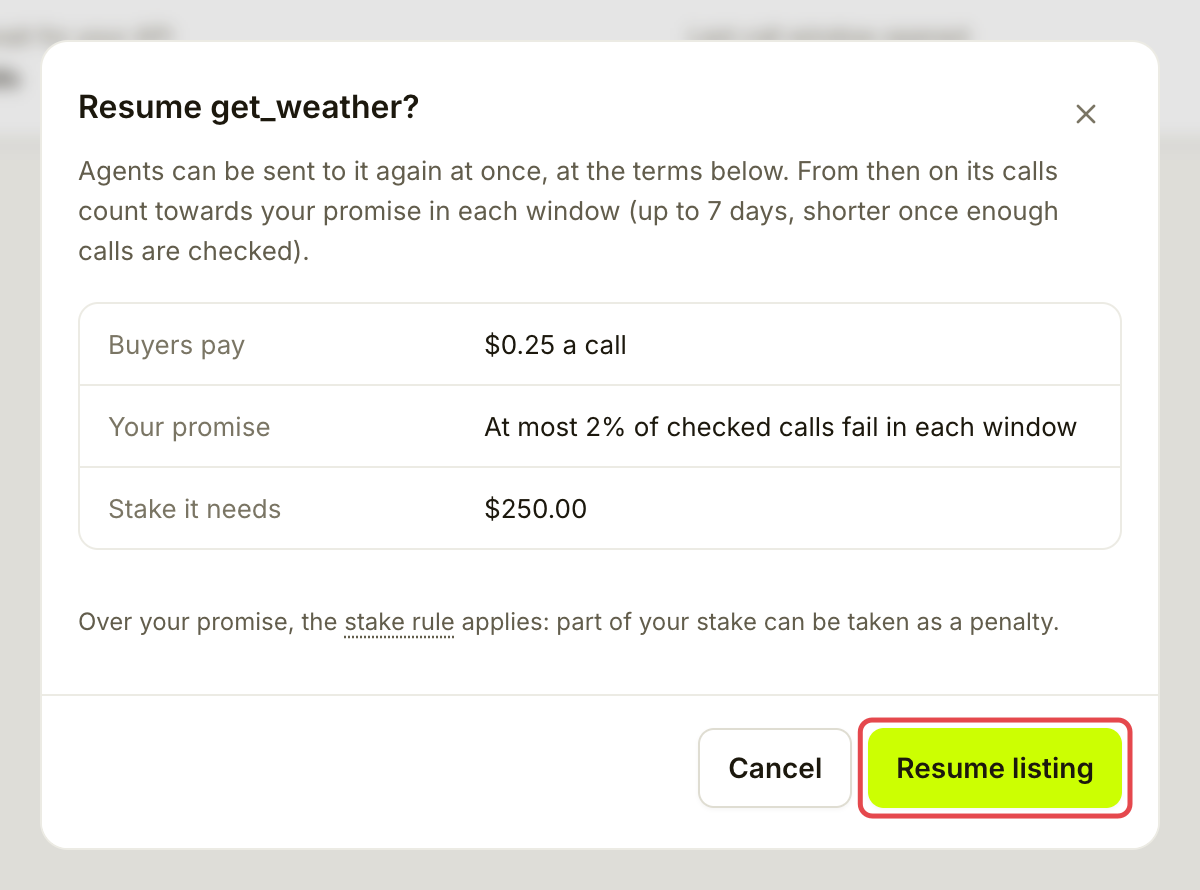
Read the price, promise and stake requirements, then choose **Resume listing** when you are ready to serve again. The listing must still meet the requirements for traffic, including enough stake for paid calls and the required authentication headers.

Resuming uses the last published connection and price. Saved unpublished edits still need publication. Publishing changes while paused keeps the listing paused; resume it separately when ready.

<figure><img src="https://1949348494-files.gitbook.io/~/files/v0/b/gitbook-x-prod.appspot.com/o/spaces%2FjpdpV7qPs81FjbSH4zm1%2Fuploads%2Fgit-blob-2a144b627734763ed8f4f884f3601f2e64846665%2Fedit-pause-or-resume-a-listing-8.png?alt=media" alt="Resume confirmation showing the listing’s price, promise, stake requirement and Resume listing button"><figcaption><p>Review the published terms before resuming.</p></figcaption></figure>
{% endstep %}
{% endstepper %}
{% endtab %}
{% endtabs %}

## Check it worked

Return to **Overview** and **Settings** to check the intended terms and status. After publication, the saved-changes banner clears. A paused listing shows **Paused**; a resumed listing shows **Live** and offers **Pause** again. **Live** alone does not guarantee paid traffic if its stake or other requirements are not met.

<figure><img src="https://1949348494-files.gitbook.io/~/files/v0/b/gitbook-x-prod.appspot.com/o/spaces%2FjpdpV7qPs81FjbSH4zm1%2Fuploads%2Fgit-blob-17aee620344e97063fe2199483e64e81dbd683fe%2Fedit-pause-or-resume-a-listing-9.png?alt=media" alt="Live get_weather listing header offering Pause again"><figcaption><p>After resuming, the listing is Live again.</p></figcaption></figure>

## If something goes wrong

| You see                                           | Do this                                                                                               |
| ------------------------------------------------- | ----------------------------------------------------------------------------------------------------- |
| **You have saved changes that are not live yet.** | Use **Review and publish**. Saving a new price or endpoint is not the final step.                     |
| Publishing needs a new test                       | Run the test again after any change to price, payment mode, timeout or connection.                    |
| Resume shows a stake shortfall                    | Restore enough stake before expecting paid calls. Read the amount before approving any wallet action. |
| API key authentication cannot be saved or resumed | Store the complete required headers for the published address.                                        |
| **Paused by Assay**                               | Read **Inbox** for the cause. A provider pause and an Assay suspension have different recovery steps. |

## Next

* [Answer a bad-result report](/list-your-api/everyday-use/answer-a-dispute.md)


---

# Agent Instructions
This documentation is published with GitBook. GitBook is the documentation platform designed so that both humans and AI agents can read, navigate, and reason over technical content effectively. Learn more at gitbook.com.

## Querying This Documentation
If you need additional information that is not directly available in this page, you can query the documentation by asking a question.

Perform an HTTP GET request on the following URL with the `ask` and `goal` query parameters:

```
GET https://docs.goassay.ai/list-your-api/everyday-use/edit-pause-or-resume-a-listing.md?ask=<question>&goal=<user_goal>
```

`ask` is the immediate question: it should be specific, self-contained, and written in natural language.
`goal` is what the user is ultimately trying to achieve, the reason they need the answer. Sharing it helps GitBook give you a better, more relevant answer. A goal is most helpful when it describes the outcome the user wants rather than restating the question. For example, with `ask=how do I create an API token`, a goal like `automate deployments from our CI pipeline` lets GitBook tailor the answer to that use case.

The response will contain a direct answer to the question and relevant excerpts and sources from the documentation.

Use this mechanism when the answer is not explicitly present in the current page, you need clarification or additional context, or you want to retrieve related documentation sections.