> For the complete documentation index, see [llms.txt](https://docs.goassay.ai/llms.txt). Markdown versions of documentation pages are available by appending `.md` to page URLs; this page is available as [Markdown](https://docs.goassay.ai/list-your-api/everyday-use/check-your-inbox.md).
# Check your inbox
Find provider notices, work through urgent items and check what still needs you.
Use **Inbox** to find decisions and notices about your tools. Start with deadlines, then read review results and alerts.
{% hint style="info" %}
**Before you start:** [Set up your account and wallet](/list-your-api/get-started/set-up-your-account.md). Notices about publishing your own tools follow the flow in [Or: publish your own API](/list-your-api/get-started/publish-your-own-api.md).
{% endhint %}
## Steps
{% stepper %}
{% step %}
### Open Inbox and check deadlines
Open **Inbox** in the provider console. Read the line below the heading: it separates penalties to decide on, reports to reply to and unread notices. A dot marks an unread notice. Repeated notices about the same issue can appear together.
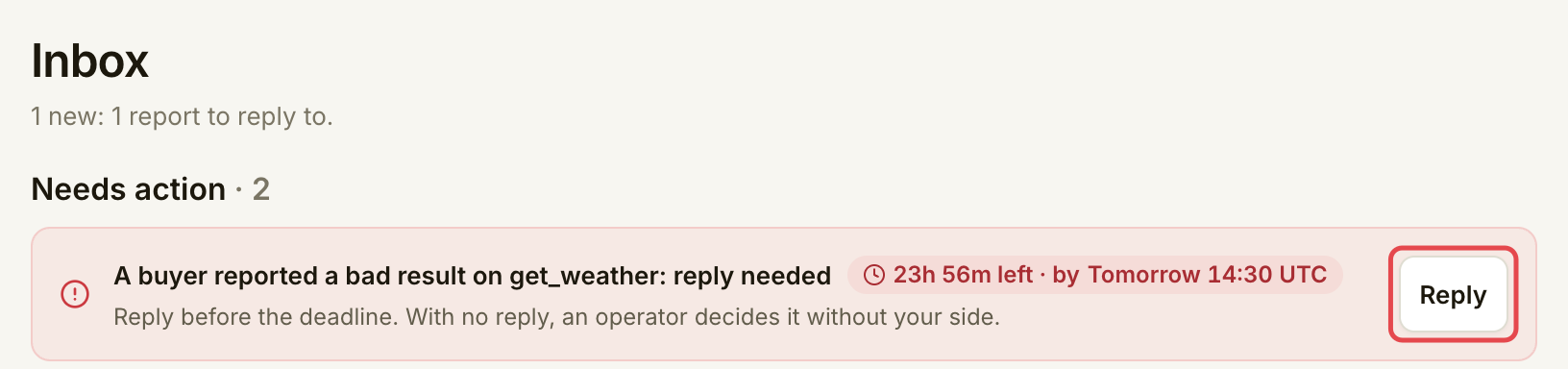
Under **Needs action**, open the item with the nearest deadline. Read the time in UTC and use its action to reach the page where you can resolve it. A customer's bad-result report needs your reply within 24 hours of being filed. A proposed penalty has its own deadline; read that item rather than assuming the same reply window applies.
Use Reply to open the report before its deadline.
| What arrives | What to do |
| ------------------------------ | ------------------------------------------------------------------------------------------------------------------------------------------------------------------- |
| A customer's bad-result report | Open the report. Compare the customer's note with the captured request and response, then reply by the displayed deadline. |
| A proposed penalty | Open the penalty. Read the reason, evidence and deadline before deciding whether to dispute it. |
| A stake alert | Read the shortfall and, if shown, when paid calls stop. Choose **Add stake**; [Manage your stake](/list-your-api/advanced/manage-your-stake.md) explains the steps. |
| A tool stopped by Assay | Open the tool and read the reason. Resolve the cause before expecting calls again. |
| {% endstep %} | |
{% step %}
### Follow each notice to its subject
Under **Notices**, read the message and use its button when one is available:
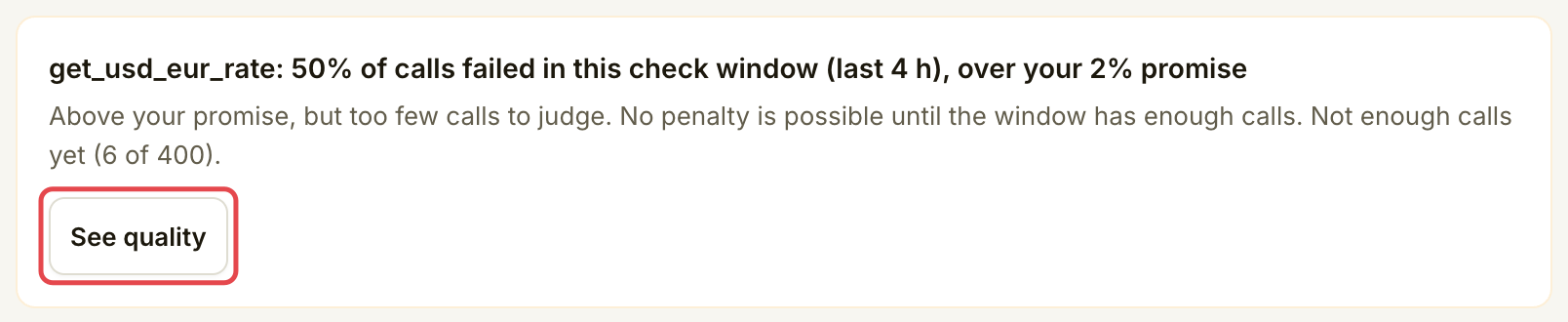
* **See quality** opens the listing's **Quality** tab.
* **Add stake** opens **Stake**.
* **Open the penalty** or **Open the report** opens that case.
* **Open your API** opens a review result or sharing change.
* **Open the tool** opens the affected listing.
* **Serve vN** or **Open your tools** appears on a notice about a retiring tool version.
* **Review the change** opens **Account → Policy changes**.
Open the quality evidence from the notice.
A **Review the change** notice means Assay will change how a tool's answers are checked. **Policy changes** lists each coming change, what differs, the tools it touches and the date it takes effect. You can also open it any time from **Account → See policy changes**.
An approval records a review decision. A rejection or takedown needs attention to its explanation; it does not mean you should create the tool again. Return to the existing tool using the publishing flow linked above.
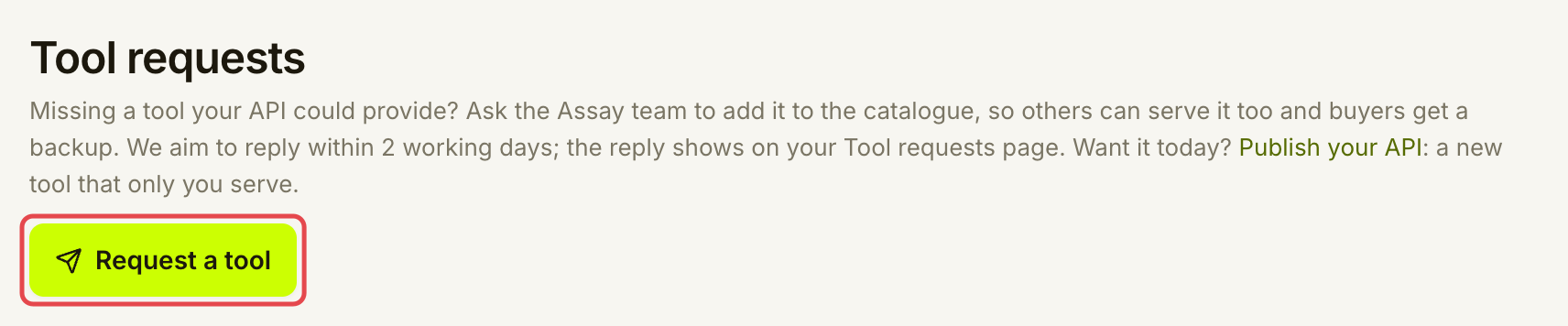
Tool requests have a separate home. Open **Listings → Tool requests** to read Assay's reply to a catalogue request. These are requests you sent to Assay, rather than orders from customers. Do not rely on an Inbox notice to find the reply.
Read catalogue-request replies in Tool requests.
{% endstep %}
{% endstepper %}
## Check it worked
Reopen the item's subject and check its current status. Sending a reply finishes your response to a report, but the report still needs a decision. An alert clears when its underlying condition is resolved.
Inbox has no **Mark done**, **Mark read** or **Mark all read** control. Opening a notice does not mark it read. A dot or badge can remain after you have dealt with the subject; use the subject's status to check the result.
## If something goes wrong
| You see | Do this |
| ------------------------------------------------ | ----------------------------------------------------------------------------------------------------------------------------------------------- |
| **Nothing new.** / **Nothing is waiting on you** | There are no new counted items. Still check any listed warnings and the status of work already in progress. |
| **Not enough calls yet** in a quality notice | Inspect the tool's quality. The failure rate is worth investigating, but the window cannot lead to a penalty until it has enough checked calls. |
| A notice has no button | Read its message; it may only record an outcome. |
| The badge stays after you open an item | Check the subject's status. Inbox does not offer manual read or done actions. |
| **Your inbox could not be loaded.** | Retry before assuming nothing needs attention. |
## Next
* [See your stats](/list-your-api/everyday-use/see-your-stats.md)
---
# Agent Instructions
This documentation is published with GitBook. GitBook is the documentation platform designed so that both humans and AI agents can read, navigate, and reason over technical content effectively. Learn more at gitbook.com.
## Querying This Documentation
If you need additional information that is not directly available in this page, you can query the documentation by asking a question.
Perform an HTTP GET request on the following URL with the `ask` and `goal` query parameters:
```
GET https://docs.goassay.ai/list-your-api/everyday-use/check-your-inbox.md?ask=&goal=
```
`ask` is the immediate question: it should be specific, self-contained, and written in natural language.
`goal` is what the user is ultimately trying to achieve, the reason they need the answer. Sharing it helps GitBook give you a better, more relevant answer. A goal is most helpful when it describes the outcome the user wants rather than restating the question. For example, with `ask=how do I create an API token`, a goal like `automate deployments from our CI pipeline` lets GitBook tailor the answer to that use case.
The response will contain a direct answer to the question and relevant excerpts and sources from the documentation.
Use this mechanism when the answer is not explicitly present in the current page, you need clarification or additional context, or you want to retrieve related documentation sections.