> For the complete documentation index, see [llms.txt](https://docs.goassay.ai/llms.txt). Markdown versions of documentation pages are available by appending `.md` to page URLs; this page is available as [Markdown](https://docs.goassay.ai/list-your-api/everyday-use/answer-a-dispute.md).

# Answer a bad-result report

Review a customer's bad-result report and send your one reply before its deadline.

A customer can report a result your tool served. The console calls this a **bad-result report**. Read the captured call and explain your side within 24 hours of the report being filed.

{% hint style="info" %}
**Before you start:** have an open report about a call you served. [Check your inbox](/list-your-api/everyday-use/check-your-inbox.md) explains where urgent provider items appear. [Get paid](/list-your-api/get-started/get-paid.md) explains the payment hold.
{% endhint %}

## Steps

{% stepper %}
{% step %}

### Open the report

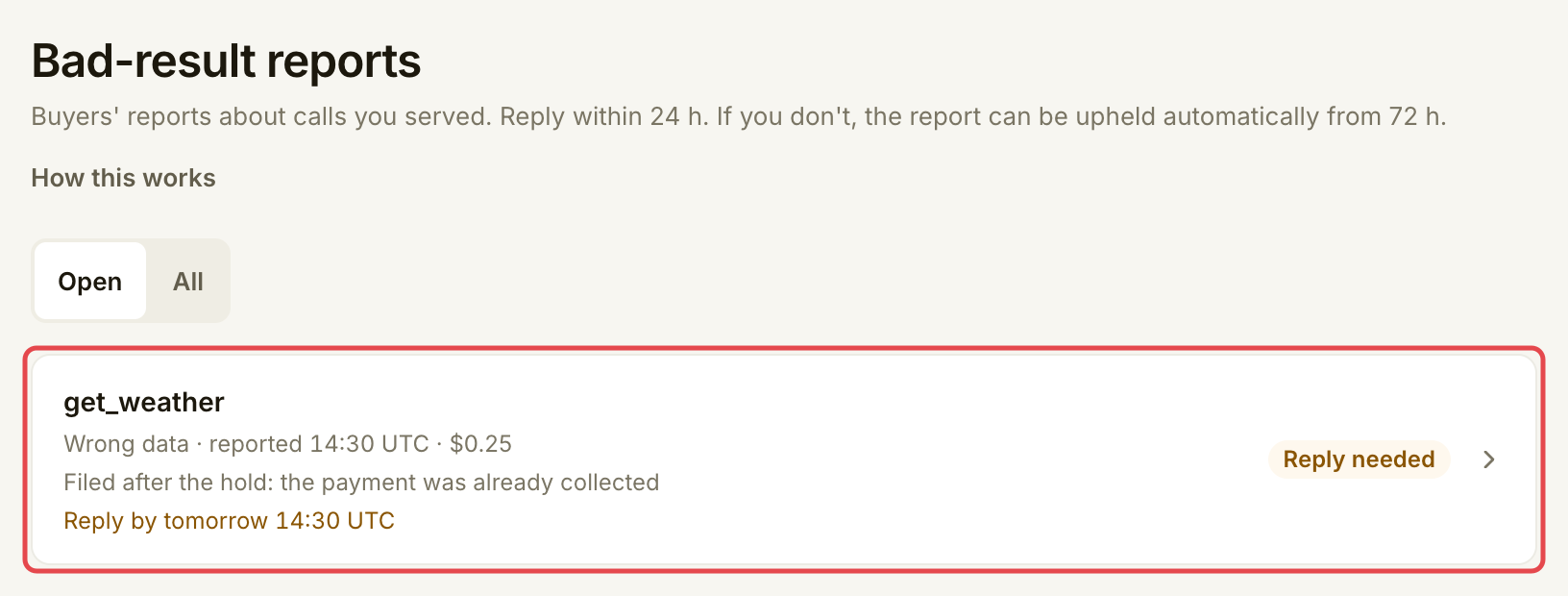
Open **Inbox** and follow the report's action, or open **Penalties → Bad-result reports**. Use **Open** for unresolved reports. Select the tool's row.

<figure><img src="https://1949348494-files.gitbook.io/~/files/v0/b/gitbook-x-prod.appspot.com/o/spaces%2FjpdpV7qPs81FjbSH4zm1%2Fuploads%2Fgit-blob-4bfe0e78a7570e8d6687328258204bb4900ee6a0%2Fanswer-a-dispute-1.png?alt=media" alt="Bad-result reports with an open get_weather report marked Reply needed"><figcaption><p>Open the report about the call you served.</p></figcaption></figure>
{% endstep %}

{% step %}

### Check the deadline and customer's note

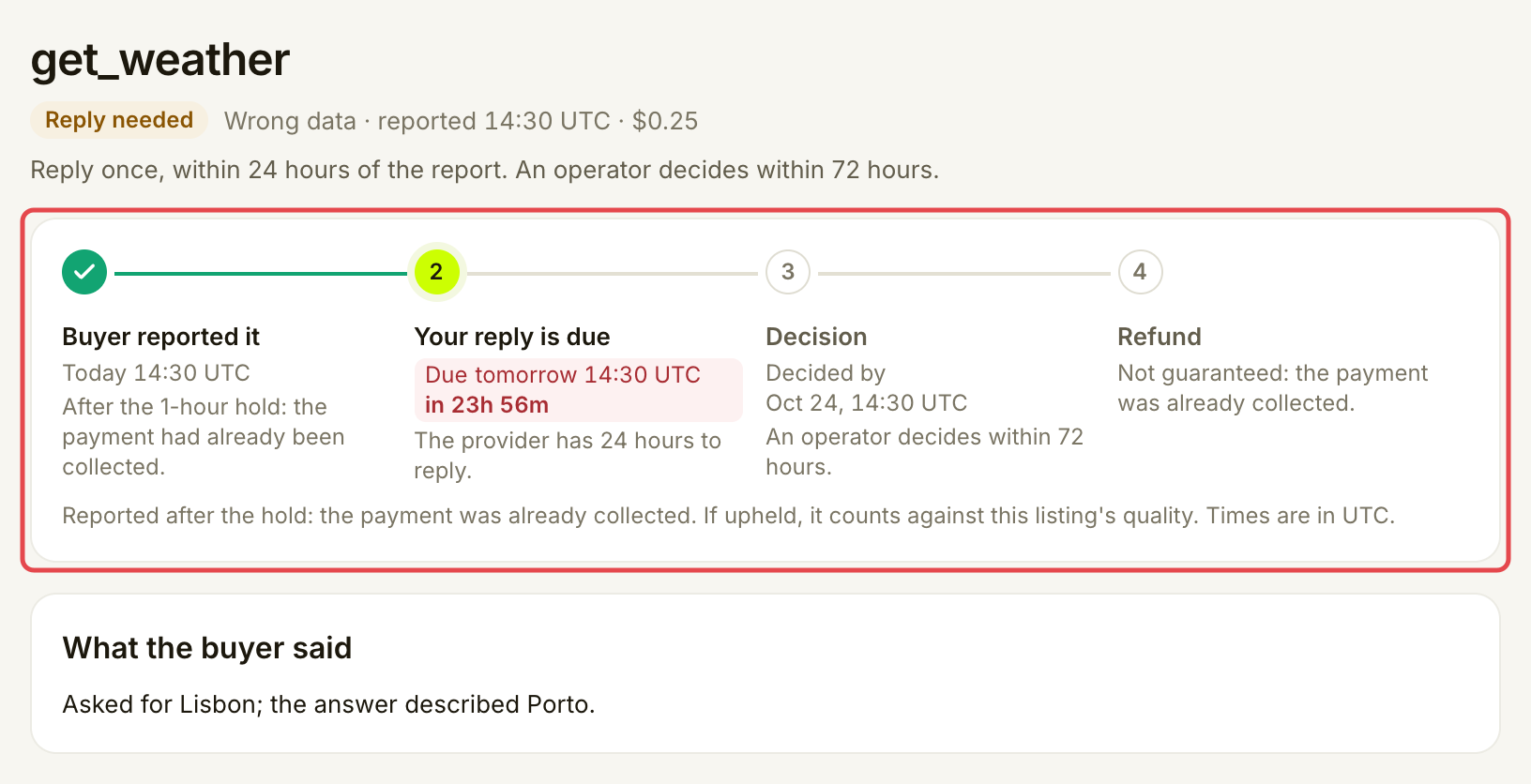
Read the reason, amount, reply deadline and **What the buyer said**. Times are in UTC.

Customers can report a call for up to 7 days after it. You have 24 hours from filing to send one reply. The decision target is 72 hours from filing. If you stay silent, an eligible report can be upheld automatically from 72 hours; this is not a guaranteed decision at that exact time.

A held payment is never kept indefinitely; the contract releases it after a fixed backstop. A report filed after the 1-hour hold cannot reclaim your payment.

Open **How this works** on the list if you need to check the reply and payment rules.

<figure><img src="https://1949348494-files.gitbook.io/~/files/v0/b/gitbook-x-prod.appspot.com/o/spaces%2FjpdpV7qPs81FjbSH4zm1%2Fuploads%2Fgit-blob-703117b2c8a5cd3e41858385f8a8f6bea938d8ca%2Fanswer-a-dispute-2.png?alt=media" alt="Report detail showing the reply deadline, decision target, collected-payment status and customer note"><figcaption><p>Check when your reply is due and whether the payment is held or already collected.</p></figcaption></figure>
{% endstep %}

{% step %}

### Read the captured evidence

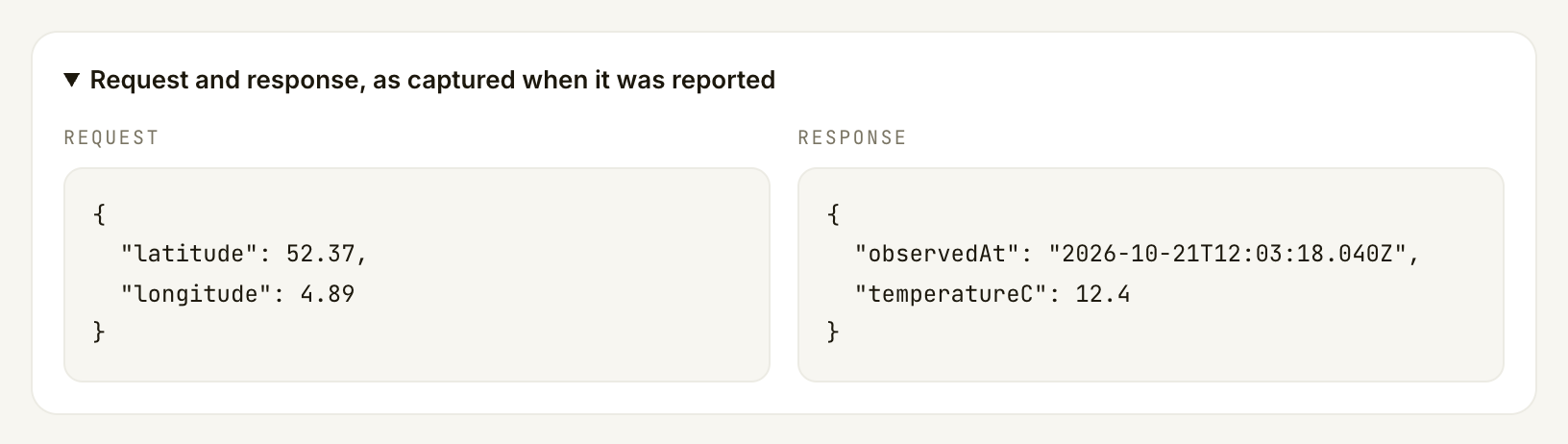
Read **What the buyer said**, then open **Request and response, as captured when it was reported**. Compare the request and answer with your API's logs and what the tool promised to return.

Check the relevant facts: the requested place or date, the returned values, units and source timestamps. For a speed complaint, compare your service's timing records. Keep your explanation about this call, rather than the endpoint's general reliability.

If the page says the request and response were not kept, use the records you do have and say what you cannot verify. Do not invent a missing response.

<figure><img src="https://1949348494-files.gitbook.io/~/files/v0/b/gitbook-x-prod.appspot.com/o/spaces%2FjpdpV7qPs81FjbSH4zm1%2Fuploads%2Fgit-blob-c81c97d85ff0f2ef7d0ea74eaaa2d69c52687777%2Fanswer-a-dispute-3.png?alt=media" alt="Expanded captured evidence showing the weather request coordinates and returned temperature and observation time"><figcaption><p>Compare the captured request and response with the complaint.</p></figcaption></figure>
{% endstep %}

{% step %}

### Write and send your reply

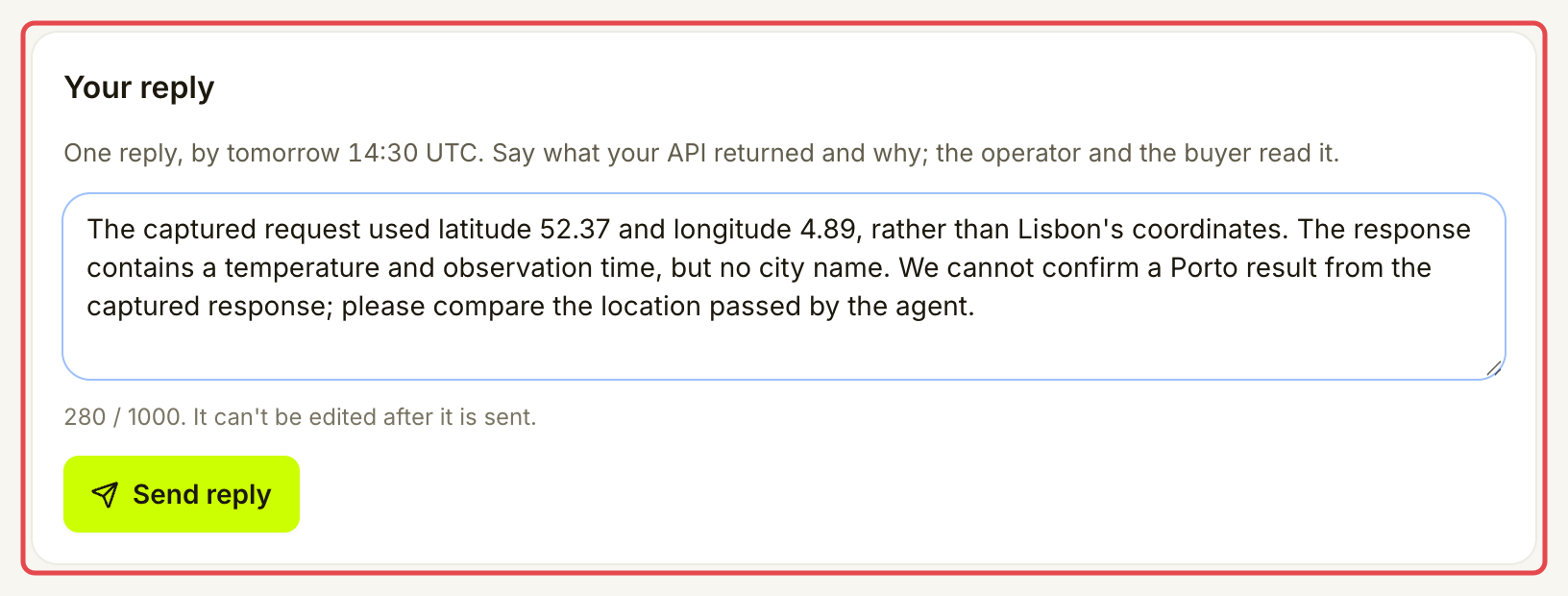
In **Your reply**, explain what your API returned and why. Address the customer's specific complaint. Include the relevant facts from your logs and say whether the result was wrong, whether a correction was needed and what you changed.

The reply is plain text, up to 1,000 characters, with at least 3 characters after trimming. There is no attachment control. Include a concise explanation of your evidence in the reply. Both the customer and Assay's reviewer can read it, so leave out API keys, passwords and unrelated customer details.

<figure><img src="https://1949348494-files.gitbook.io/~/files/v0/b/gitbook-x-prod.appspot.com/o/spaces%2FjpdpV7qPs81FjbSH4zm1%2Fuploads%2Fgit-blob-cbe87a751861499dd3da0880bc5934f231070be4%2Fanswer-a-dispute-4.png?alt=media" alt="Filled provider reply explaining what the captured coordinates and response can establish, with Send reply available"><figcaption><p>Address the complaint using evidence you can verify.</p></figcaption></figure>

Reread your answer, then choose **Send reply** before the displayed deadline. You can reply once, and you cannot edit it after sending. A reply explains your side; it does not decide the report or release a held payment.
{% endstep %}
{% endstepper %}

## Check it worked

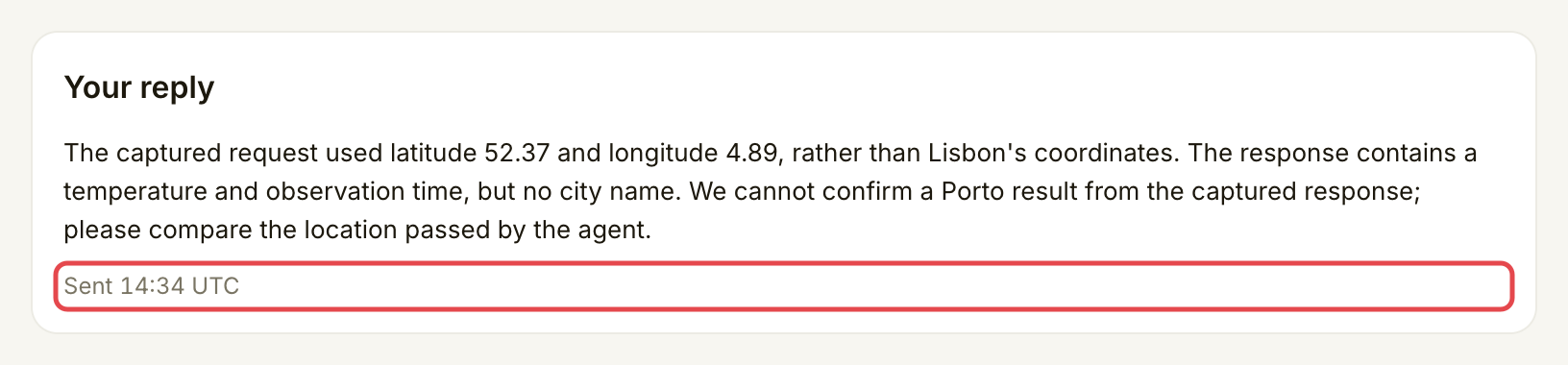
**Your reply** shows your saved text and when it was sent. The report waits for a decision.

<figure><img src="https://1949348494-files.gitbook.io/~/files/v0/b/gitbook-x-prod.appspot.com/o/spaces%2FjpdpV7qPs81FjbSH4zm1%2Fuploads%2Fgit-blob-7af84ea2c4fcc2ed5b80e926323f4c550b5f4ed0%2Fanswer-a-dispute-5.png?alt=media" alt="Saved provider reply with its Sent timestamp and no editable reply form"><figcaption><p>The sent timestamp confirms your reply was saved.</p></figcaption></figure>

Return to **Bad-result reports → All** to find resolved reports, then open one to read its outcome and explanation.

| Outcome                                          | What happens to money and quality                                                                                                                                                     |
| ------------------------------------------------ | ------------------------------------------------------------------------------------------------------------------------------------------------------------------------------------- |
| **Upheld**, reported during the hold             | The held payment goes back to the customer and you are not paid for that call. The upheld report counts against the listing's quality.                                                |
| **Upheld**, reported after payment was collected | The completed payout is not clawed back. The upheld report counts against the listing's quality, which can reduce the traffic Assay routes to it. It does not add to a stake penalty. |
| **Rejected**                                     | The complaint does not become an upheld quality report. A payment held for the report can continue through collection, unless it was already refunded for another reason.             |
| **Withdrawn**                                    | The customer withdrew the report. It is no longer waiting for your reply or a decision on that complaint.                                                                             |

An open report is separate from a penalty taken from stake. Read the report's payment status and any separate penalty notice before treating money as refunded, earned or lost.

## If something goes wrong

| You see                                                   | Do this                                                                                                       |
| --------------------------------------------------------- | ------------------------------------------------------------------------------------------------------------- |
| **No open reports**                                       | Use **All** to look for an earlier report. You can only reply to a report about a call you served.            |
| **The 24-hour reply window has closed.**                  | Read the current status. The page no longer accepts a reply; opening the report does not extend the deadline. |
| **A reply was already sent, or the report was decided.**  | Reopen the report and read its saved reply and status before retrying.                                        |
| **The request and response were not kept for this call.** | Use your own retained evidence and explain its limits in your reply.                                          |
| **This report could not be loaded**                       | Retry from **Bad-result reports**. An error is not a decision.                                                |

## Next

* [Manage your stake](/list-your-api/advanced/manage-your-stake.md)


---

# Agent Instructions
This documentation is published with GitBook. GitBook is the documentation platform designed so that both humans and AI agents can read, navigate, and reason over technical content effectively. Learn more at gitbook.com.

## Querying This Documentation
If you need additional information that is not directly available in this page, you can query the documentation by asking a question.

Perform an HTTP GET request on the following URL with the `ask` and `goal` query parameters:

```
GET https://docs.goassay.ai/list-your-api/everyday-use/answer-a-dispute.md?ask=<question>&goal=<user_goal>
```

`ask` is the immediate question: it should be specific, self-contained, and written in natural language.
`goal` is what the user is ultimately trying to achieve, the reason they need the answer. Sharing it helps GitBook give you a better, more relevant answer. A goal is most helpful when it describes the outcome the user wants rather than restating the question. For example, with `ask=how do I create an API token`, a goal like `automate deployments from our CI pipeline` lets GitBook tailor the answer to that use case.

The response will contain a direct answer to the question and relevant excerpts and sources from the documentation.

Use this mechanism when the answer is not explicitly present in the current page, you need clarification or additional context, or you want to retrieve related documentation sections.