> For the complete documentation index, see [llms.txt](https://docs.goassay.ai/llms.txt). Markdown versions of documentation pages are available by appending `.md` to page URLs; this page is available as [Markdown](https://docs.goassay.ai/list-your-api/advanced/tool-versions.md).

# Tool versions and promotions

Change your own tool's contract, follow review and plan the retirement of older versions.

A tool contract describes what agents send and what your API returns. Save a new version when that agreement changes. A new contract version is separate from editing the price or endpoint of the listing that serves it.

{% hint style="info" %}
**Before you start:** have an own API with a saved version, using [Or: publish your own API](/list-your-api/get-started/publish-your-own-api.md). For price, endpoint or authentication changes, use [Edit, pause or resume a listing](/list-your-api/everyday-use/edit-pause-or-resume-a-listing.md).
{% endhint %}

## Steps

{% stepper %}
{% step %}

### Open the existing contract

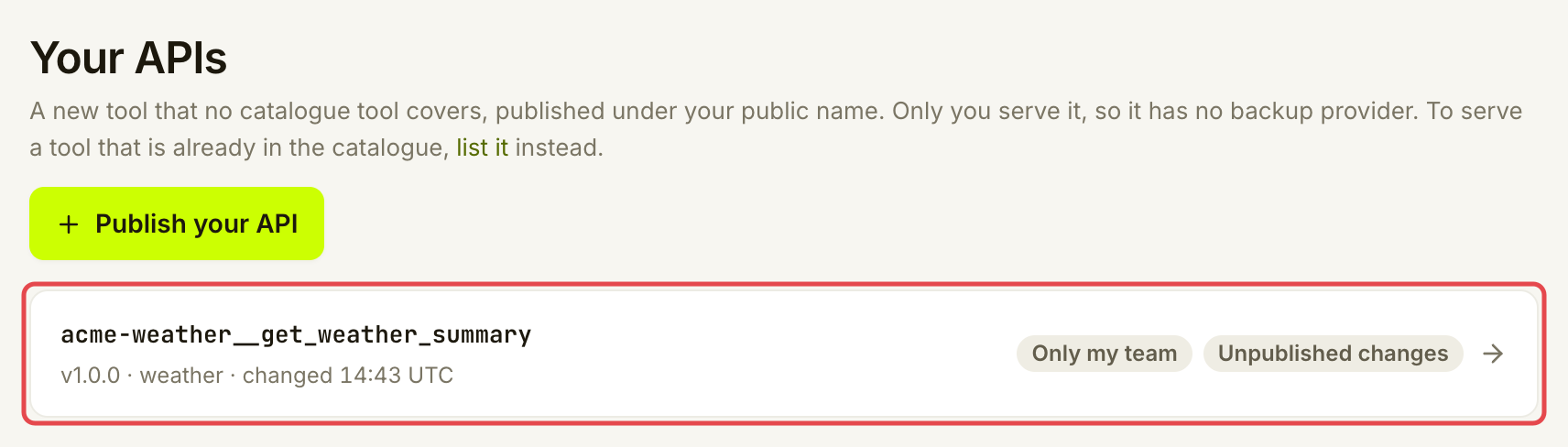
Open **Listings → Your APIs**, select the tool and open **Inputs & outputs**. Work on this tool rather than publishing another tool with the same purpose. Review its current summary, inputs and answer using the field controls explained in [Publish your own API](/list-your-api/get-started/publish-your-own-api.md#describe-the-inputs-and-answer).

<figure><img src="https://1949348494-files.gitbook.io/~/files/v0/b/gitbook-x-prod.appspot.com/o/spaces%2FjpdpV7qPs81FjbSH4zm1%2Fuploads%2Fgit-blob-debce796c17994c1f22bae959ed2092a6bd07dd7%2Ftool-versions-1.png?alt=media" alt="Your APIs list with the existing weather summary tool marked"><figcaption><p>Open the existing API to change its contract.</p></figcaption></figure>
{% endstep %}

{% step %}

### Save and inspect the draft

Change the fields that need updating and fill in **What changed (changelog)**. Say what agents need to know. Read the preview: Assay works out the next version number from the change. Choose **Save draft** and resolve any findings before making the version available.

<figure><img src="https://1949348494-files.gitbook.io/~/files/v0/b/gitbook-x-prod.appspot.com/o/spaces%2FjpdpV7qPs81FjbSH4zm1%2Fuploads%2Fgit-blob-7539911e4969eb4f2d845beba81cbd01ed62e2fc%2Ftool-versions-2.png?alt=media" alt="Version preview classifying the summary change as a small fix for v1.0.1"><figcaption><p>The preview explains the effect before you save a version.</p></figcaption></figure>

A saved draft keeps work in progress. It does not replace the version agents currently get.
{% endstep %}

{% step %}

### Make the version available to its audience

Use the action shown for the tool's current audience:

{% tabs %}
{% tab title="Only my team" %}
Choose **Save as v… (only your team)** when the draft is ready. The new version remains private. This does not share the tool with customers.

<figure><img src="https://1949348494-files.gitbook.io/~/files/v0/b/gitbook-x-prod.appspot.com/o/spaces%2FjpdpV7qPs81FjbSH4zm1%2Fuploads%2Fgit-blob-44c4f6da57450eeec2d93bb0ad79fcfa381cfa64%2Ftool-versions-3.png?alt=media" alt="Version actions with Save as v1.0.1 only your team marked"><figcaption><p>Make the reviewed draft available to your team when ready.</p></figcaption></figure>
{% endtab %}

{% tab title="Anyone with the link" %}
Choose **Publish v…**. Assay runs the publishing checks again. If a requirement fails, use **Connect & check** to fix it, then retry. The connection and sharing walkthrough is in [Publish your own API](/list-your-api/get-started/publish-your-own-api.md).
{% endtab %}

{% tab title="Listed in the catalogue" %}
Choose **Submit v… for review**. The approved version keeps serving while the change is reviewed. The submitted draft is frozen. Read the decision and any requested changes in **Inbox**, using [Check your inbox](/list-your-api/everyday-use/check-your-inbox.md). Fix and resubmit a rejected change on the same tool.
{% endtab %}
{% endtabs %}

Before serving changed inputs or answers, make sure your endpoint and listing can handle the versions customers may still use. Saving a contract does not rewrite your API implementation or replace a listing's published connection.
{% endstep %}
{% endstepper %}

## Check it worked

**Versions** lists the saved contracts and marks the default with **Agents get this one**. For a listed tool, check the **Reviewed** status as well. A draft or an **In review** status is not an approved replacement.

<figure><img src="https://1949348494-files.gitbook.io/~/files/v0/b/gitbook-x-prod.appspot.com/o/spaces%2FjpdpV7qPs81FjbSH4zm1%2Fuploads%2Fgit-blob-f0986c114f3b78b5db5293a955b7bf468799ecaf%2Ftool-versions-4.png?alt=media" alt="Versions list showing v1.0.0 as Live and Agents get this one"><figcaption><p>Agents get this one marks the available version; a draft does not replace it.</p></figcaption></figure>

Agents that allow the same major version receive its newest available version. A major is the first number: `1` in `1.2.3`. Customers locked to an older major can keep using it while it remains available. Keep the endpoint compatible with those callers during migration.

## If something goes wrong

| You see                                     | Do this                                                                                             |
| ------------------------------------------- | --------------------------------------------------------------------------------------------------- |
| **Change something first.**                 | Make a real contract change before trying to save another version.                                  |
| **The saved draft can't be published yet**  | Fix the fields or examples named by the findings, save and check again.                             |
| **A review is pending.**                    | Wait for the decision, or use **Withdraw the review to edit** if you need to change the submission. |
| **Changes requested**                       | Read the review note, update the draft and resubmit. The approved version keeps serving.            |
| A publishing requirement is missing         | Open **Connect & check** and resolve it using the earlier publishing guide.                         |
| **Fix first: …** or **Fix the JSON first.** | Correct the named field or the JSON, then save again.                                               |
| **Deprecate** is missing                    | The current major cannot be deprecated. A newer major must be published first.                      |

<details>

<summary>Optional: understand the version number</summary>

| Change                                                                                                                     | Version effect                                    |
| -------------------------------------------------------------------------------------------------------------------------- | ------------------------------------------------- |
| Summary, description, examples or declared checks                                                                          | Small fix: the last number increases.             |
| Add an optional field                                                                                                      | Compatible addition: the middle number increases. |
| Remove or rename a field, add a field that is not optional, change whether a field is required or core, or change its type | Breaking change: the first number increases.      |

Read the preview for the actual change. You do not choose the number by typing it yourself.

</details>

<details>

<summary>Optional: deprecate an older major and let it retire</summary>

Deprecation announces that an older major will stop; retirement is when it stops answering calls. Publish a newer major first. In **Versions**, choose **Deprecate v…** beside the older major.

In the review sheet, check **Replacement** and **Stops on (UTC)**. The date must give callers at least 90 days' notice. The replacement defaults to this tool's current version; you can select an eligible serving tool that reaches at least the same audience. Choose **Deprecate v…** only when the migration plan is ready.

Affected customers and providers receive a notice. The old major keeps working until its stop date, and cannot receive new versions after deprecation. At retirement, calls restricted to it fail and can name the replacement. Compatible current versions continue to serve. Check the listing's accepted versions so it can serve the replacement; an old listing does not become compatible just because a new contract exists.

</details>

<details>

<summary>Optional: when Assay promotes a tool into the catalogue</summary>

Assay can adopt your tool as a standard catalogue tool that other providers can also serve. When it does, **Your APIs** shows a card: "Assay made a standard tool from your …".

1. Choose **Start the listing**. The new listing starts with your endpoint, mappings and price filled in. Add your API key headers if you use them, test and publish, as in [List a catalogue tool](/list-your-api/get-started/list-a-catalogue-tool.md).
2. Once you serve it, choose **Switch agents to …** to move your tool's agents to the standard tool.

**Not now** hides the card. Nothing changes to your endpoint, price or agents until you choose.

</details>

## Go further

* [Publish your own API](/list-your-api/get-started/publish-your-own-api.md) for the connection and audience checks.

## Next

* [Your public handle](/list-your-api/advanced/your-public-handle.md)


---

# Agent Instructions
This documentation is published with GitBook. GitBook is the documentation platform designed so that both humans and AI agents can read, navigate, and reason over technical content effectively. Learn more at gitbook.com.

## Querying This Documentation
If you need additional information that is not directly available in this page, you can query the documentation by asking a question.

Perform an HTTP GET request on the following URL with the `ask` and `goal` query parameters:

```
GET https://docs.goassay.ai/list-your-api/advanced/tool-versions.md?ask=<question>&goal=<user_goal>
```

`ask` is the immediate question: it should be specific, self-contained, and written in natural language.
`goal` is what the user is ultimately trying to achieve, the reason they need the answer. Sharing it helps GitBook give you a better, more relevant answer. A goal is most helpful when it describes the outcome the user wants rather than restating the question. For example, with `ask=how do I create an API token`, a goal like `automate deployments from our CI pipeline` lets GitBook tailor the answer to that use case.

The response will contain a direct answer to the question and relevant excerpts and sources from the documentation.

Use this mechanism when the answer is not explicitly present in the current page, you need clarification or additional context, or you want to retrieve related documentation sections.

