> For the complete documentation index, see [llms.txt](https://docs.goassay.ai/llms.txt). Markdown versions of documentation pages are available by appending `.md` to page URLs; this page is available as [Markdown](https://docs.goassay.ai/list-your-api/advanced/request-a-new-tool.md).

# Request a new tool

Ask Assay to add a catalogue tool and find the team's reply.

Ask Assay to add a tool when the catalogue does not describe what your API returns. An added catalogue tool can have other providers too, giving customers a backup. To define a tool only you serve, use [Or: publish your own API](/list-your-api/get-started/publish-your-own-api.md).

{% hint style="info" %}
**Before you start:** check the catalogue using [List a catalogue tool](/list-your-api/get-started/list-a-catalogue-tool.md), so you do not request a tool that already fits.
{% endhint %}

## Steps

{% stepper %}
{% step %}

### Open the request form

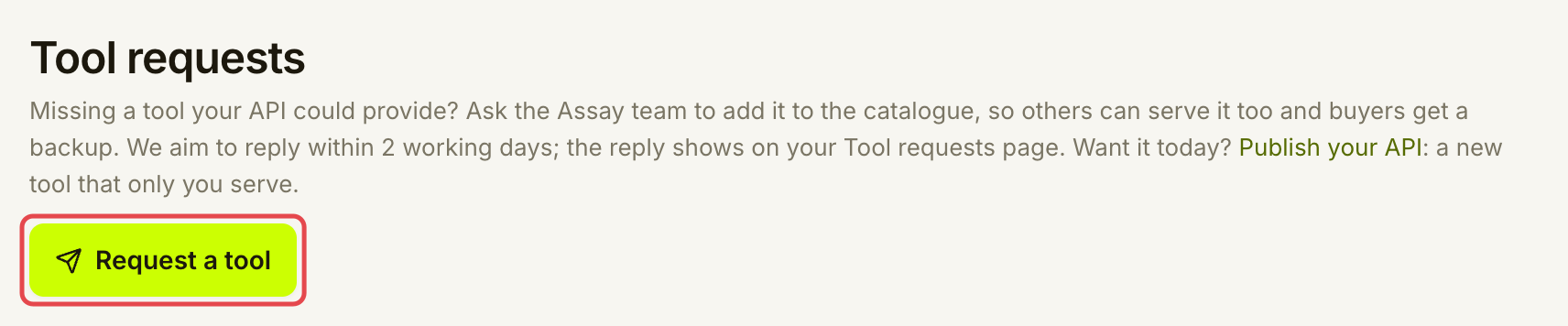
Open **Listings → Tool requests** and choose **Request a tool**.

<figure><img src="https://1949348494-files.gitbook.io/~/files/v0/b/gitbook-x-prod.appspot.com/o/spaces%2FjpdpV7qPs81FjbSH4zm1%2Fuploads%2Fgit-blob-a540b595e13ea7e1f42b4d98cabd202b3c20e891%2Fcheck-your-inbox-3.png?alt=media" alt="Tool requests page with Request a tool marked"><figcaption><p>Ask for a tool the catalogue does not cover.</p></figcaption></figure>
{% endstep %}

{% step %}

### Describe the answer you provide

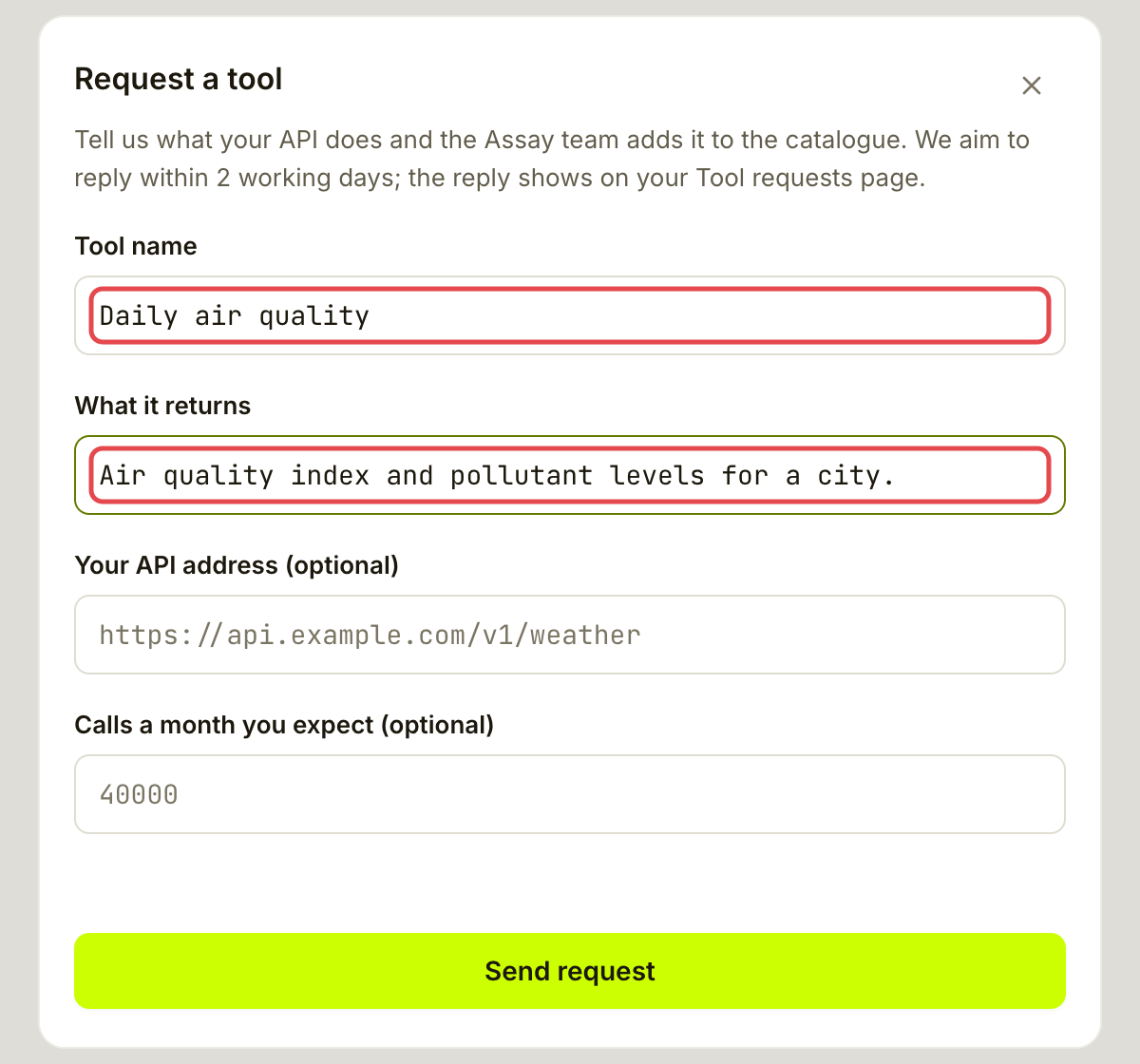
Enter **Tool name** and **What it returns**. Use a short name and describe the useful answer, such as an air quality index and pollutant levels for a city. Keep keys, passwords and customer details out of the form.

<figure><img src="https://1949348494-files.gitbook.io/~/files/v0/b/gitbook-x-prod.appspot.com/o/spaces%2FjpdpV7qPs81FjbSH4zm1%2Fuploads%2Fgit-blob-ff12b3715ddcbff2c484dc6a53636f08479f9b08%2Frequest-a-new-tool-2.png?alt=media" alt="Request a tool form filled with Daily air quality and a description of the answer"><figcaption><p>Say what the tool should return.</p></figcaption></figure>

Choose **Send request**. This sends your request to the Assay team; it does not create or publish your listing.
{% endstep %}

{% step %}

### Keep the confirmation

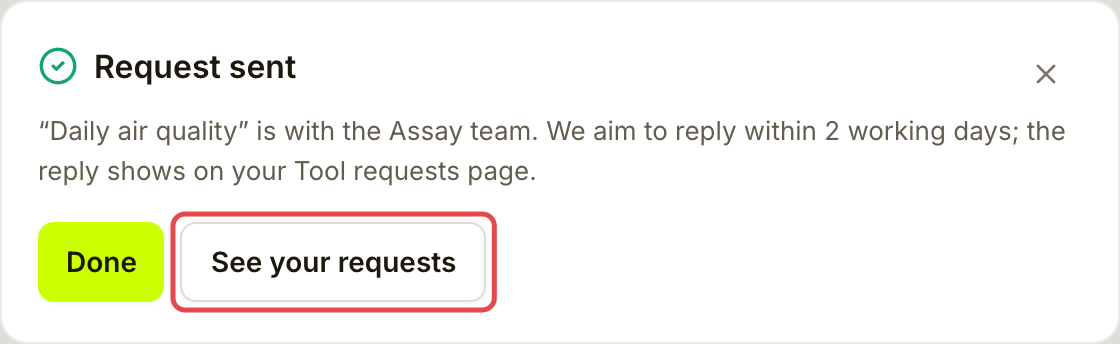
Check for **Request sent**. Assay aims to reply within 2 working days. This is a response target, not a promise that the tool will be added by then. Choose **See your requests** to follow it.

<figure><img src="https://1949348494-files.gitbook.io/~/files/v0/b/gitbook-x-prod.appspot.com/o/spaces%2FjpdpV7qPs81FjbSH4zm1%2Fuploads%2Fgit-blob-57d12bac398dd4dd7014cd221f6ecb281eb75760%2Frequest-a-new-tool-3.png?alt=media" alt="Request sent confirmation with See your requests marked"><figcaption><p>The reply will be on Tool requests.</p></figcaption></figure>
{% endstep %}

{% step %}

### Open the request to follow the reply

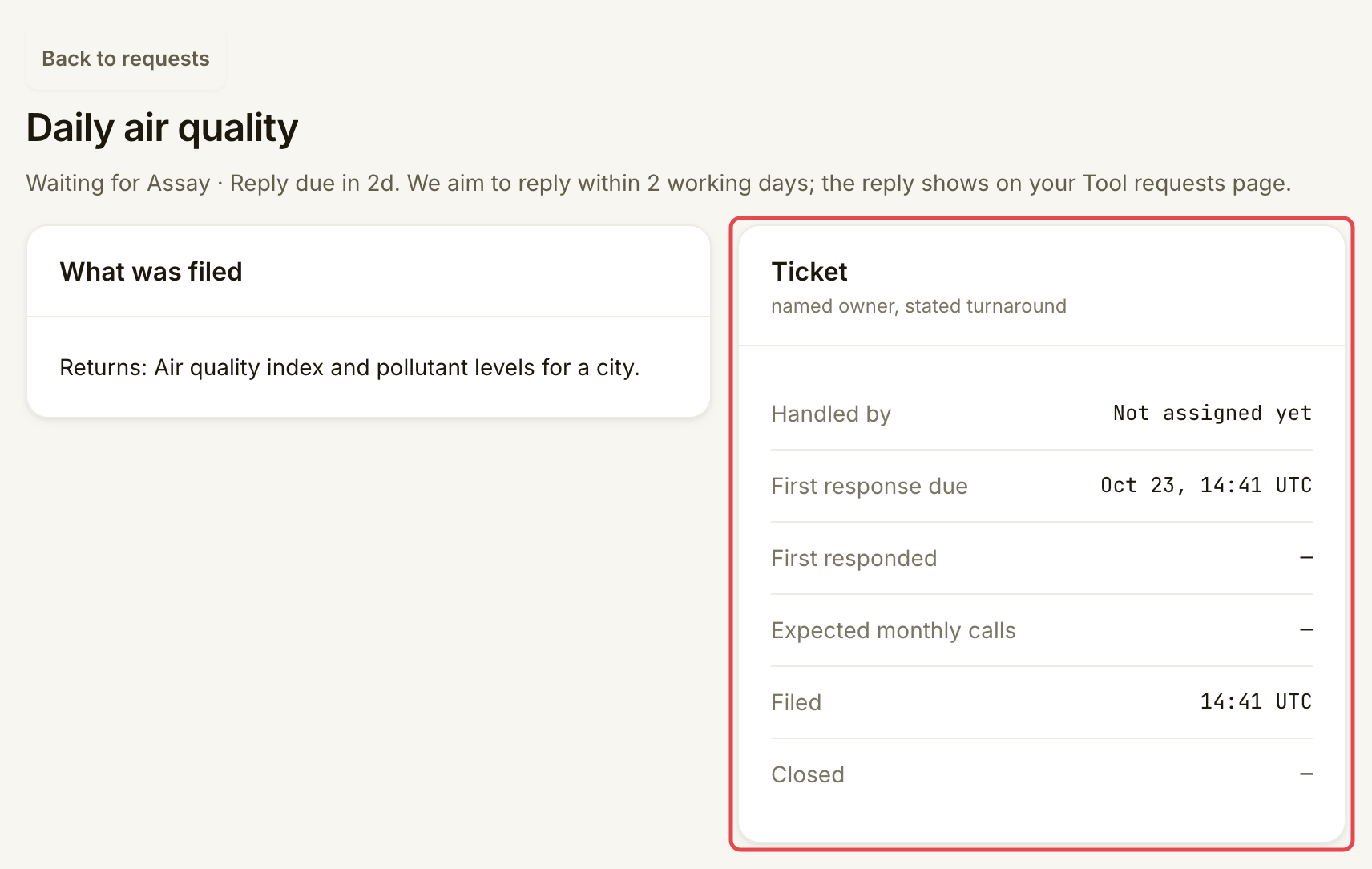
Return to **Listings → Tool requests** and select its row. **Ticket** shows **Handled by**, **First response due** and **First responded**. Times are in UTC. When the request is decided, read **Accepted** or **Declined** and the explanation under **What was filed**.

Read the reply here. Tool requests do not send an Inbox notice. If the request is accepted, follow its explanation; use [List a catalogue tool](/list-your-api/get-started/list-a-catalogue-tool.md) when the new tool is available.

<figure><img src="https://1949348494-files.gitbook.io/~/files/v0/b/gitbook-x-prod.appspot.com/o/spaces%2FjpdpV7qPs81FjbSH4zm1%2Fuploads%2Fgit-blob-1318bf75f161d61670c6a6e9ea79f5df3a5bf5c5%2Frequest-a-new-tool-4.png?alt=media" alt="Daily air quality request detail with the Ticket card marked"><figcaption><p>Open the same request to check its owner, timing and eventual decision.</p></figcaption></figure>
{% endstep %}
{% endstepper %}

## Check it worked

Your request appears in **Tool requests**. **Waiting for Assay** means it was filed; **Being reviewed** means it has been acknowledged. **Accepted** or **Declined** records the decision. You can file and read requests here, but there is no reply editor or status control.

<figure><img src="https://1949348494-files.gitbook.io/~/files/v0/b/gitbook-x-prod.appspot.com/o/spaces%2FjpdpV7qPs81FjbSH4zm1%2Fuploads%2Fgit-blob-0f92993660e782c7e6334a5a50fad98f14aeaf25%2Frequest-a-new-tool-5.png?alt=media" alt="Saved Daily air quality request showing Waiting for Assay and Reply due in 2d"><figcaption><p>A saved row confirms Assay received the request.</p></figcaption></figure>

## If something goes wrong

| You see                                           | Do this                                                                                                                                     |
| ------------------------------------------------- | ------------------------------------------------------------------------------------------------------------------------------------------- |
| **Give the tool a name and say what it returns.** | Fill in both **Tool name** and **What it returns**.                                                                                         |
| **The API address must start with https\://.**    | Use a public HTTPS address or leave the optional field empty.                                                                               |
| **Calls a month must be a whole number.**         | Enter digits only, or leave it empty.                                                                                                       |
| **Overdue**                                       | Open the existing request to check for a response. The badge means the first-response target has passed, not that the request was declined. |
| **The request could not be sent. Try again.**     | Retry and check the list before sending another request.                                                                                    |

<details>

<summary>Optional: add an address and expected traffic</summary>

In the request form, **Your API address (optional)** helps Assay understand the service. Use HTTPS and leave credentials out. **Calls a month you expect (optional)** accepts a whole number. Neither field is needed to send the request.

</details>

## Go further

* [Publish your own API](/list-your-api/get-started/publish-your-own-api.md) if you want to define and serve the tool yourself.

## Next

* [Troubleshooting](/list-your-api/help/troubleshooting.md)


---

# Agent Instructions
This documentation is published with GitBook. GitBook is the documentation platform designed so that both humans and AI agents can read, navigate, and reason over technical content effectively. Learn more at gitbook.com.

## Querying This Documentation
If you need additional information that is not directly available in this page, you can query the documentation by asking a question.

Perform an HTTP GET request on the following URL with the `ask` and `goal` query parameters:

```
GET https://docs.goassay.ai/list-your-api/advanced/request-a-new-tool.md?ask=<question>&goal=<user_goal>
```

`ask` is the immediate question: it should be specific, self-contained, and written in natural language.
`goal` is what the user is ultimately trying to achieve, the reason they need the answer. Sharing it helps GitBook give you a better, more relevant answer. A goal is most helpful when it describes the outcome the user wants rather than restating the question. For example, with `ask=how do I create an API token`, a goal like `automate deployments from our CI pipeline` lets GitBook tailor the answer to that use case.

The response will contain a direct answer to the question and relevant excerpts and sources from the documentation.

Use this mechanism when the answer is not explicitly present in the current page, you need clarification or additional context, or you want to retrieve related documentation sections.