> For the complete documentation index, see [llms.txt](https://docs.goassay.ai/llms.txt). Markdown versions of documentation pages are available by appending `.md` to page URLs; this page is available as [Markdown](https://docs.goassay.ai/list-your-api/advanced/quality-and-sla.md).
# Quality and SLA
Understand your failure promise, watch checked calls and reduce the risk of a breach.
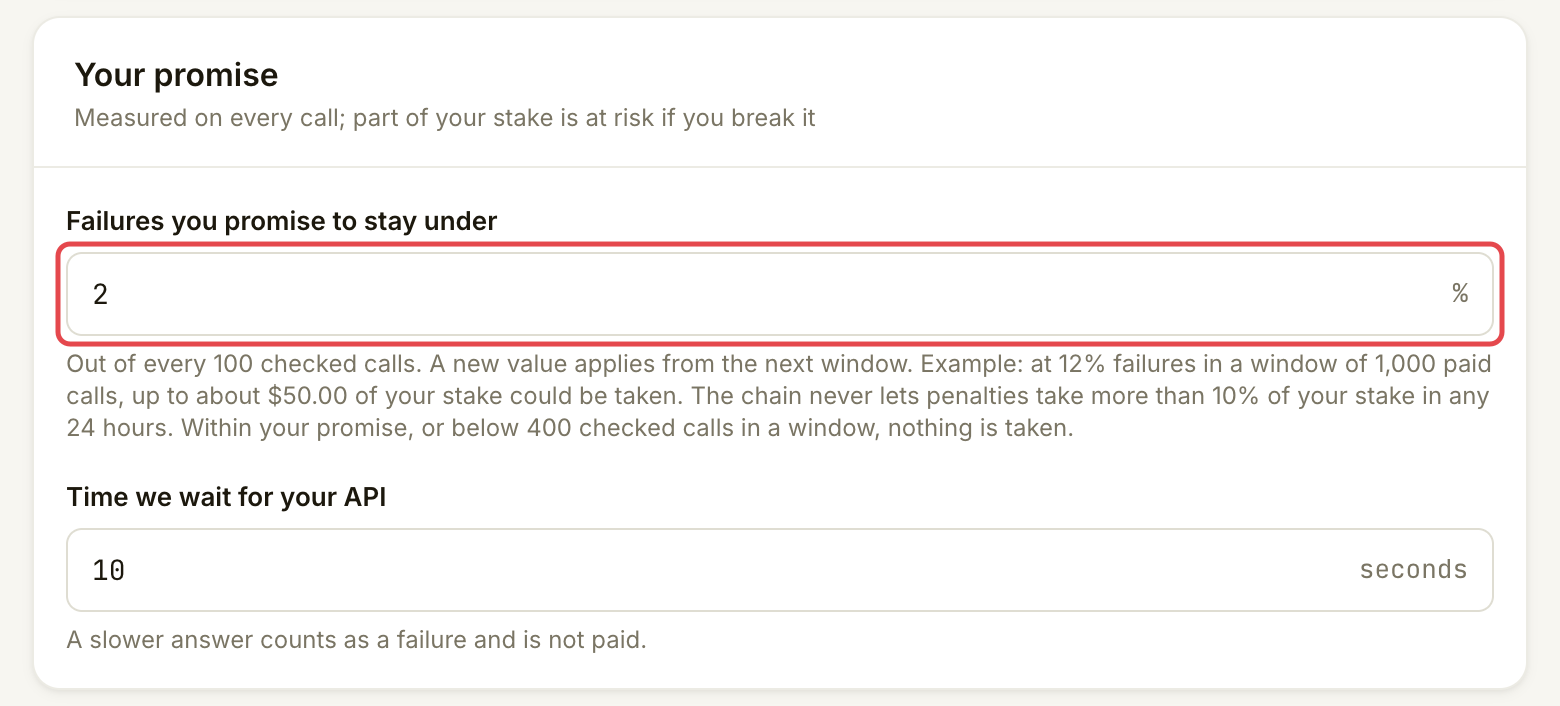
Your failure promise says how often checked calls may fail. The console calls this **Failures you promise to stay under**; SLA means service-level agreement. Keep the promise realistic and investigate failures before they build up.
{% hint style="info" %}
**Before you start:** have a live listing. [See your stats](/list-your-api/everyday-use/see-your-stats.md) shows how to open Quality and inspect an individual checked call. [Manage your stake](/list-your-api/advanced/manage-your-stake.md) explains the money backing your promise.
{% endhint %}
## How quality is measured
A check window is a group of calls used to judge one listing's promise. The first call opens it. A check window closes once it holds enough checked calls to judge your promise fairly, or after a maximum period. A window with too few checked calls is not judged against your promise; individual failed calls are still refunded and recorded as strikes. **Quality** shows each window's minimum.
The failure rate is failed checked calls divided by all checked calls in the window. Only calls with a passed or failed quality check enter that count. A skipped check, or a result that cannot fairly be attributed to your API, does not become a passed call to improve the rate. Upheld bad-result reports from customers count against the listing's quality in routing, separately from the window failure rate that decides penalties; [Answer a bad-result report](/list-your-api/everyday-use/answer-a-dispute.md) explains that process.
The promise and measurement rules are fixed when a window opens. A changed promise applies from the next window. At closing, Assay allows for uncertainty in the sample before deciding that a rate above your promise is a breach. Going over the displayed promise is a reason to investigate; it is not an immediate deduction from stake.
## Steps
{% stepper %}
{% step %}
### Read the promise your API must meet
Open **Listings**, select the tool and open **Settings → Your promise**. Read **Failures you promise to stay under** and **Time we wait for your API**. A slower answer is not paid and counts against your availability, so Assay may route fewer calls to you. It is not a checked call and does not enter the failure rate behind a penalty. The default failure promise is 2%; check your listing's actual value.
Match the promise to what your API can reliably deliver.
{% endstep %}
{% step %}
### Watch the window and its evidence
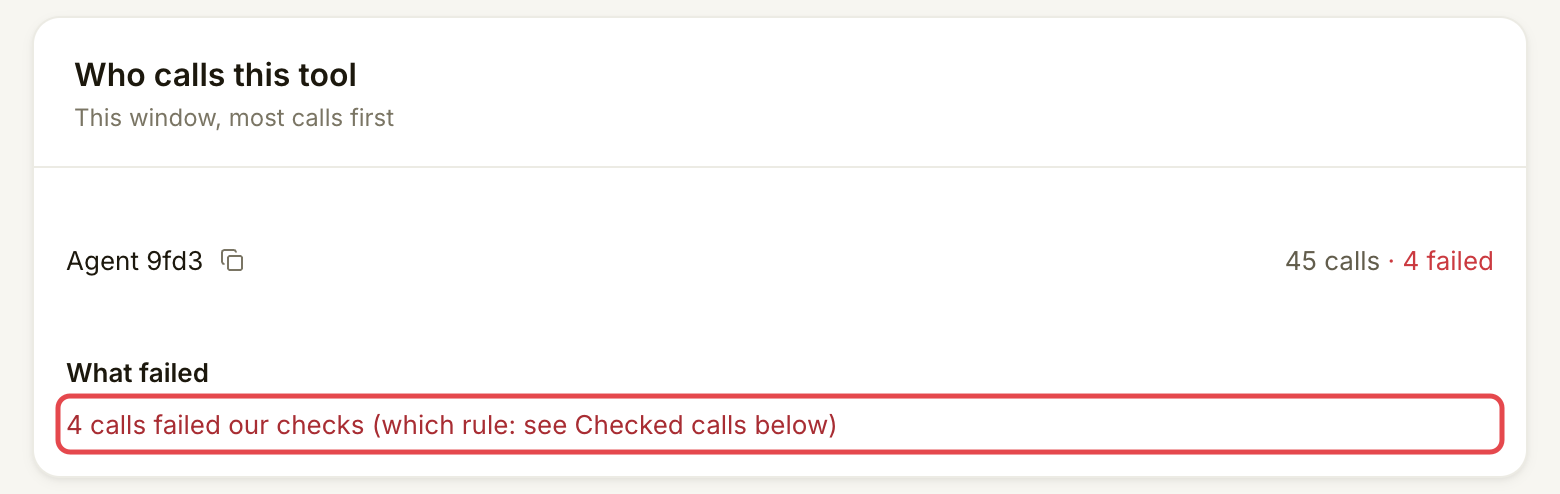
Open **Quality**. Read the window's dates, failure rate and checked-call count together. **Recent windows** records earlier outcomes. **Who calls this tool** and **What failed** help you see where failures came from.
A high rate with a small sample needs attention, but is not yet a breach judgement.
Use the evidence to decide what to investigate.
For the controls to filter **Checked calls** and open a result, follow [See your stats](/list-your-api/everyday-use/see-your-stats.md#steps). Check which rule failed before changing your API. Monitor **Inbox** for warnings and deadlines, using [Check your inbox](/list-your-api/everyday-use/check-your-inbox.md).
{% endstep %}
{% step %}
### Fix the cause before continuing traffic
Compare failed checks with your API's logs. Check response time, required output fields, values and any checks your own tool promises on every answer. Keep authentication working when rotating keys. Test a connection change before publishing it.
If you cannot keep serving safely, use [Edit, pause or resume a listing](/list-your-api/everyday-use/edit-pause-or-resume-a-listing.md). Pausing stops new traffic without adding a penalty by itself. It does not remove failures or obligations from calls already served.
{% endstep %}
{% endstepper %}
## Check it worked
New calls pass the relevant checks, and the next window reflects the improvement. A fix does not erase earlier failed calls. A green recent window kept the promise; grey means too few checked calls to judge; red records a window that went over. A warning alone is separate from a proposed penalty.
## If something goes wrong
| You see | Do this |
| -------------------------------------- | --------------------------------------------------------------------------------------------------------------------------------------------------------- |
| **Not enough calls yet** | Read the rate as an early signal. The window cannot lead to a breach penalty until it reaches the minimum sample. |
| The failure rate is above your promise | Investigate the failed calls now, even if the sample is too small for a penalty. |
| A failed check | Open the call using [See your stats](/list-your-api/everyday-use/see-your-stats.md). Fix the specific cause, rather than changing the promise to hide it. |
| A bad-result report | Follow [Answer a bad-result report](/list-your-api/everyday-use/answer-a-dispute.md) before its reply deadline. |
| Quality cannot be loaded | Retry. Missing data does not mean the failure rate is zero. |
Optional: change the promise or response deadline
In **Settings → Your promise**, change the percentage or **Time we wait for your API**, then choose **Save**. A stricter promise opens a confirmation: read the increased penalty risk before choosing **Save new promise**. The percentage takes effect from the next window, so it cannot rewrite the one already open. A new **Time we wait for your API** needs a new passing test and publishing, like a price change; see [Edit, pause or resume a listing](/list-your-api/everyday-use/edit-pause-or-resume-a-listing.md). Keep a promise your service can meet under normal load.
## Go further
* [See your stats](/list-your-api/everyday-use/see-your-stats.md) for checked-call filters and the meaning of each period.
## Next
* [Penalties and how to dispute them](/list-your-api/advanced/penalties.md)
---
# Agent Instructions
This documentation is published with GitBook. GitBook is the documentation platform designed so that both humans and AI agents can read, navigate, and reason over technical content effectively. Learn more at gitbook.com.
## Querying This Documentation
If you need additional information that is not directly available in this page, you can query the documentation by asking a question.
Perform an HTTP GET request on the following URL with the `ask` and `goal` query parameters:
```
GET https://docs.goassay.ai/list-your-api/advanced/quality-and-sla.md?ask=&goal=
```
`ask` is the immediate question: it should be specific, self-contained, and written in natural language.
`goal` is what the user is ultimately trying to achieve, the reason they need the answer. Sharing it helps GitBook give you a better, more relevant answer. A goal is most helpful when it describes the outcome the user wants rather than restating the question. For example, with `ask=how do I create an API token`, a goal like `automate deployments from our CI pipeline` lets GitBook tailor the answer to that use case.
The response will contain a direct answer to the question and relevant excerpts and sources from the documentation.
Use this mechanism when the answer is not explicitly present in the current page, you need clarification or additional context, or you want to retrieve related documentation sections.