> For the complete documentation index, see [llms.txt](https://docs.goassay.ai/llms.txt). Markdown versions of documentation pages are available by appending `.md` to page URLs; this page is available as [Markdown](https://docs.goassay.ai/list-your-api/advanced/manage-your-stake.md).

# Manage your stake

Check the stake your paid tools need, add USDG and plan a withdrawal.

Stake is USDG you lock on Robinhood Chain to back your failure promise. It is separate from your earnings: [Get paid](/list-your-api/get-started/get-paid.md) explains how call payments reach your payout wallet.

{% hint style="info" %}
**Before you start:** complete [account and wallet setup](/list-your-api/get-started/set-up-your-account.md). For wallet actions, have the wallet that holds your stake, USDG to add and ETH for network fees. Your stake wallet is proved separately from your payout wallet.
{% endhint %}

## Steps

Choose the task you need. You can check stake without starting a wallet action.

{% tabs %}
{% tab title="Check what you need" %}
{% stepper %}
{% step %}

### Read Stake

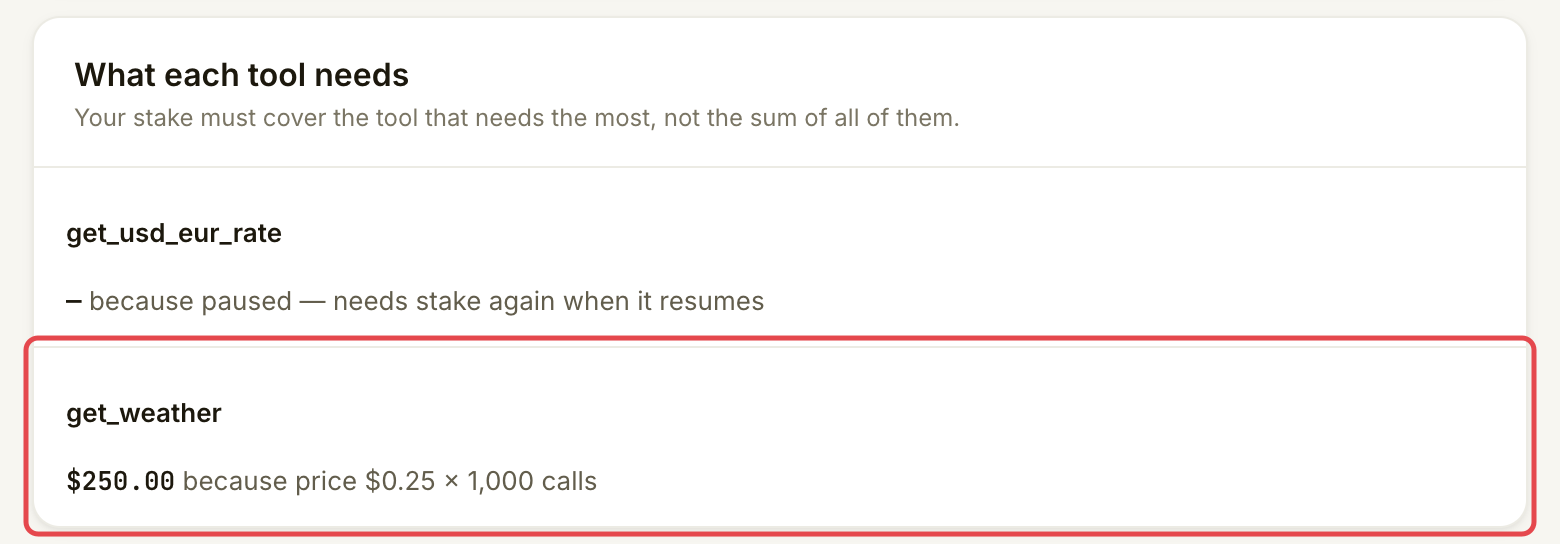
Open **Stake**. Compare **Staked**, **Needed** and **Recommended**. **Needed** is the largest requirement among your paid tools, not their sum. **Recommended** is 1.5 times that amount, giving you a buffer if a penalty reduces your stake.

Under **What each tool needs**, read the reason beside each tool. The standard requirement is the higher of $50 or 1,000 calls at its price. For example, a $0.25 paid call normally needs $250. Free tools need no stake. A chain minimum or an amount agreed with Assay can change the requirement, so use the amount shown for your account.

<figure><img src="https://1949348494-files.gitbook.io/~/files/v0/b/gitbook-x-prod.appspot.com/o/spaces%2FjpdpV7qPs81FjbSH4zm1%2Fuploads%2Fgit-blob-32fb107257c5cc7fcd2c7c413cea1b29e289be48%2Fmanage-your-stake-1.png?alt=media" alt="What each tool needs card showing get_weather needs $250 at a price of $0.25 per call"><figcaption><p>Read the requirement for each tool before adding or withdrawing money.</p></figcaption></figure>
{% endstep %}
{% endstepper %}
{% endtab %}

{% tab title="Add stake" %}
{% stepper %}
{% step %}

### Open Add stake

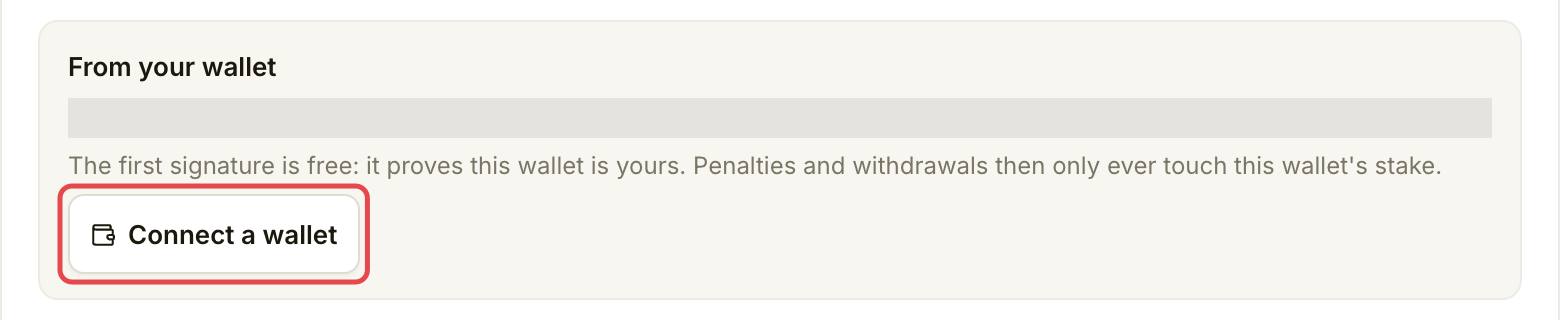
On **Stake**, choose **Add stake**; if you are short, the button names the amount to add. In **From your wallet**, choose **Connect a wallet** if needed. Connect the intended stake wallet on Robinhood Chain.

<figure><img src="https://1949348494-files.gitbook.io/~/files/v0/b/gitbook-x-prod.appspot.com/o/spaces%2FjpdpV7qPs81FjbSH4zm1%2Fuploads%2Fgit-blob-42643db4694e68eabc83b2c0c6805f823e90081f%2Fmanage-your-stake-2.png?alt=media" alt="From your wallet card in Add stake with Connect a wallet marked"><figcaption><p>Connect the wallet that will hold your stake.</p></figcaption></figure>
{% endstep %}

{% step %}

### Review the amount and wallet steps

Choose **Needed now**, the recommended amount, or **Custom**. Check **Amount to stake**, the resulting **Your stake** amount and **Before you sign** when wallet balances are available.

<figure><img src="https://1949348494-files.gitbook.io/~/files/v0/b/gitbook-x-prod.appspot.com/o/spaces%2FjpdpV7qPs81FjbSH4zm1%2Fuploads%2Fgit-blob-0303546a585adaed9411db0d465c9438e6a97305%2Fmanage-your-stake-3.png?alt=media" alt="Amount to stake picker with Custom selected and 375 entered"><figcaption><p>Choose and check the amount before opening any wallet prompt.</p></figcaption></figure>

Read the signature list before choosing **Stake** with your amount. If this wallet is not proved yet, the first message confirms ownership for free. Then approve the USDG spend if asked and confirm the deposit. Approval lets the stake contract move the amount; the deposit moves it into stake. Each transaction costs an ETH network fee. Check the amount in each wallet prompt.

<figure><img src="https://1949348494-files.gitbook.io/~/files/v0/b/gitbook-x-prod.appspot.com/o/spaces%2FjpdpV7qPs81FjbSH4zm1%2Fuploads%2Fgit-blob-94b4a6d8211e8dd86f674b609da5f7e2d622fb6f%2Fmanage-your-stake-4.png?alt=media" alt="Add stake signature list showing wallet ownership proof, approval and deposit as separate steps"><figcaption><p>Ownership proof, approval and deposit have different purposes.</p></figcaption></figure>
{% endstep %}
{% endstepper %}
{% endtab %}

{% tab title="Withdraw stake" %}
{% stepper %}
{% step %}

### Read the withdrawal rules

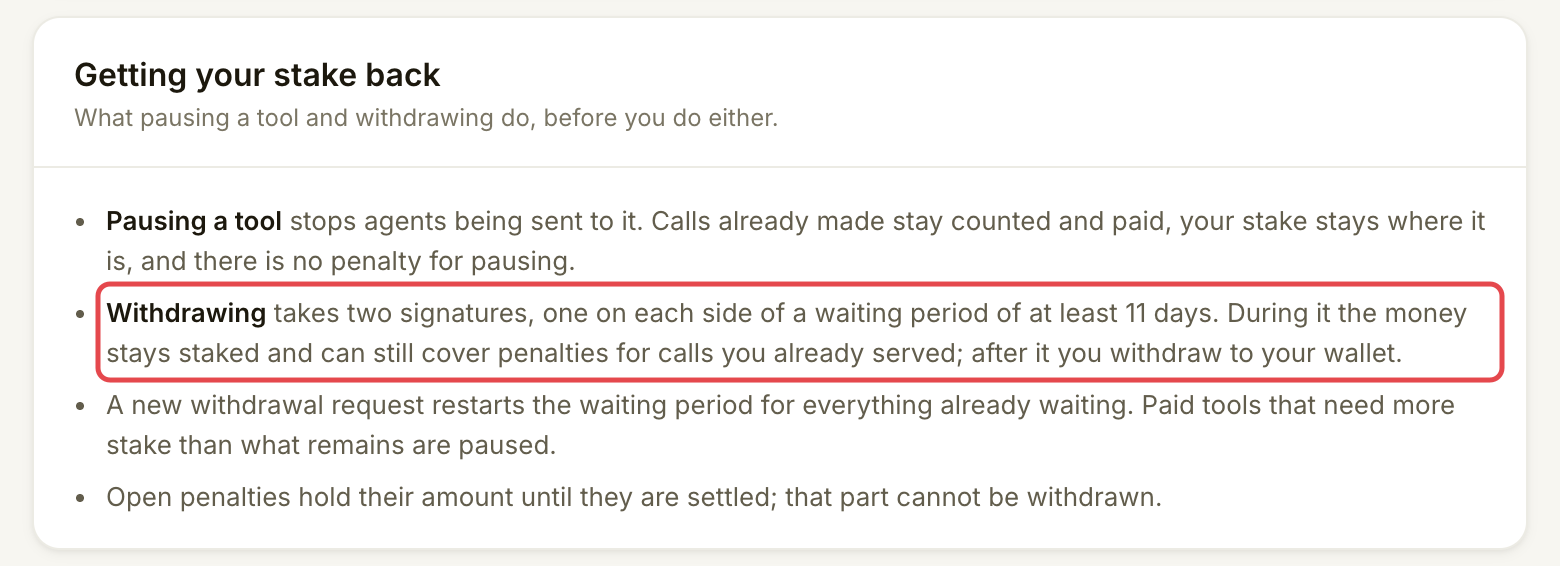
On **Stake**, read **Getting your stake back** before choosing **Withdraw**. Withdrawing has two wallet transactions separated by an unbonding wait: time when money is waiting to leave stake but can still cover penalties for calls you already served.

If a penalty is executed while you are withdrawing, it is taken from the amount already unbonding first.

The screen shows the waiting period. If it says **at least 11 days**, that is a lower bound, not a confirmed unlock date. Once a withdrawal is running, use its displayed date.

<figure><img src="https://1949348494-files.gitbook.io/~/files/v0/b/gitbook-x-prod.appspot.com/o/spaces%2FjpdpV7qPs81FjbSH4zm1%2Fuploads%2Fgit-blob-c265b1672a2e8d6e0c7987d41a8ce532b452ab73%2Fmanage-your-stake-5.png?alt=media" alt="Getting your stake back card explaining the waiting period, restarted clocks and penalty holds"><figcaption><p>Plan for the wait and the effect on paid tools.</p></figcaption></figure>
{% endstep %}

{% step %}

### Start the withdrawal

Choose **Withdraw** and connect your stake wallet if asked. In **Withdraw stake**, review **Amount to withdraw**. The suggested amount leaves enough for paid tools and open penalties. **Max without pausing** uses that amount. **Everything** can pause tools; read the named tools and acknowledgement before continuing.

Check the timeline and unlock date, then choose **Start withdrawing** with the amount and confirm the transaction in your wallet. Money is not transferred back yet. A new request restarts the clock for the whole amount already unbonding. Open penalties hold their amount until settled; that part cannot be withdrawn.
{% endstep %}

{% step %}

### Return after the wait

When **Stake** shows **Withdrawable**, choose **Withdraw** with the available amount. Read **Withdraw your stake**, then confirm the withdrawal to your stake wallet. This second transaction also needs an ETH network fee. Waiting alone does not transfer the money.
{% endstep %}
{% endstepper %}
{% endtab %}
{% endtabs %}

## Check it worked

After adding, wait for **staked** and the updated **Staked** figure. The console says this normally updates within about a minute after Assay reads the chain. An approval alone is not a deposit.

After starting a withdrawal, **Stake** shows **Unbonding** and its date. After the final withdrawal, check **Withdrawn to your wallet** and the wallet's USDG balance. A paid tool whose requirement is above your remaining stake gets a 7-day grace period. Its row shows **Pauses … unless stake is added**, with a date. Add stake before then, or it stops taking paid calls.

## If something goes wrong

| You see                                                  | Do this                                                                                                                                                   |
| -------------------------------------------------------- | --------------------------------------------------------------------------------------------------------------------------------------------------------- |
| **Nothing staked yet**                                   | Add stake before starting a withdrawal.                                                                                                                   |
| A stake shortfall, or **Pauses … unless stake is added** | Read **What each tool needs** and add enough stake before that date for the tools you want to keep serving.                                               |
| The chain balance cannot be read                         | Retry. An unreadable amount is not a zero balance.                                                                                                        |
| A wallet action is declined                              | Review the saved amount and retry when ready. Completed steps are not repeated.                                                                           |
| A transaction was sent but is not confirmed              | Check its explorer link. **Try again** checks the submitted transaction before sending another.                                                           |
| A withdrawal would pause tools                           | Reduce the amount, or prepare to stop those tools using [Edit, pause or resume a listing](/list-your-api/everyday-use/edit-pause-or-resume-a-listing.md). |

## Go further

* Developers (optional): [Staking and penalties on chain](https://docs.goassay.ai/developers/list-your-api/staking-and-penalties).

## Next

* [Quality and SLA](/list-your-api/advanced/quality-and-sla.md)


---

# Agent Instructions
This documentation is published with GitBook. GitBook is the documentation platform designed so that both humans and AI agents can read, navigate, and reason over technical content effectively. Learn more at gitbook.com.

## Querying This Documentation
If you need additional information that is not directly available in this page, you can query the documentation by asking a question.

Perform an HTTP GET request on the following URL with the `ask` and `goal` query parameters:

```
GET https://docs.goassay.ai/list-your-api/advanced/manage-your-stake.md?ask=<question>&goal=<user_goal>
```

`ask` is the immediate question: it should be specific, self-contained, and written in natural language.
`goal` is what the user is ultimately trying to achieve, the reason they need the answer. Sharing it helps GitBook give you a better, more relevant answer. A goal is most helpful when it describes the outcome the user wants rather than restating the question. For example, with `ask=how do I create an API token`, a goal like `automate deployments from our CI pipeline` lets GitBook tailor the answer to that use case.

The response will contain a direct answer to the question and relevant excerpts and sources from the documentation.

Use this mechanism when the answer is not explicitly present in the current page, you need clarification or additional context, or you want to retrieve related documentation sections.